Productivity & writingDocumented overviewLast checked Oct 1, 2026

Migma: Pricing, Features & Best Use Cases

AI email generator that builds, edits and sends marketing email campaigns from a prompt, Figma frame, HTML or screenshot.

Who should use Migma

Migma suits marketers, designers and small e-commerce teams who want to generate on-brand email campaigns from a prompt, a Figma frame or an HTML or screenshot reference, then send them through their own domain or Mailchimp and Klaviyo. Based on the vendor's documentation, not on a hands-on test.

Best for: Marketers

Also a good fit for

  • Agencies
  • Ecommerce teams

Consider another tool if account required to start

Or if

  • Plan prices not visible in fetched pricing page text
  • Free Hobby plan mentioned only conditionally in FAQ

Migma pricing and usage limits

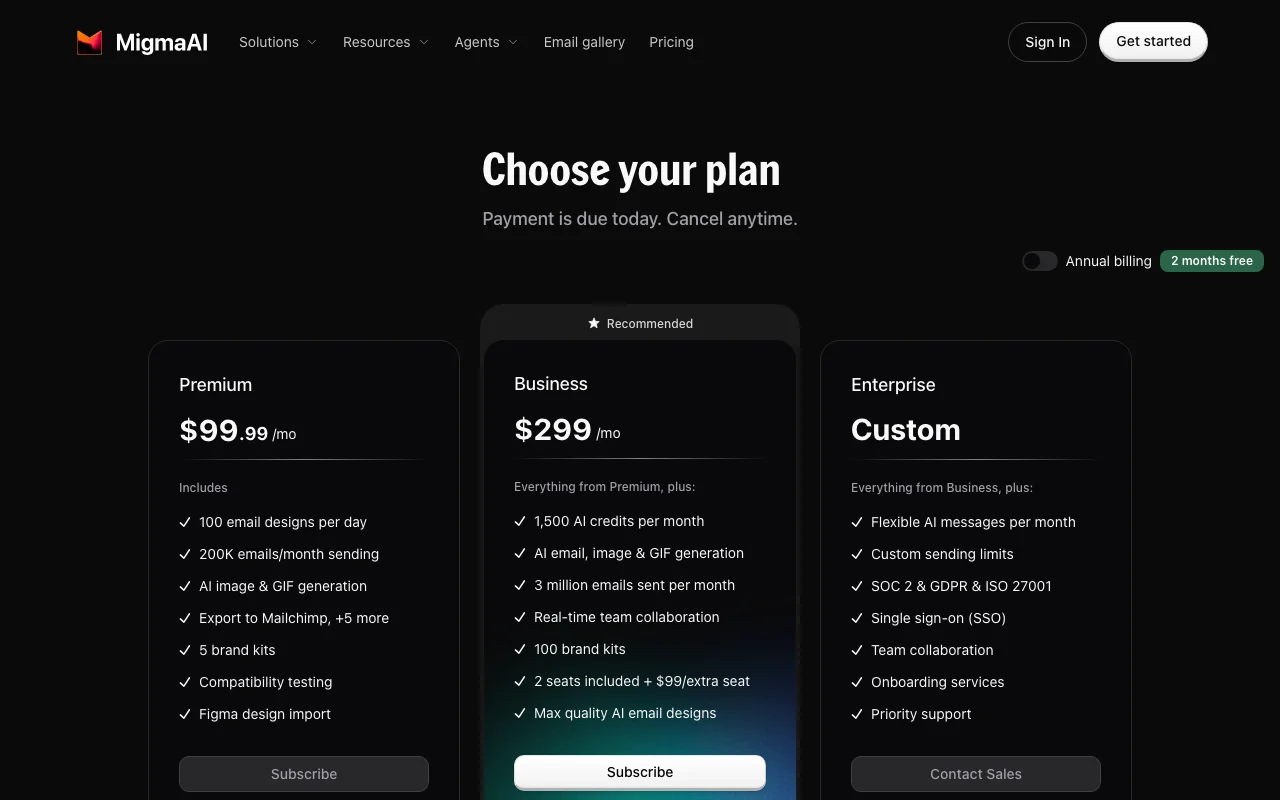
Prices checked Oct 1, 2026 on the official US pricing page. Official pricing ↗ Prices and limits change often.

Migma pricing page with plans and prices — screenshot of the productivity & writing AI tool, Oct 1, 2026
The official Migma pricing page as we saw it. migma.ai, captured Oct 1, 2026

Free access and trial conditions

The FAQ mentions a free Hobby plan 'if it's available'.

Not stated; a 30-day money-back guarantee applies.

Paid plans: what changes as you upgrade

Hobby web

Free source (opens in a new tab)

Month

For: Light use after cancelling Premium

Includes

  • Free plan, mentioned as available only if offered

Premium web

See official pricing source (opens in a new tab)

Month

For: Regular campaign senders

Includes

  • Full email generation, sending and tracking per the pricing page feature list

Usage caps, credits and extra costs

Not visible in fetched text.

Not stated.

What is Migma, and how does it work?

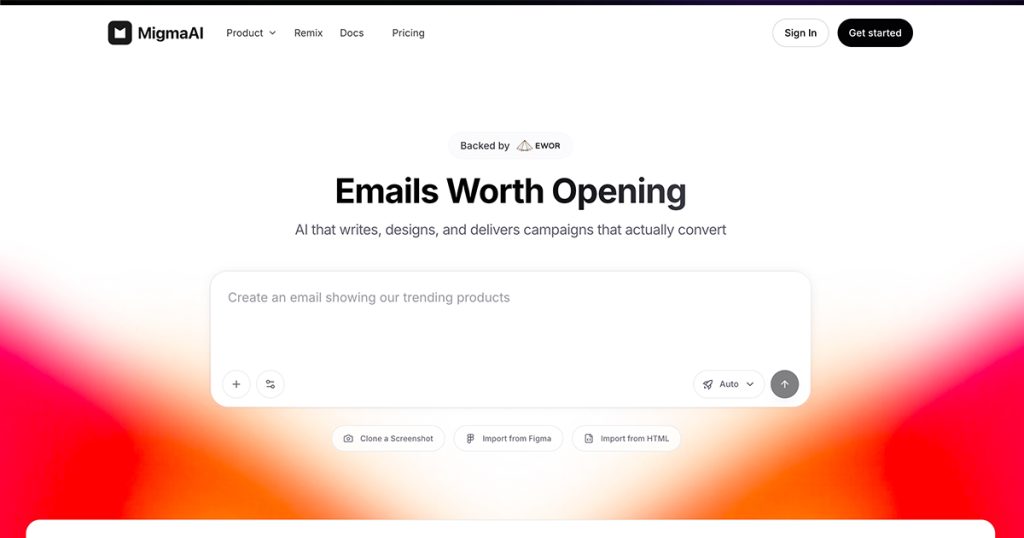
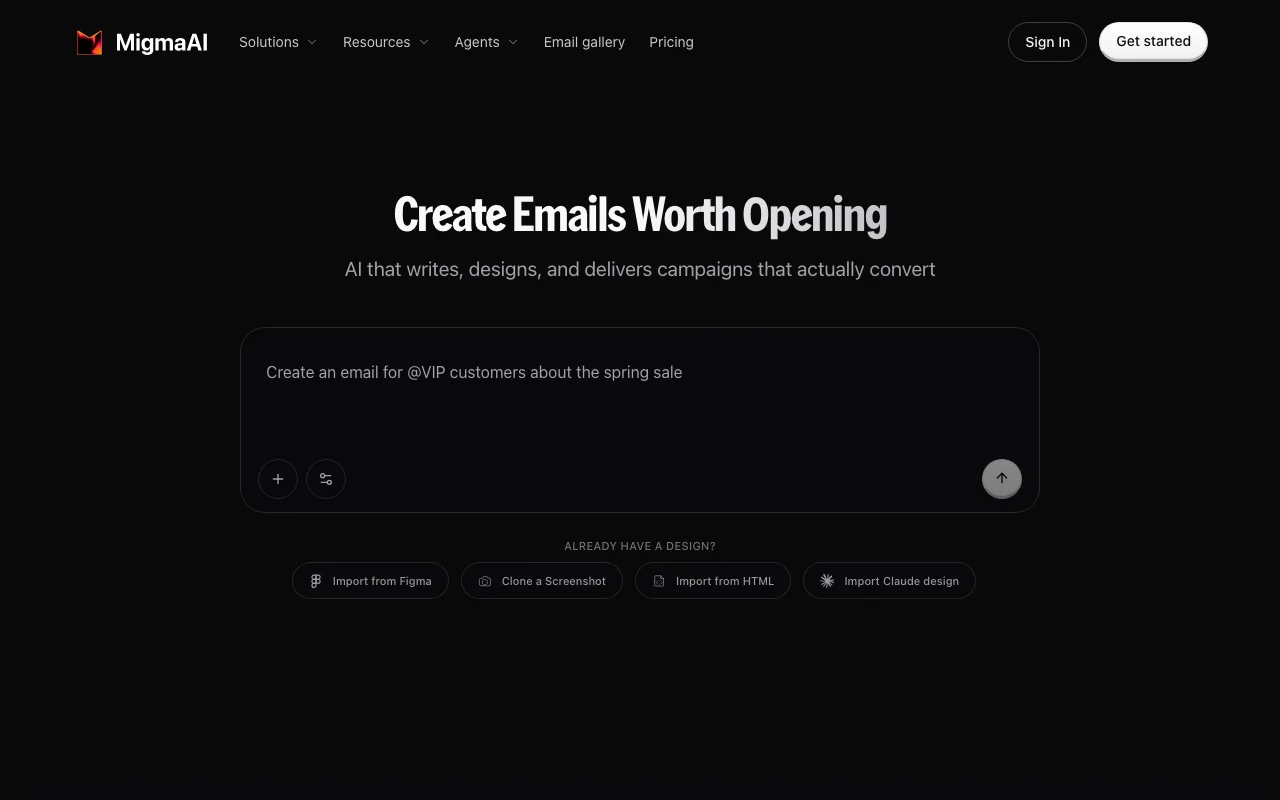
Migma is an AI email platform that generates campaign emails, flows and segments from a described goal, with a visual editor for adjustments. It can import from Figma, HTML or screenshots, connects to tools such as Mailchimp and Klaviyo, and tracks opens and clicks for sent emails.

Migma homepage — screenshot of the productivity & writing AI tool, Oct 1, 2026
Migma's official site: how the product presents itself. migma.ai, captured Oct 1, 2026

What you provide and what you get back

How Migma works: what you provide, where it runs and what you get backYOU PROVIDEYour inputText prompt describing the campai…Figma frameHTML or screenshotCompetitor newslettersPRODUCTIVITY & WRITINGMigmaWeb, APIfree tier, paid price not publish…free tier availableaccount requiredchecked Oct 1, 2026YOU GET BACKThe resultResponsive email templates and se…Localized versionsAudience segmentsOpen, click and device analyticsinput → Migma → output · from the vendor's own pages, no hands-on test unless stated
What you give Migma and what comes back, from its documentation

You provide

  • Text prompt describing the campaign
  • Figma frame
  • HTML or screenshot
  • Competitor newsletters
  • Brand assets pulled from your website

You get back

  • Responsive email templates and sequences
  • Localized versions
  • Audience segments
  • Open, click and device analytics

Where you can use it

Platforms
Web, API
Account
Required
Email clients tested
Outlook, Gmail, Apple Mail, Yahoo, light and dark mode
Import sources
Figma, HTML, screenshot, Claude design
Sending
Own domain, Mailchimp, Klaviyo
Analytics
Opens, clicks, top links, device and client split

Best use cases for Migma

Scenarios are worked out by our editors from the documentation; the actual result depends on your input and plan.

Marketing campaigns

Who
Marketing managers
You provide
A one-sentence campaign brief
Expected result
A full set of personalized emails ready to edit and send
Plan needed
Premium
Limitation
Plan limits not visible source (opens in a new tab)

Email sequences

Who
Lifecycle marketers
You provide
A goal for welcome or nurture flows
Expected result
An email sequence with scheduling
Plan needed
Premium
Limitation
Sending requires a connected domain or platform source (opens in a new tab)

Figma-to-email conversion

Who
Designers and developers
You provide
A Figma frame, HTML or screenshot
Expected result
An email that matches the design across inboxes
Plan needed
Premium
Limitation
Result needs a final visual check in clients source (opens in a new tab)

Key features and their practical limits

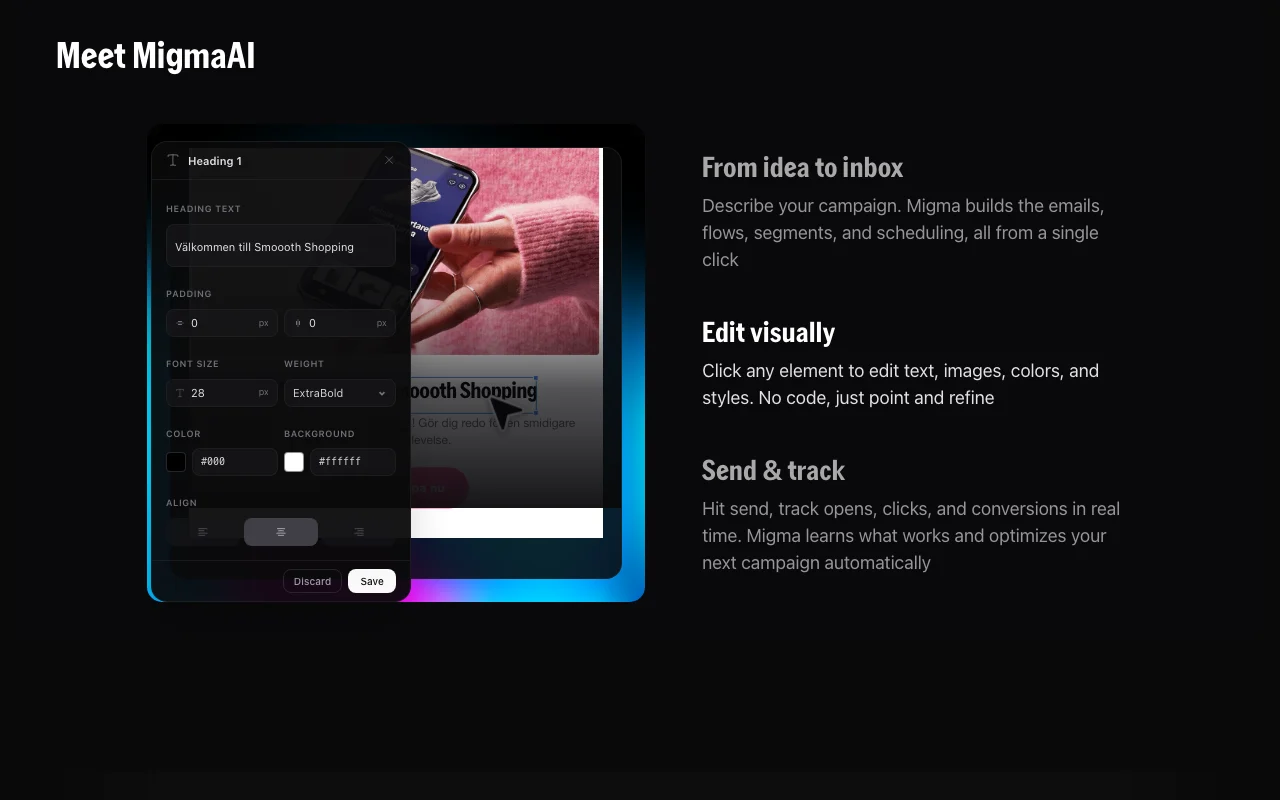
Migma homepage — screenshot of the productivity & writing AI tool, Oct 1, 2026
Feature overview on the official site. migma.ai, captured Oct 1, 2026

Prompt-based email generation

Builds a complete email, including design, copy and images, from a plain-English description. Skips drag-and-drop work.

Access: AccountLimit: Output quality depends on the brief and brand assets. source (opens in a new tab)

Visual editor

Lets you click any element to edit text, images, colors and styles. Allows quick refinement without code.

Access: AccountLimit: Editing is within the Migma canvas. source (opens in a new tab)

Import from Figma, HTML, screenshot

Starts from a Figma frame, Claude design, HTML or screenshot. Reuses existing designs.

Access: AccountLimit: Fidelity to the source is not quantified. source (opens in a new tab)

Audience segments

Builds segments from a description in any language and keeps them updated. Targets sends without manual filters.

Access: AccountLimit: Contact source depends on connected tools. source (opens in a new tab)

Multilingual sending

Localizes the same email automatically for audiences worldwide. Removes manual translation.

Access: AccountLimit: Languages supported are not listed. source (opens in a new tab)

Pros, cons and deal-breakers

Reasons to choose Migma

Check before paying for Migma

How to use Migma for creating a marketing email campaign

Set up Migma

  1. Open migma.ai and click Get started to create an account.
  2. Connect your website so Migma can pull brand colors, fonts and assets.
  3. Optionally connect Mailchimp or Klaviyo, or your sending domain.
  4. Choose to start from a prompt or import a Figma frame.

Example: creating a marketing email campaign

  1. Type a prompt such as an email showing your trending products.
  2. Click elements in the visual editor to adjust text and images.
  3. Check inbox rendering and links.
  4. Send or export to your platform and watch opens and clicks.

Review and export the result

  1. Preview in Gmail, Outlook and dark mode.
  2. Run the deliverability and link checks.
  3. Review opens, clicks and device split after sending.
Example prompt suggested by our editors (not a recorded output of the product)
Create an email showing our five trending products with a bold headline, one hero image and a single Shop now button.

Migma integrations and API

Migma pricing page with plans and prices — screenshot of the productivity & writing AI tool, Oct 1, 2026
Plan comparison on the official pricing page. migma.ai, captured Oct 1, 2026

Native integrations and export formats

Export: HTML

API access and separate billing

Migma has no public API in its official documentation. Testimonials cite a documented API, SDK and quickstart. API documentation ↗

Privacy, data use and commercial rights

Summarized from the vendor's current policies; this is not legal advice and a vendor's badge is not an independent audit.

How your inputs and outputs are handled

Collects account, usage and device data; does not sell personal data.

Controls for business users

  • Access, update and delete data in account settings
  • GDPR and US state law compliance stated

Policies: docs.migma.ai/legal/privacy-policy

Other tools to consider instead of Migma

"Better suited" is based on documented features and pricing, not on a head-to-head test.

Jasper: better suited to

Canva: better suited to

Alternatives
AlternativeWhen to choose itPricingLimitation
Jasper——Compare
Canva——Compare

Explore Migma further

Tools and guides near Migma

Migma user reviews

No user reviews yet.

Used Migma? Be the first to share your experience.

Write a review

Reviews are checked by a moderator before they appear. Your email is never published. Plain text only.

Your rating (required)

Show what you made or what went wrong. Images are published only if the review is approved; location data is removed.

    Migma FAQ

    Does Migma offer a refund?

    Yes, a 30-day money-back guarantee with a full refund and no questions asked. source (opens in a new tab)

    How is Migma different from Mailchimp or Klaviyo?

    Migma creates the emails while those platforms send them; you can export or send directly from Migma. source (opens in a new tab)

    Do I need technical skills?

    No, you describe the email in plain English and Migma handles design, copy, images and compatibility. source (opens in a new tab)

    Can I start from an existing design?

    Yes, from a Figma frame, a Claude design, HTML or a screenshot. source (opens in a new tab)

    Can I cancel anytime?

    Yes, there are no contracts; after cancelling Premium you can keep a free Hobby plan if available. source (opens in a new tab)

    Sources and review methodology

    Official sources and verification dates

    Not verified: Plan prices; Limits per plan; Whether Hobby exists; Training use of content.

    How we documented and maintain this page

    Every fact about Migma above comes from the 3 official pages listed here, last compared on Oct 1, 2026; we have not run Migma ourselves, so it has no editorial score. How we check and re-check pages.

    Article updated Oct 10, 2026; prices checked Oct 1, 2026. Outbound links to vendors are plain links; we do not earn commissions. How we review · Report an error