Audio & voiceDocumented overviewLast checked Sep 29, 2026

FluidVoice: Pricing, Features & Best Use Cases

Free open-source macOS dictation app that transcribes speech on-device and polishes it with an optional local model.

Who should use FluidVoice

FluidVoice is the pick for Mac users who want free, open-source dictation into any app with transcription kept on the device and an optional local model for cleanup. Based on the vendor's documentation, not on a hands-on test.

Best for: Mac users who dictate often

Also a good fit for

  • Developers
  • Privacy-focused users

Consider another tool if macOS 15.0 or later required

Or if

  • Optional Fluid-1 model is a ~3.5 GB download
  • Language support varies by model

FluidVoice in the news

Headlines from US outlets, selected automatically — not endorsements. Updated Oct 2, 2026

FluidVoice pricing and usage limits

Prices checked Sep 29, 2026 on the official US pricing page. Official pricing ↗ Prices and limits change often.

Free access and trial conditions

Free forever, open source (GPLv3), no tiers

Not applicable

Paid plans: what changes as you upgrade

Free web

Free source (opens in a new tab)

One-time

For: Anyone dictating on a Mac

Limits

  • macOS 15.0 or later
  • Apple Silicon and Intel

Includes

  • System-wide hotkey dictation
  • On-device speech models
1 more
  • Optional Fluid-1 polish

No API

Usage caps, credits and extra costs

Optional cloud providers (OpenAI, Groq) bill separately if you use your own keys

Not applicable

What is FluidVoice, and how does it work?

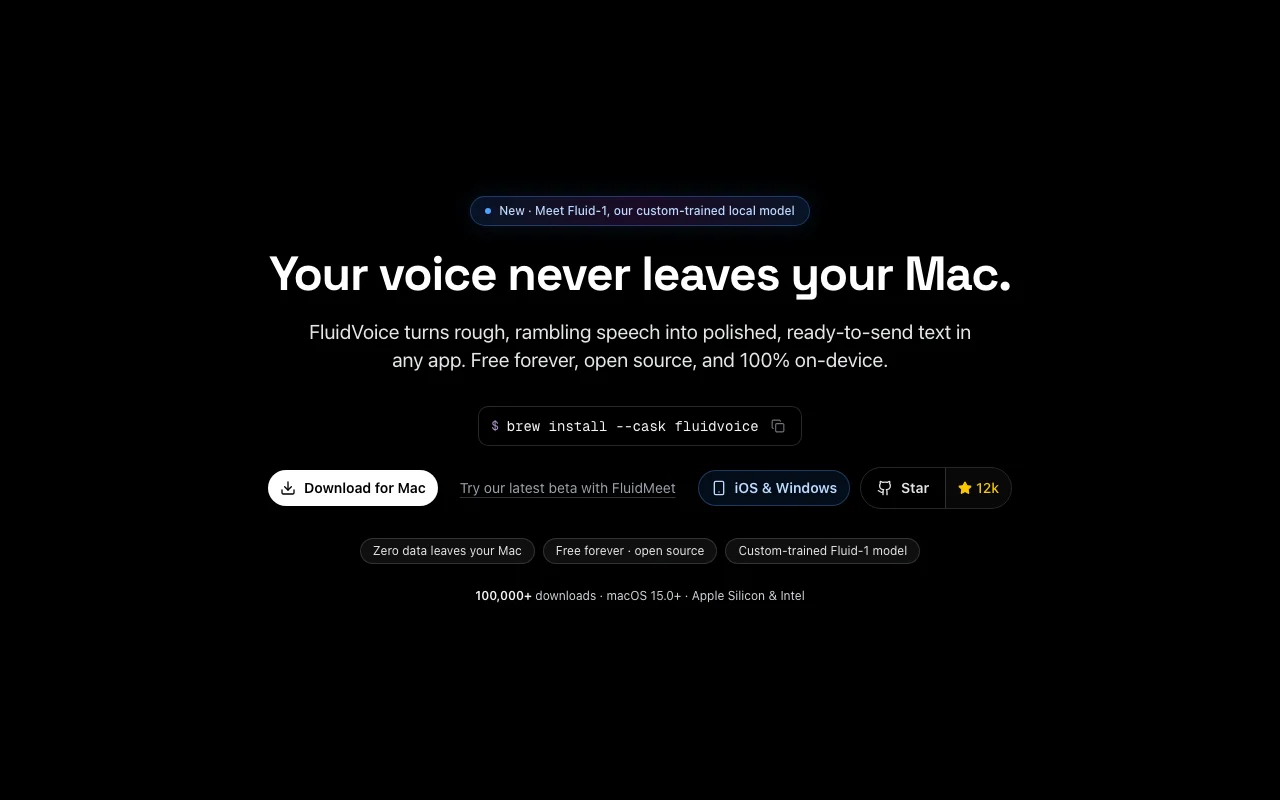
FluidVoice is a macOS dictation app that types transcribed speech into any app via a hotkey. Transcription runs locally using models such as Parakeet and Whisper. An optional on-device model (Fluid-1) can clean up formatting and adapt tone per app; cloud providers like OpenAI or Groq can optionally be used instead. The site describes it as free and open source (GPLv3).

FluidVoice homepage — screenshot of the audio & voice AI tool, Oct 2, 2026
FluidVoice's official site: how the product presents itself. altic.dev, captured Oct 2, 2026

What you provide and what you get back

How FluidVoice works: what you provide, where it runs and what you get backYOU PROVIDEYour inputSpeech from the microphone via ho…Custom per-app promptsOptional cloud provider keysAUDIO & VOICEFluidVoiceDesktopfree tier, paid price not publish…free tier availablechecked Sep 29, 2026YOU GET BACKThe resultTranscribed text typed into the a…Polished text with filler removed…Command-mode actionsinput → FluidVoice → output · from the vendor's own pages, no hands-on test unless stated
What you give FluidVoice and what comes back, from its documentation

You provide

  • Speech from the microphone via hotkey
  • Custom per-app prompts
  • Optional cloud provider keys

You get back

  • Transcribed text typed into the active app
  • Polished text with filler removed and tone matched
  • Command-mode actions

Where you can use it

Platforms
Desktop
Account
Not required
OS
macOS 15.0+
Speech models
Parakeet, Whisper, Nemotron, Apple Speech
Languages
40+ across models
Modes
Write, Command, Dictation
License
GPLv3

What people use FluidVoice for

Scenarios are worked out by our editors from the documentation; the actual result depends on your input and plan.

Dictate emails and chat messages

Who
Mac users who write a lot
You provide
Spoken sentences with a hotkey
Expected result
Clean text typed into Mail or Slack
Plan needed
Free
Limitation
Language quality varies by model source (opens in a new tab)

Dictate prompts into coding tools

Who
Developers using terminals and AI assistants
You provide
Rambling spoken instructions
Expected result
A tidy prompt in Claude Code or similar
Plan needed
Free
Limitation
Needs accessibility permission to type source (opens in a new tab)

Offline transcription

Who
Privacy-minded users
You provide
Audio with no network
Expected result
Text produced fully on-device
Plan needed
Free
Limitation
Cloud providers are optional, not required source (opens in a new tab)

Per-app tone control

Who
Users with different writing styles
You provide
Custom prompts for Slack, Mail or GitHub
Expected result
Casual, formal or structured output per app
Plan needed
Free
Limitation
You write and maintain the prompts source (opens in a new tab)

What FluidVoice does, and where it stops

FluidVoice homepage — screenshot of the audio & voice AI tool, Oct 2, 2026
Feature overview on the official site. altic.dev, captured Oct 2, 2026

System-wide hotkey dictation

Types transcribed speech into any app when you hold a hotkey No copy and paste between tools

Access: FreeLimit: macOS only source (opens in a new tab)

On-device speech models

Runs Parakeet, Whisper, Nemotron, Cohere Transcribe and Apple Speech locally Keeps audio off servers and works offline

Access: FreeLimit: Quality and languages depend on the model chosen source (opens in a new tab)

Optional Fluid-1 local AI polish

Removes filler, fixes casing and matches tone using a local model Turns rough speech into send-ready text

Access: FreeLimit: About 3.5 GB download source (opens in a new tab)

Write, Command and Dictation modes

Switches between writing, commanding and direct dictation Fits different tasks without changing apps

Access: FreeLimit: Modes must be learned source (opens in a new tab)

Cloud provider option

Lets you use OpenAI, Groq or custom providers instead of local models Offers a choice of speed and accuracy

Access: Free app, provider billed separatelyLimit: Sends audio or text to that provider source (opens in a new tab)

FluidVoice pros and cons

Reasons to choose FluidVoice

Check before paying for FluidVoice

How to use FluidVoice for dictating text into any Mac app

Set up FluidVoice

  1. Install with brew install --cask fluidvoice or download from altic.dev/fluid
  2. Grant microphone and accessibility permissions in System Settings
  3. Choose a speech model such as Parakeet or Whisper and let it download
  4. Optionally download Fluid-1 for polish

Example: dictating text into any Mac app

  1. Click into any text field
  2. Hold the hotkey and speak your message
  3. Release and watch the text appear
  4. Switch to Write mode for a polished version

Review and export the result

  1. Confirm the text lands in the right app
  2. Disconnect Wi-Fi and verify dictation still works

FluidVoice API

API access and separate billing

FluidVoice has no public API in its official documentation. Local app; cloud providers use your own keys API documentation ↗

Privacy, data use and commercial rights

Summarized from the vendor's current policies; this is not legal advice and a vendor's badge is not an independent audit.

How your inputs and outputs are handled

Audio is transcribed on-device; optional cloud providers receive data only if you enable them

Site says zero data leaves your Mac by default

Not stated

Commercial use and plan restrictions

GPLv3 open source

None

Policies: altic.dev/fluid/privacy

FluidVoice alternatives by need

"Better suited" is based on documented features and pricing, not on a head-to-head test.

Otter.ai: better suited to

Alternatives
AlternativeWhen to choose itPricingLimitation
Otter.ai——Compare

Explore FluidVoice further

Related to FluidVoice

FluidVoice user reviews

No user reviews yet.

Used FluidVoice? Be the first to share your experience.

Write a review

Reviews are checked by a moderator before they appear. Your email is never published. Plain text only.

Your rating (required)

Show what you made or what went wrong. Images are published only if the review is approved; location data is removed.

    FluidVoice FAQ

    Is FluidVoice really free?

    Yes, the site says it is free forever and open source under GPLv3, with no tiers. source (opens in a new tab)

    Does my voice leave my Mac?

    Not by default: transcription runs on-device, and cloud providers are used only if you choose them. source (opens in a new tab)

    Which macOS versions work?

    macOS 15.0 or later on Apple Silicon and Intel. source (opens in a new tab)

    What is Fluid-1?

    A custom-trained local model that cleans up and formats transcripts, about a 3.5 GB download. source (opens in a new tab)

    Which speech models are included?

    Nemotron Speech, Parakeet variants, Cohere Transcribe, Apple Speech and Whisper sizes. source (opens in a new tab)

    Sources and review methodology

    Official sources and verification dates

    Not verified: Per-model language list; Retention policy details; US availability.

    How we documented and maintain this page

    Every fact about FluidVoice above comes from the 2 official pages listed here, last compared on Sep 29, 2026; we have not run FluidVoice ourselves, so it has no editorial score. How we check and re-check pages.

    Article updated Oct 10, 2026; prices checked Sep 29, 2026. Outbound links to vendors are plain links; we do not earn commissions. How we review · Report an error