Head-to-head · profiles checked Oct 1, 2026

Microsoft Copilot vs GitHub Copilot in 2026: office assistant or coding assistant

Pick Microsoft Copilot for Office documents, email and everyday chat; pick GitHub Copilot for writing code in your editor or on GitHub. Paid entry is nearly the same, $9.99/mo for Microsoft 365 Personal against $10/mo for Copilot Pro, and both have a free option.

Starting price$9.99/mo · $10/moMicrosoft Copilot · GitHub Copilot
Free tierYes · YesMicrosoft Copilot · GitHub Copilot
Plans documented6 · 7Microsoft Copilot · GitHub Copilot
Built forOffice and chat · CodingMicrosoft Copilot · GitHub Copilot

We wrote this from our own profiles of both tools, verified on October 1 (Microsoft Copilot) and September 30 (GitHub Copilot); neither profile holds a benchmark result, we used no third-party tests and took no vendor payments.

Is Microsoft Copilot better than GitHub Copilot? The short answer

Pick Microsoft Copilot if you want a general assistant that works with Word, Excel, PowerPoint, Outlook and Teams and you already use Microsoft 365. Pick GitHub Copilot if you write code and want completions, chat and agents inside VS Code, JetBrains, Xcode or on GitHub itself. Despite the shared name they solve different jobs, so for most people this is not a close call. Both have a free option, and on price the paid entry points are almost identical: Microsoft 365 Personal is $9.99/mo and Copilot Pro is $10/mo. Our profiles hold no benchmark result for either, so we make no claim about answer quality.

Based on our profiles of both tools: Microsoft Copilot verified on October 1 and GitHub Copilot verified on September 30. Neither profile holds a benchmark result.

Microsoft Copilot and GitHub Copilot, as their sites look today

Our own captures of each vendor's public pages. Click a frame for the full-size image.

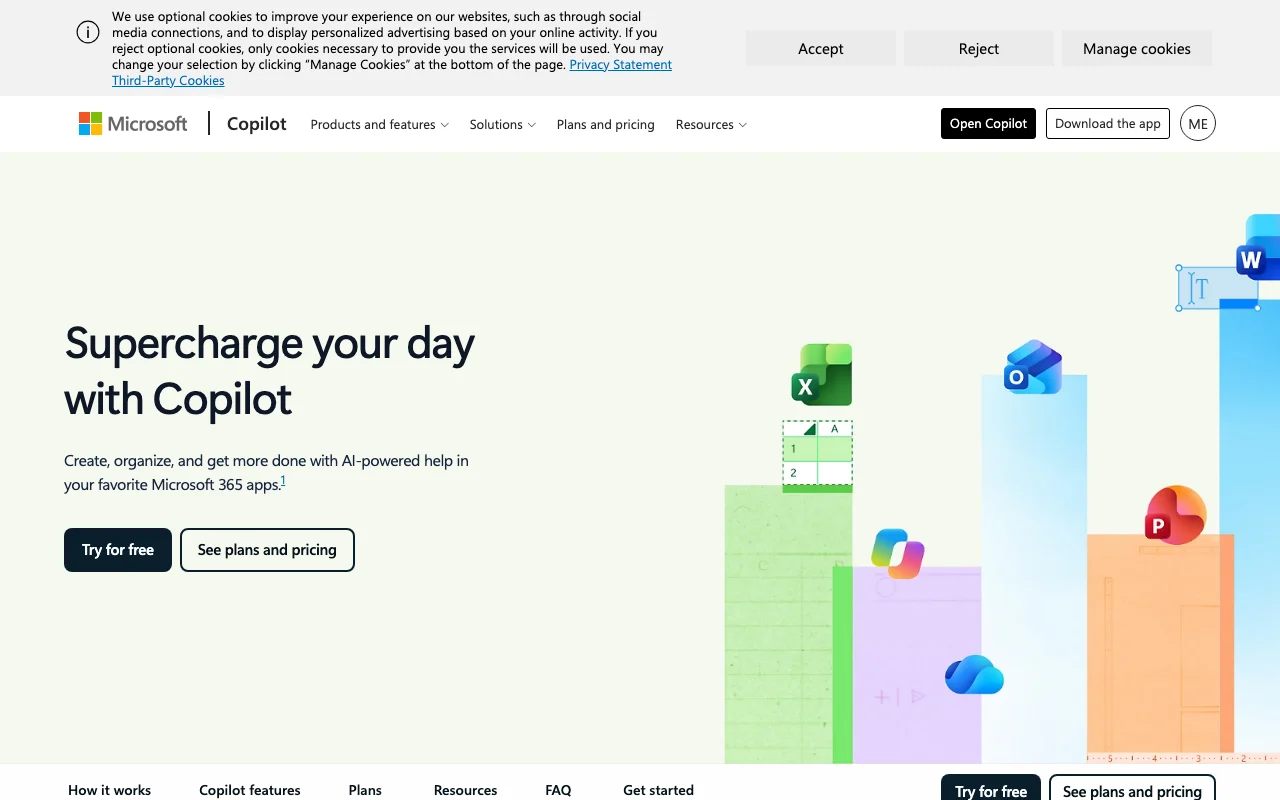
Microsoft Copilot homepage — screenshot of the chat assistants AI tool, Oct 1, 2026
Microsoft Copilot homepage. copilot.microsoft.com, captured Oct 1, 2026
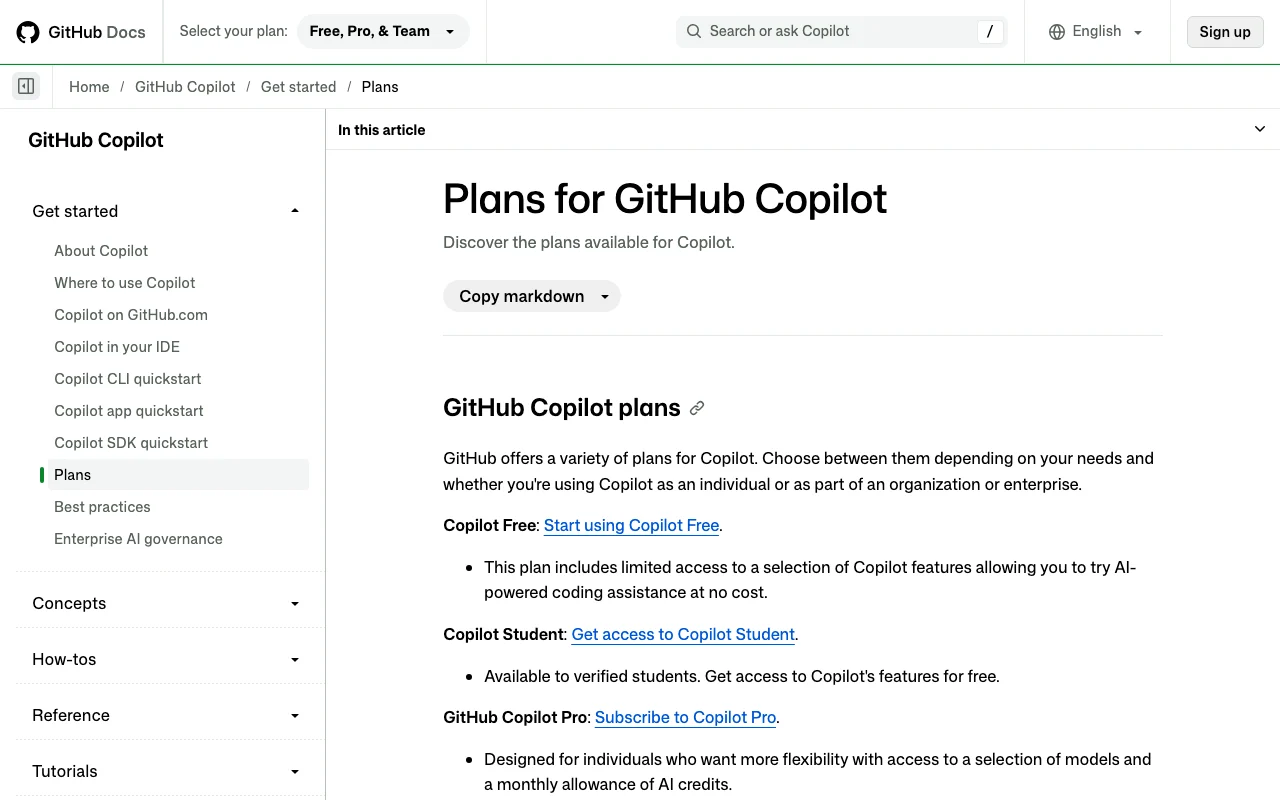
GitHub Copilot documentation — screenshot of the coding AI tool, Oct 1, 2026
GitHub Copilot homepage. docs.github.com, captured Oct 1, 2026
Microsoft Copilot pricing page with plans and prices — screenshot of the chat assistants AI tool, Oct 1, 2026
Microsoft Copilot plans and prices. microsoft.com, captured Oct 1, 2026
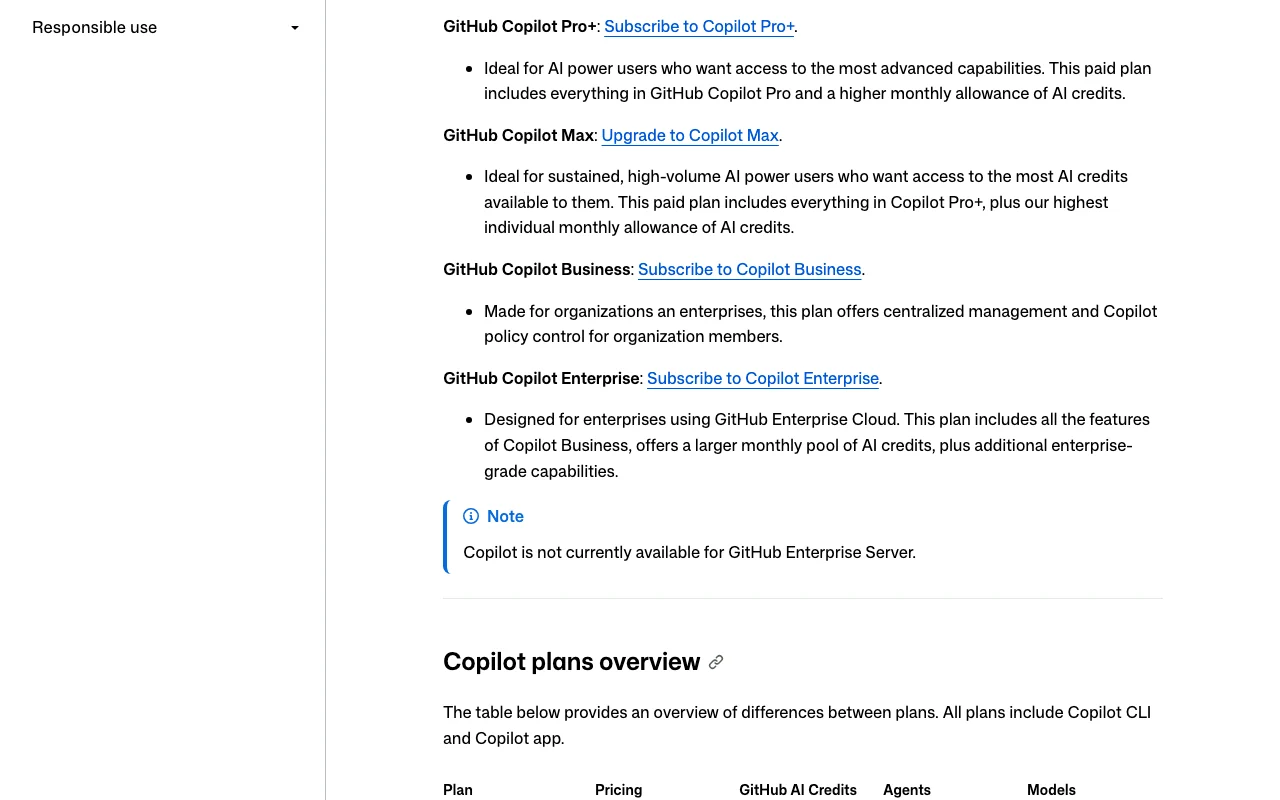
GitHub Copilot documentation — screenshot of the coding AI tool, Oct 1, 2026
GitHub Copilot plans and prices. docs.github.com, captured Oct 1, 2026

Microsoft Copilot or GitHub Copilot: which to use, by task

If you only want the answer, this is the table. Everything below is the evidence from the two documented profiles.

Side-by-side comparison
You want toUseWhy
Draft a document from rough notesMicrosoft CopilotMicrosoft Copilot lists drafting in Word and uploading notes in chat; GitHub Copilot lists no document features.
Summarize an Outlook inboxMicrosoft CopilotMicrosoft Copilot lists summarizing Outlook email; availability varies by market.
Analyze spreadsheet dataMicrosoft CopilotMicrosoft Copilot lists Excel integration on an eligible Microsoft 365 plan.
Ask a quick everyday questionMicrosoft CopilotMicrosoft Copilot is a free chat app on web and mobile; GitHub Copilot Chat is aimed at coding questions.
Generate imagesMicrosoft CopilotMicrosoft Copilot lists image creation; our GitHub Copilot profile lists none.
Autocomplete code while typingGitHub CopilotGitHub Copilot documents inline suggestions and next edit suggestions; our Microsoft Copilot profile lists no code completion.
Refactor or fix code across several filesGitHub CopilotGitHub Copilot documents agent mode in VS Code, Visual Studio, JetBrains, Eclipse and Xcode.
Hand an issue to an agent and get a pull requestGitHub CopilotGitHub Copilot's cloud agent researches, commits to a branch and can open a pull request on paid plans.
Review a pull request with AIGitHub CopilotGitHub Copilot code review is on Pro and above, not on Free.
Hand off a multi-step projectEitherMicrosoft Copilot offers Cowork for multi-step tasks; GitHub Copilot offers a cloud agent and CLI for coding tasks.

Who should pick which

Pick Microsoft Copilot for Office documents and email, pick GitHub Copilot for code in your editor and on GitHub Which one? Pick Microsoft Copilot if You work in Word, Excel and Outlook Web, Windows, Mac, iOS, Android OpenAI and Anthropic models Pick GitHub Copilot if You write code in an IDE Cloud agent opens pull requests Free plan: 2,000 completions a month $9.99/mo (Personal)free tier: Yes $10/mo (Pro)free tier: Yes Different jobs: Office work versus coding
Which one: Microsoft Copilot for Office documents and email, GitHub Copilot for code in your editor

Pick Microsoft Copilot if

  • You write documents, emails and spreadsheets more than code.
  • You already pay for Microsoft 365, or want Office apps and 1 TB of cloud storage bundled with the AI.
  • You want one assistant on web, Windows, Mac, iOS and Android that signs in with a Microsoft, Apple or Google account.
  • You want to choose between OpenAI and Anthropic models in a chat app.

Pick GitHub Copilot if

  • You are a developer who wants inline completions and chat inside your current editor.
  • You want a cloud agent that takes a GitHub issue and opens a pull request.
  • You want a free plan with 2,000 completions a month, or you are a verified student.
  • Your team needs seat management, content exclusion and IP indemnity on Business or Enterprise.

What Microsoft Copilot does better, and what GitHub Copilot does better

Microsoft Copilot
  • Works with Word, Excel, PowerPoint, Outlook and Teams.
  • Lets you choose between OpenAI and Anthropic models in the app.
  • Personal plan bundles 1 TB of cloud storage and Office apps with the AI.
  • Signs in with a Microsoft, Apple or Google account, and paid plans have a one-month trial except Pro.
GitHub Copilot
  • Inline completions and chat inside VS Code, JetBrains, Xcode and other editors.
  • Cloud agent and CLI that produce commits and pull requests.
  • Free plan with 2,000 completions a month, and free access for verified students.
  • Business and Enterprise controls: content exclusion, audit logs, budgets and IP indemnity.

Microsoft Copilot vs GitHub Copilot pricing: plans and free tiers

Side-by-side comparison
PlanToolPriceLimits
Copilot (free)Microsoft Copilot$0Some capabilities subject to usage limits
Microsoft 365 PersonalMicrosoft Copilot$9.99/mo; $99.99/yr1 person, 5 devices at once, 1 TB cloud storage
Microsoft 365 FamilyMicrosoft Copilot$12.99/mo; $129.99/yr1 to 6 people, but AI is for the subscription owner only; 6 TB total storage
Microsoft 365 PremiumMicrosoft Copilot$19.99/mo; $199.99/yrExtensive chat, image and audio usage; limited agentic AI usage
Microsoft 365 ProMicrosoft Copilot$99.99/mo, monthly billing onlyHighest usage limits
Copilot FreeGitHub Copilot$02,000 completions per month; limited chat and agent credits; auto model selection only
Copilot StudentGitHub Copilot$0Verified students only; allowance of AI credits not quantified
Copilot ProGitHub Copilot$10/mo1,500 total monthly AI credits; unlimited completions
Copilot Pro+GitHub Copilot$39/mo7,000 total monthly AI credits; premium models
Copilot MaxGitHub Copilot$100/mo20,000 total monthly AI credits
Copilot BusinessGitHub Copilot$19/seat/mo1,900 AI credits per user per month, pooled
Copilot EnterpriseGitHub Copilot$39/seat/mo3,900 AI credits per user per month, pooled; requires GitHub Enterprise Cloud

USD as published on each vendor's pricing page, checked Oct 1, 2026. Microsoft Copilot pricing in full · GitHub Copilot pricing in full

Usage limits: what the vendors state

Side-by-side comparison
Microsoft CopilotGitHub Copilot
Messages / rate limitsNot stated: free-tier limits are not quantified; paid Microsoft 365 plans give higher usageMetered in AI credits: Pro 1,500, Pro+ 7,000, Max 20,000 per month; 1 credit costs $0.01 beyond the allowance
Context / file sizeNot statedNot stated
Seats / teamFamily covers 1 to 6 people, but AI is for the subscription owner onlyBusiness and Enterprise are per seat, with credits pooled across the organization

Feature comparison

Side-by-side comparison
FeatureMicrosoft CopilotGitHub Copilot
Image generationYes: image creation in the free appNot stated
VoiceYes: voice when signed inNot stated
File uploadYes: when signed inCode context from open files; file upload is not stated
Web searchYes: the free app lists searchNot stated
Agents / toolsYes: Cowork for multi-step tasks; Researcher and Analyst on Premium and ProYes: IDE agent mode, CLI, cloud agent and MCP servers
APINot statedCopilot SDK exposes sessions and credit usage; no pay-per-token model API found
Mobile appsYes: iOS and AndroidGitHub Mobile offers Copilot Chat
IDE integrationNoVS Code, Visual Studio, JetBrains, Eclipse, Xcode, Neovim

Privacy and data training

Side-by-side comparison
Microsoft CopilotGitHub Copilot
Training on your dataNot statedIndividual plans may be used for training unless you opt out; Business and Enterprise data is not used for training
RetentionNot statedBusiness and Enterprise IDE chat and completions: engagement data kept two years; other details per GitHub's FAQ
Business controlsNot statedPublic code filter, content exclusion, policies, budgets, audit logs, MCP allow lists, Data Protection Agreement

Taken from each vendor's published policy pages at the time of our check. Policies change; the source links are at the bottom.

Switching between Microsoft Copilot and GitHub Copilot: what carries over

Microsoft Copilot → GitHub CopilotCarries over
  • Habit of describing a task in plain language and reviewing the draft before using it.
  • Your Microsoft, Apple or Google sign-in does not carry; GitHub needs its own account.
You lose
  • Word, Excel, PowerPoint, Outlook and Teams integration.
  • Image creation and voice chat as documented for Microsoft Copilot.
GitHub Copilot → Microsoft CopilotCarries over
  • Chat-first way of asking questions and refining answers.
You lose
  • Inline completions, IDE agent mode, CLI and cloud agent for code.
  • GitHub pull request and code review workflow.

Pros and cons

Microsoft Copilot
  • Works with Word, Excel, PowerPoint, Outlook and Teams
  • Free app on web, Windows, Mac, iOS and Android
  • One-month trial on Personal, Family and Premium
  • File uploads, unlimited voice and memory require signing in
  • Higher usage limits require a paid Microsoft 365 plan
  • Mac app requires macOS Sonoma 14 or later
GitHub Copilot
  • Works inside your existing IDE and on github.com
  • Free plan, plus free access for verified students
  • Cloud agent and CLI produce commits and pull requests
  • Usage is metered in AI credits that vary by model and task
  • Individual plans may be used for training unless you opt out
  • Not available on GitHub Enterprise Server

The two tools

Microsoft Copilot

Web · Desktop · Mobile

No user reviews yet

Microsoft's AI assistant app on web, Windows, Mac, iOS and Android, connected to Word, Excel, PowerPoint, Outlook and Teams.

Free stops at: Some capabilities subject to usage limits

Listed Not yet reviewed

Verified copilot.microsoft.com (opens Microsoft Copilot website in a new tab)

Free · paid from $9.99/mo US · checked Sep 29

GitHub Copilot

Web · Desktop · Mobile

No user reviews yet

AI coding assistant from GitHub offering code completions, chat and agent features in editors, the terminal and GitHub.

Free stops at: 2,000 completions per month, Limited chat and agent usage (allowance of GitHub AI Credits)

Listed Not yet reviewed

Verified github.com (opens GitHub Copilot website in a new tab)

Free · paid from $10/mo US · checked Sep 30

Open the live comparison table

Microsoft Copilot or GitHub Copilot: how to choose

  • Mostly writing documents and email? Microsoft Copilot is built for Word, Excel, PowerPoint, Outlook and Teams.
  • Mostly writing code? GitHub Copilot works in your editor, in the terminal and on GitHub.
  • Want a free start? Both have one; GitHub Copilot Free caps completions at 2,000 a month, and the Microsoft Copilot app lists no figure.
  • Budget near $10/mo? Microsoft 365 Personal is $9.99/mo with Office and 1 TB of storage; Copilot Pro is $10/mo for code.
  • Care about training on your data? GitHub says Business and Enterprise data is not used for training; Microsoft's stance is not stated on the pages we fetched.
  • Our pick: Microsoft Copilot if your work happens in Office, GitHub Copilot if it happens in an editor; they are not substitutes.

Frequently asked questions

Are Microsoft Copilot and GitHub Copilot the same product?

No. Microsoft Copilot is a general AI assistant app that connects to Word, Excel, PowerPoint, Outlook and Teams. GitHub Copilot is a coding assistant for editors, GitHub.com and the terminal. They share a name and a corporate parent, since GitHub is a Microsoft company, but they are sold, priced and used separately.

Which is cheaper, Microsoft Copilot or GitHub Copilot?

Both have a free option. Paid entry is close: Microsoft 365 Personal is $9.99/mo and GitHub Copilot Pro is $10/mo. The Microsoft price includes Office apps and 1 TB of storage, while GitHub Pro includes 1,500 monthly AI credits and unlimited completions.

Can Microsoft Copilot write code like GitHub Copilot?

Our Microsoft Copilot profile does not list coding as a use case or feature, so we cannot say it replaces an editor tool. GitHub Copilot documents inline completions, IDE agent mode, a CLI and a cloud agent for code.

Does GitHub Copilot help with Word or Outlook?

Not according to its documentation. GitHub Copilot works in supported IDEs, on GitHub.com, in GitHub Mobile and in the CLI. Word, Excel, PowerPoint and Outlook integration is a Microsoft Copilot feature.

Do Microsoft Copilot and GitHub Copilot use my data for training?

For GitHub Copilot, individual plans may be used for training unless you opt out, while Business and Enterprise data is not. For Microsoft Copilot, training use is not stated on the pages we fetched, so check Microsoft's privacy statement before sharing sensitive files.

Can I use both Microsoft Copilot and GitHub Copilot?

Yes, nothing in either profile prevents it, and they cover different tasks: Microsoft Copilot for documents and mail, GitHub Copilot for code. Each needs its own account and plan, and Microsoft 365 Family shares Copilot with nobody beyond the subscription owner.


Sources

Only official vendor pages. No third-party benchmarks, forum threads or press were used. How we review.