Engineering analytics platform that combines AI usage metrics, DORA measures and SPACE-style data to score engineering output, quality and the return on AI tool spend.
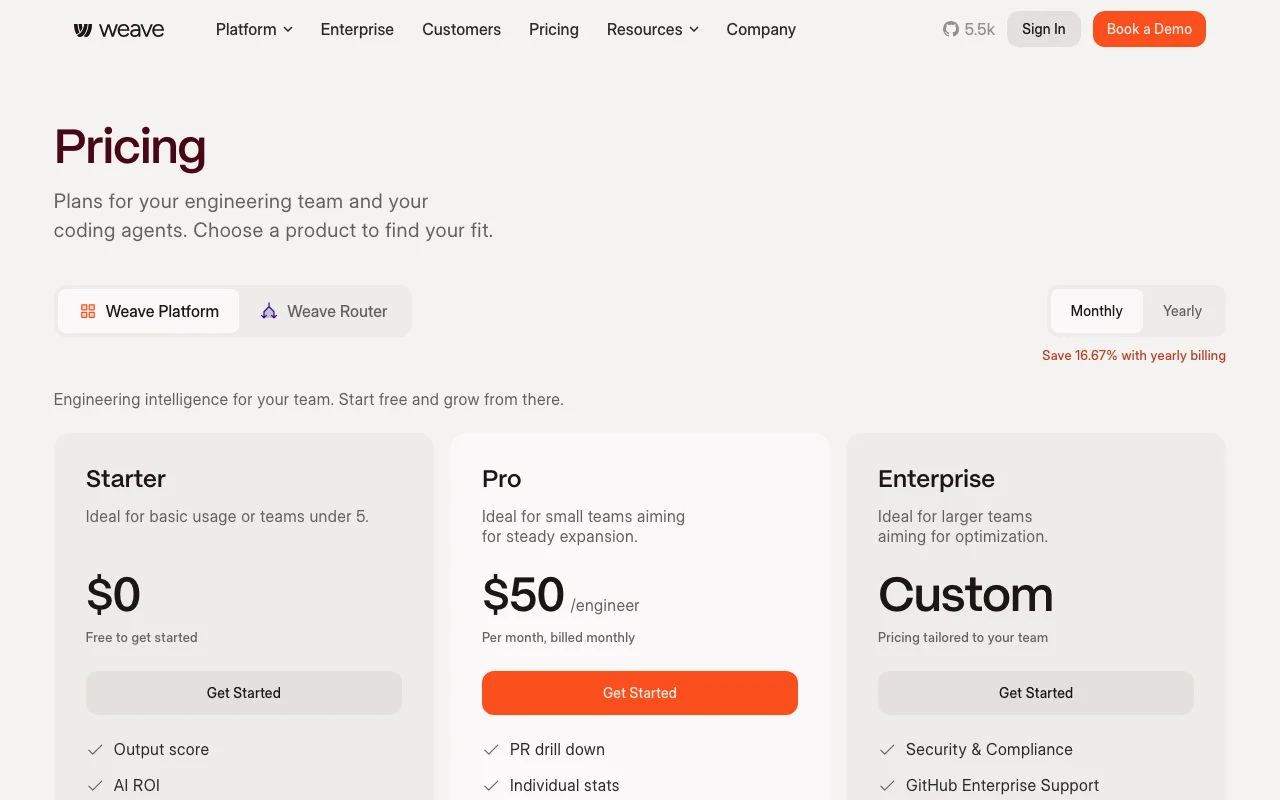
Custom pricing based on team size and requirements
For: Large organizations with security and compliance requirements
Limits
Unlimited everything
Custom DPA and terms
1 more
Dedicated support
Includes
All Pro features
GitHub Enterprise support
3 more
Dedicated Slack channel
Custom invoicing and payment terms
Security and compliance features
Usage caps, credits and extra costs
Router billed separately with its own pricing model; Enterprise SLA and custom terms available
Not documented
What is Weave, and how does it work?
Weave is an engineering intelligence platform that analyzes commits, pull requests, reviews, deploys and AI telemetry to score output, quality and the return on AI tool spend. It connects to GitHub and AI telemetry sources, combining AI metrics with DORA and SPACE-style measures. It also offers Weave Router, a separately billed prompt router installed via npx that sends each coding-agent request to a model chosen for cost and quality across Anthropic, OpenAI and Google providers.
What you provide and what you get back
What you give Weave and what comes back, from its documentation
You provide
Git commits and pull request data from GitHub
Code review feedback and cycle times
Deployment logs and frequency
AI telemetry from integrated coding tools
You get back
AI ROI and usage scores per engineer and team
DORA and SPACE metrics dashboards
Token spend intelligence and benchmarking
Suggested optimizations for AI tool usage
Where you can use it
Platforms
Web, CLI (Router)
Account
Required
Best use cases for Weave
Scenarios are worked out by our editors from the documentation; the actual result depends on your input and plan.
Measuring the ROI of AI coding tools like GitHub Copilot
Who
Engineering managers and CTOs
You provide
Git data from GitHub and AI telemetry from IDEs
Expected result
Score showing how much AI adoption correlates with engineering output and code quality
Plan needed
Pro (for per-engineer breakdowns)
Limitation
Starter plan only shows org-level AI ROI, not per-team or per-engineer
Tracking engineering output and code quality over time
DORA and SPACE dashboards showing team velocity and quality trends
Plan needed
Starter or Pro
Limitation
Quality metrics require Git data; some IDEs may not provide full telemetry
Optimizing which LLM model each prompt uses via Router
Who
Development teams using Claude, OpenAI or Google models
You provide
Prompt requests routed through Router CLI
Expected result
Model selection optimized for cost and quality; Router learns from feedback
Plan needed
Pro (Router billed separately)
Limitation
Router pricing not published; requires separate contract
Weave features and their limits
AI usage and ROI metrics
Correlates AI tool adoption (e.g. Copilot usage %) with engineering output and code quality scores Justify AI tool spend and identify which teams benefit most from AI assistance
Access: Available on Starter plan; org-level onlyLimit: Per-engineer and per-team AI ROI requires Pro plan
DORA and SPACE metrics dashboards
Calculates Deployment Frequency, Lead Time, Change Failure Rate, MTTR, and developer satisfaction scores Track engineering velocity and identify bottlenecks in the deployment pipeline
Access: Starter and Pro plans include these metricsLimit: Accuracy depends on complete Git history and deploy logs
Token spend intelligence and benchmarking
Analyzes LLM token usage and costs across providers; benchmarks your spend against 1,000+ other orgs Identify which teams or features consume the most tokens; negotiate better rates
Access: Pro plan; requires connecting API telemetryLimit: Benchmarking pool is 1,000+; your org may not be directly comparable
Weave Router prompt routing
Routes each prompt to the best model (Claude, GPT, Gemini) based on cost, speed and quality Reduce AI spend by 30%+ by choosing cheaper models for simple tasks
Access: Installed via npx @workweave/router; works with Claude, OpenAI and GoogleLimit: Router is billed separately and requires MCP setup
Weave: strengths and limits
Reasons to choose Weave
Free Starter plan with org-level AI ROI and DORA metrics Low barrier to entry for teams wanting to measure engineering velocitydocumented
Pro priced per engineer at $50/month Transparent, predictable costs; scales with team sizedocumented
Router works with existing coding clients via one install command Easy to adopt; no IDE or agent changes neededdocumented
Trusted by 500+ engineering organizations and 50+ AI tools Broad market adoption and integration supportdocumented
Check before paying for Weave
Individual and team drill-downs require paid Pro plan Starter plan gives only org-level visibility, limiting per-engineer optimizationdocumented
Router is billed separately from the platform Additional cost on top of Pro plan; total cost not transparent upfrontdocumented
Enterprise pricing and Router pricing not published Requires sales conversation for large deploymentsdocumented
Requires connecting code repositories Privacy consideration; Weave can access your Git historydocumented
How to use Weave for setting up engineering metrics and AI ROI tracking
Set up Weave
Sign up at weaveos.com and create an organization
Connect your GitHub account via OAuth
Weave scans your Git history and builds baseline metrics
Invite team members to view their individual stats (Pro plan)
Example: setting up engineering metrics and AI ROI tracking
Log in to the Weave dashboard and view AI usage % for your org
Filter by team in Pro view to see which teams benefit most from AI
Check DORA metrics to correlate AI adoption with deployment speed
Export a report to share with leadership or your board
Review and export the result
Verify that Git data is being ingested by checking the date range of analyzed commits
Confirm AI telemetry is connected by checking connected tools in settings
Weave integrations and API
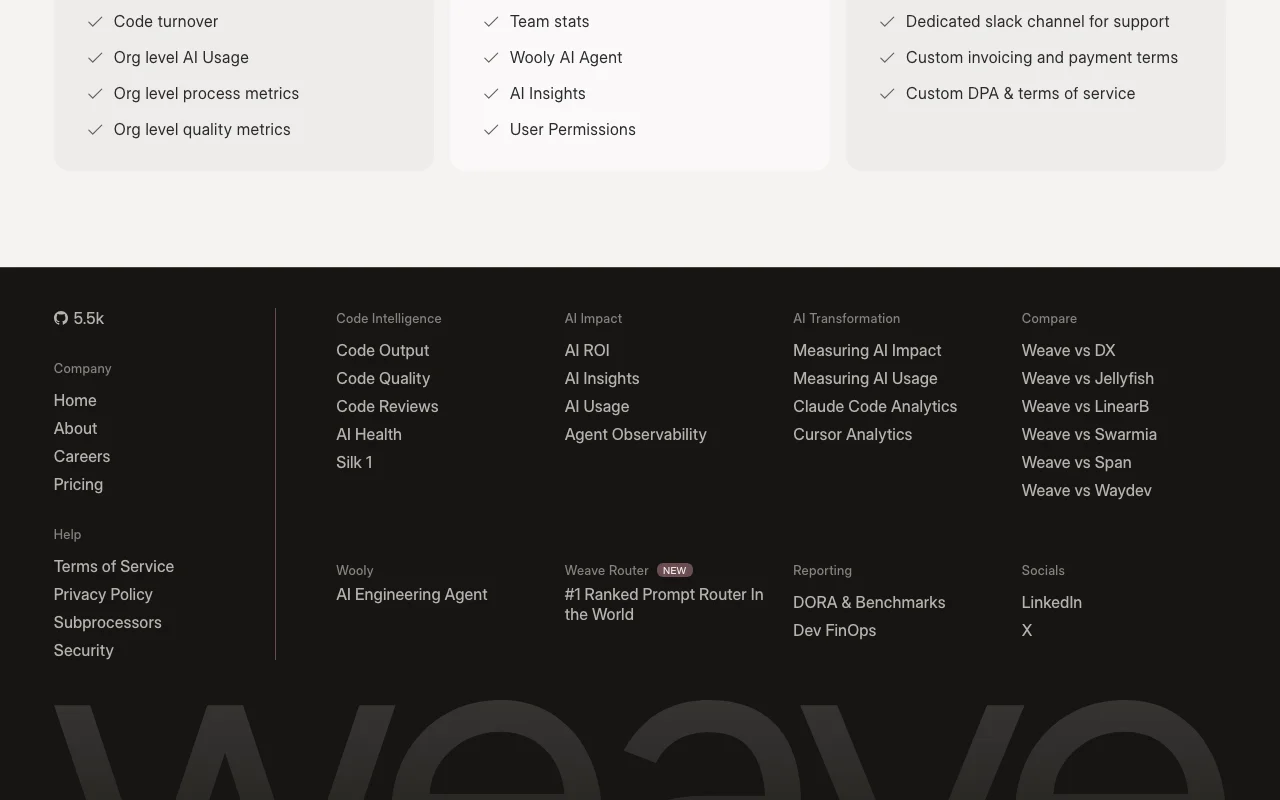
Plan comparison on the official pricing page. weaveos.com, captured Oct 2, 2026
Native integrations and export formats
Export: CSV dashboards, Email reports
API access and separate billing
Weave has no public API in its official documentation. API not mentioned; web dashboard is primary interface
Privacy, data use and commercial rights
Summarized from the vendor's current policies; this is not legal advice and a vendor's badge is not an independent audit.
How your inputs and outputs are handled
Git history (commits, PRs, reviews) and AI telemetry are collected and analyzed. Source code itself is not stored; only metadata is indexed.
Data may be used for product improvement; aggregated anonymously for benchmarking
Starter and Pro: 1 year; Enterprise: 2 years minimum
Commercial use and plan restrictions
Data used for benchmarking (1,000+ orgs) to generate comparative analytics
Enterprise can request custom retention and data handling terms
AI Score correlates how much a developer or team uses AI tools with their engineering output and code quality. A score of 92 means the engineer is using AI effectively to ship more and maintain quality. source (opens in a new tab)
Which AI tools does Weave track?
Weave tracks GitHub Copilot, Cursor, VS Code extensions, and any AI telemetry that can be connected via API. The platform analyzes 50+ AI tools. source (opens in a new tab)
Can Weave see my source code?
No. Weave only indexes metadata from Git (commits, PRs, reviews). Your source code is never stored or analyzed by Weave. source (opens in a new tab)
Is my Git data shared with other organizations?
No. Your data is private. Weave uses aggregated, anonymized data for benchmarking (comparing your metrics against 1,000+ other organizations), but your raw data stays private. source (opens in a new tab)
Not verified: Router pricing and terms; Whether Router works with other LLM providers beyond Anthropic, OpenAI, Google; API availability for custom integrations.
How we documented and maintain this page
Every fact about Weave above comes from the 3 official pages listed here, last compared on Oct 1, 2026; we have not run Weave ourselves, so it has no editorial score. How we check and re-check pages.
Article updated Oct 10, 2026; prices checked Oct 1, 2026. Outbound links to vendors are plain links; we do not earn commissions. How we review · Report an error