VocxAI ingests customer signals from support, sales calls, reviews and CRM, clusters them into themes and scores them by revenue impact, then generates PRDs and build agents write review-ready GitHub pull requests.
Our take: Ideal for product teams that want to prioritize roadmap by customer ARR impact and ship features as GitHub pull requests without manual PRD writing.
Main limitation: Credit-based usage; unused credits don't roll over between months
By the AI Tool Atlas editors.
Based on the vendor's official documentation; we have not tested this product hands-on. What “documented overview” means
Who should use VocxAI
Ideal for product teams that want to prioritize roadmap by customer ARR impact and ship features as GitHub pull requests without manual PRD writing. Based on the vendor's documentation, not on a hands-on test.
Best for: Product managers
Also a good fit for
Lean startup teams
Engineering teams acting on customer feedback
Consider another tool if free plan limited to 1 build and 2 connectors
Or if
Product is in private beta status
Monthly credits expire and don't accumulate
VocxAI pricing and usage limits
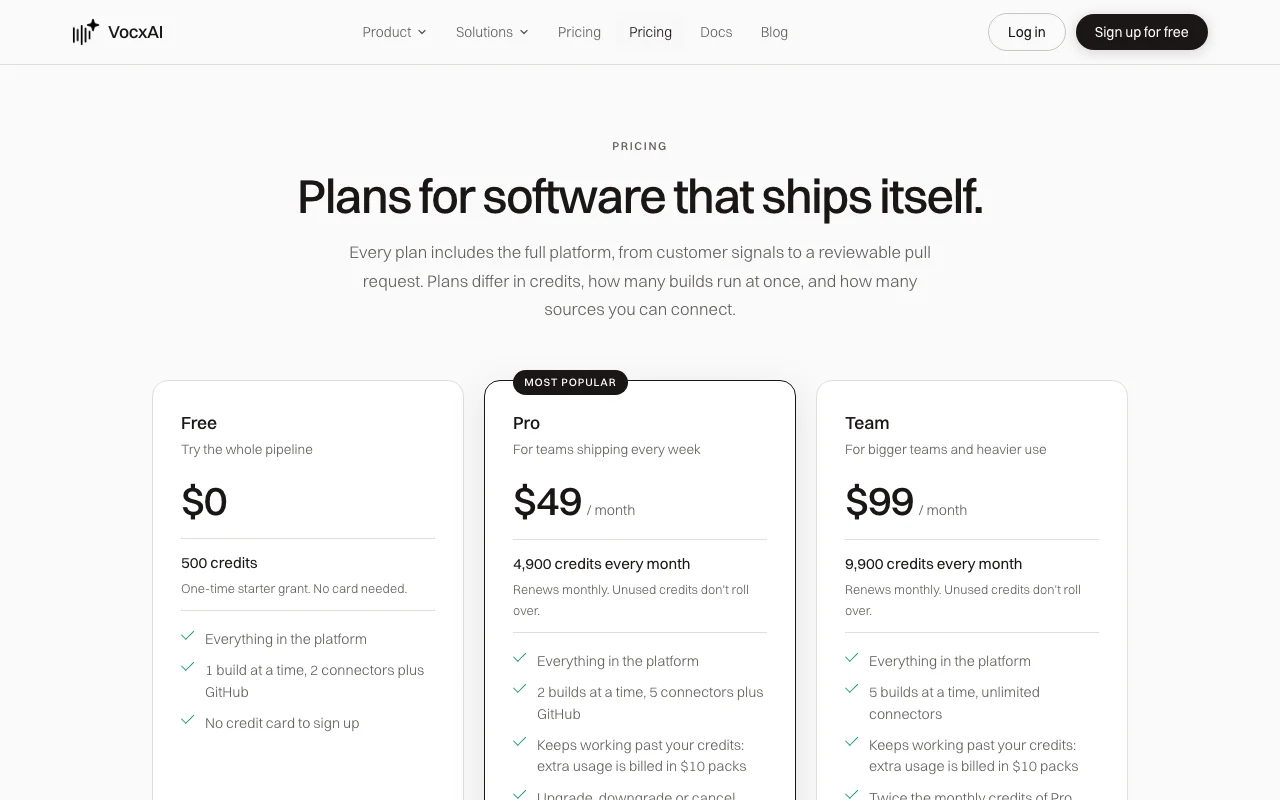
Prices checked Oct 1, 2026 on the official US pricing page. Official pricing ↗ Prices and limits change often.
Vendor pricing page re-checked automatically 12 days ago: no changes detected.
The official VocxAI pricing page as we saw it. vocxai.com, captured Oct 1, 2026
Free access and trial conditions
500 one-time credits on Free plan; monthly plans renew credits each billing period
Extra usage charged in $10 packs (Pro and Team); Free plan must upgrade to add capacity
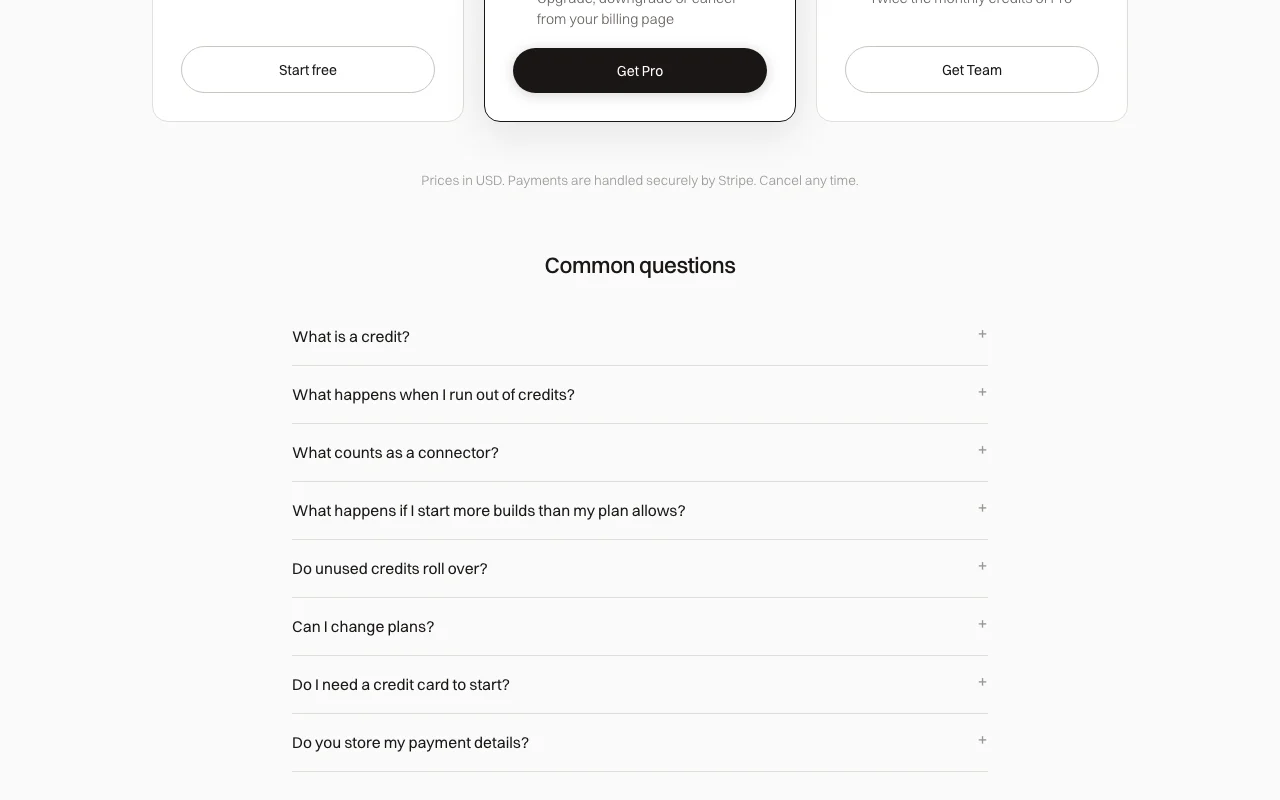
Payments handled by Stripe; tax handling not documented
What is VocxAI, and how does it work?
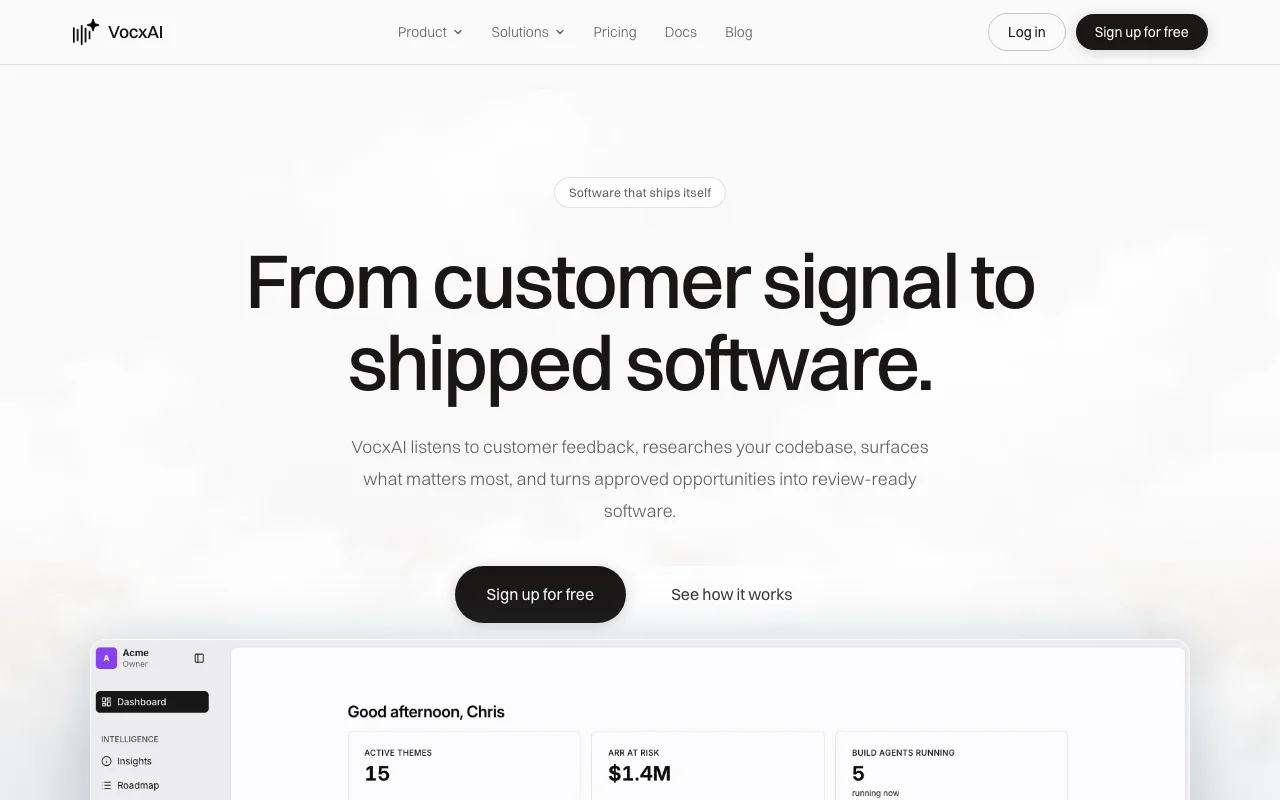
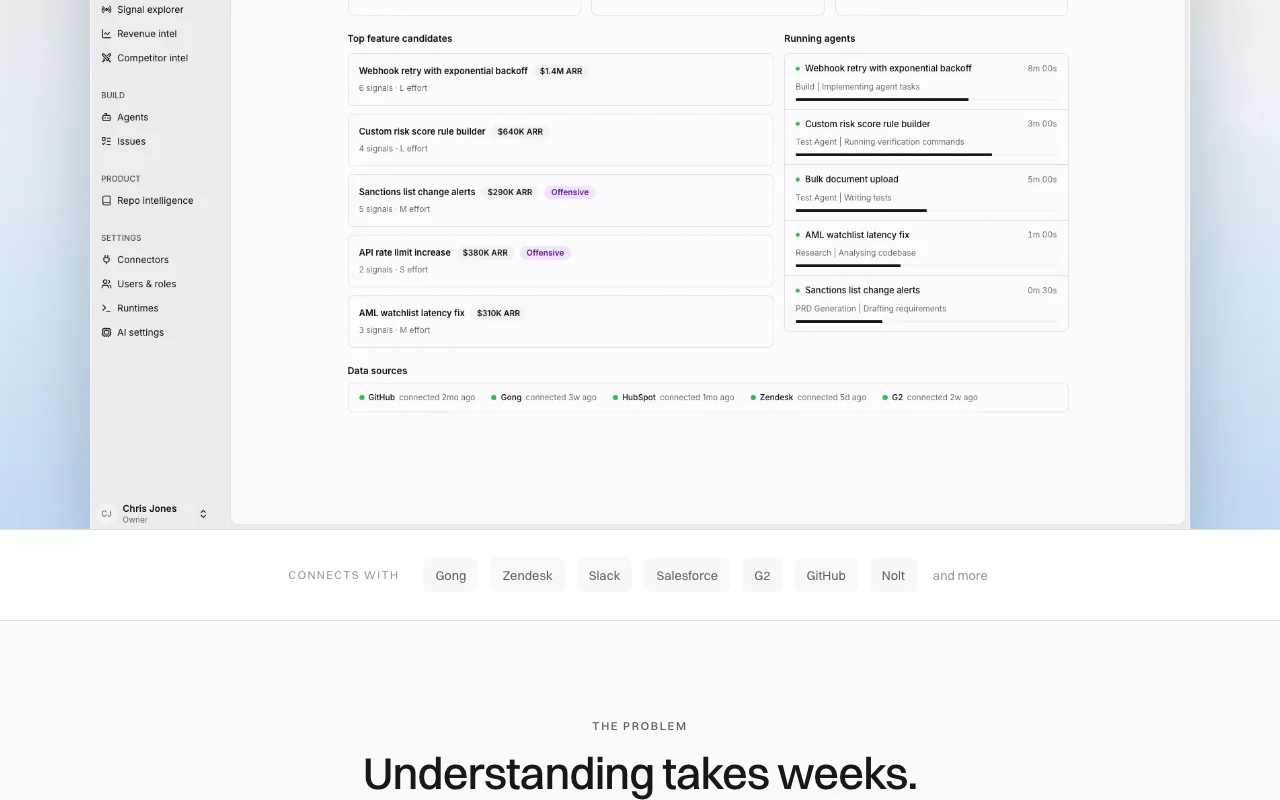
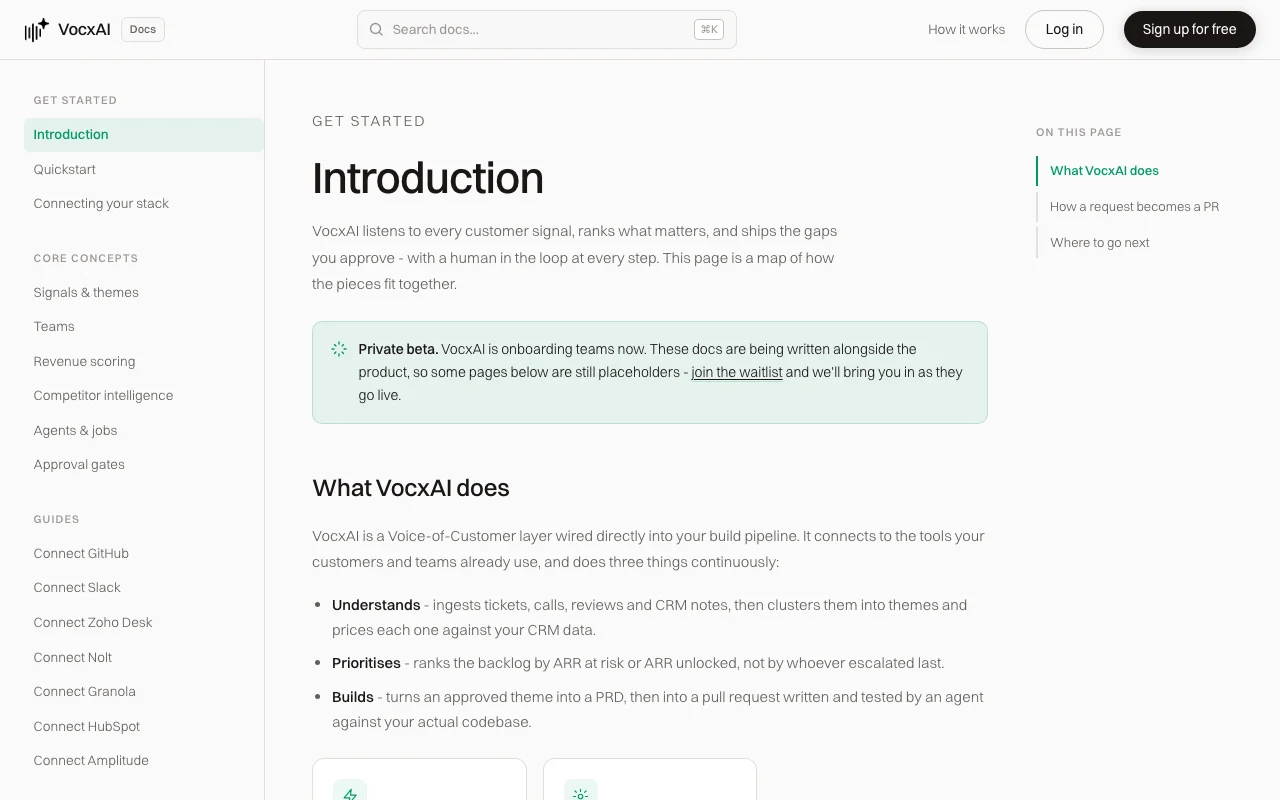
VocxAI ingests customer signals from support, sales calls, reviews and CRM, clusters them into themes and scores them by revenue impact. Approved themes become AI-generated PRDs, and build agents write and test code in a sandboxed clone of the repository, opening a reviewable GitHub pull request behind human approval gates.
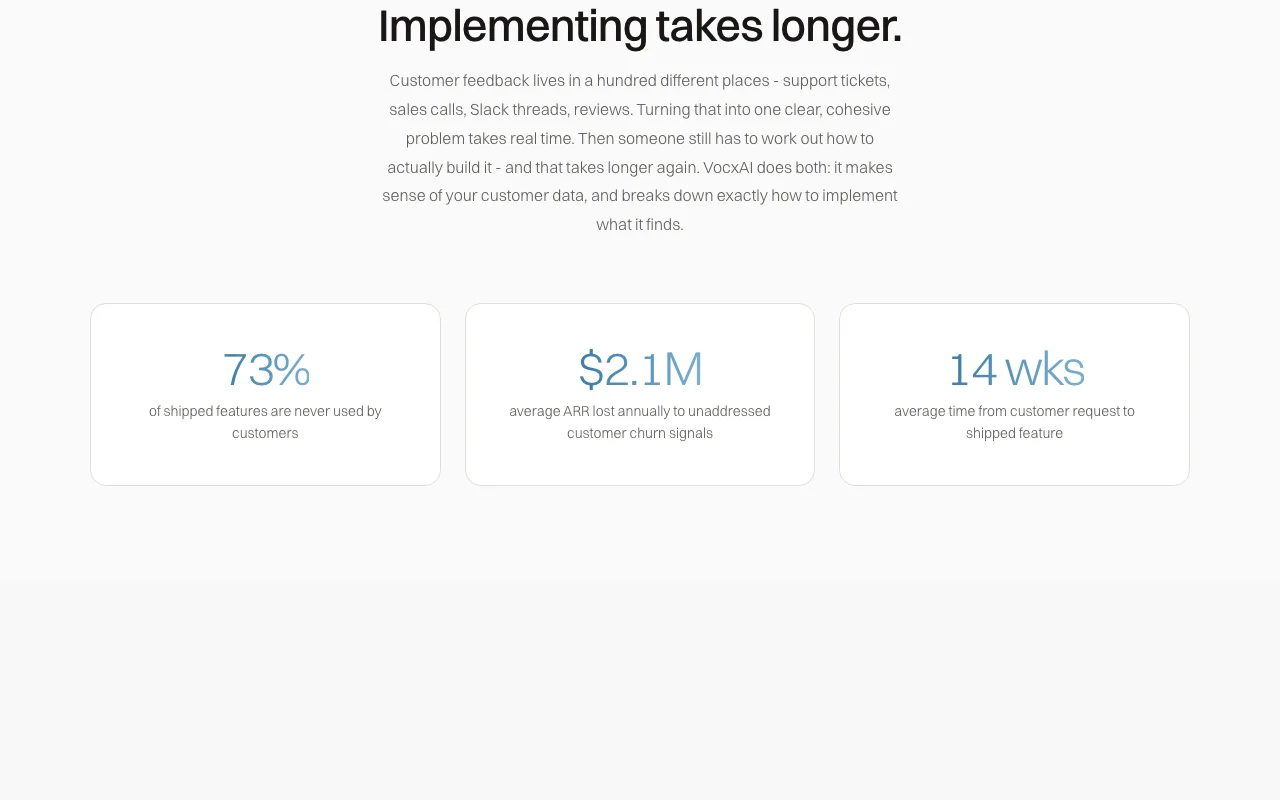
VocxAI's official site: how the product presents itself. vocxai.com, captured Oct 1, 2026
What you provide and what you get back
What you give VocxAI and what comes back, from its documentation
You provide
Customer feedback from Gong call recordings
Support tickets from Zendesk
CRM data from Salesforce for ARR scoring
Reviews from G2, Nolt and similar platforms
You get back
Clustered feedback themes ranked by ARR impact
AI-generated Product Requirements Documents
GitHub pull requests with tested code
Signal spike alerts when themes surge
Where you can use it
Platforms
Web
Account
Required
Best use cases for VocxAI
Scenarios are worked out by our editors from the documentation; the actual result depends on your input and plan.
Consolidating customer feedback into themes
Who
Product managers at startups and scaleups
You provide
Support tickets, sales call transcripts, customer reviews across multiple sources
Expected result
Deduplicated themes ranked by ARR impact with evidence links
Feature overview on the official site. vocxai.com, captured Oct 1, 2026
Multi-source connectors
Integrates with Gong, Zendesk, Slack, Salesforce, G2, GitHub, Nolt and more to collect customer signals Consolidate feedback from tools already in use without manual data entry
Access: Connectors configured in workspace settings; Free plan allows 2 connectors plus GitHubLimit: Free plan limited to 2 connectors, requiring upgrade for comprehensive integrations
Feedback clustering and classification
Automatically groups customer signals into themes using LLMs and deduplicates across sources Reduce manual categorization work and surface what customers actually want
Access: Runs automatically on all connected signals; results visible in Themes viewLimit: Bulk re-classification available if you disagree with AI clustering
Revenue impact scoring
Calculates ARR at risk or ARR unlocked per theme by matching signals to CRM data Prioritize roadmap by business value, not just request volume
Access: Requires Salesforce or compatible CRM connected; scoring applied to all themesLimit: Accuracy depends on CRM data completeness and signal-to-account matching
AI-generated PRDs and build agents
Generates Product Requirements Documents and autonomous agents write, test and open GitHub PRs Ship features from customer feedback without manual specification or coding
Access: Triggered by approving a theme; agents run in sandboxed repo clonesLimit: All changes require human review and approval before merging
VocxAI: strengths and limits
Reasons to choose VocxAI
Free tier with 500 one-time credits and no credit card required Low barrier to entry for solo founders and early-stage teamsdocumented
Human approval gates before anything ships Safety and control; agents cannot merge code without explicit approvaldocumented
ARR-based prioritization built in Roadmap decisions grounded in revenue impact, not just user requestsdocumented
Code never stored on VocxAI servers Security benefit; only metadata indexed, source code stays in your repodocumented
PII detection and scrubbing runs across all ingested customer signals Support tickets and call transcripts pulled from Zendesk or Gong are scrubbed before they are themed.documentedsource (opens in a new tab)
Check before paying for VocxAI
Monthly credits don't roll over to next billing period Unused capacity is lost; encourages or forces upgrades to match usagedocumented
Free plan limited to 1 build at a time and only 2 connectors plus GitHub Multi-connector workflows require paid plandocumented
Product is in private beta API and feature surface may change; not suitable for production-critical workflows yetdocumented
Pro and Team need a card at signup, and Free AI features pause when credits run out A team cannot evaluate paid capacity without a card, and a Free workspace stops mid-build once its 500 credits are used.documentedsource (opens in a new tab)
Past included credits, Pro and Team are charged automatically in $10 packs of 1,000 credits A long build can add charges on top of $49 or $99/month, and a failed charge pauses AI features.documentedsource (opens in a new tab)
How to use VocxAI for shipping a feature from customer feedback via AI agents
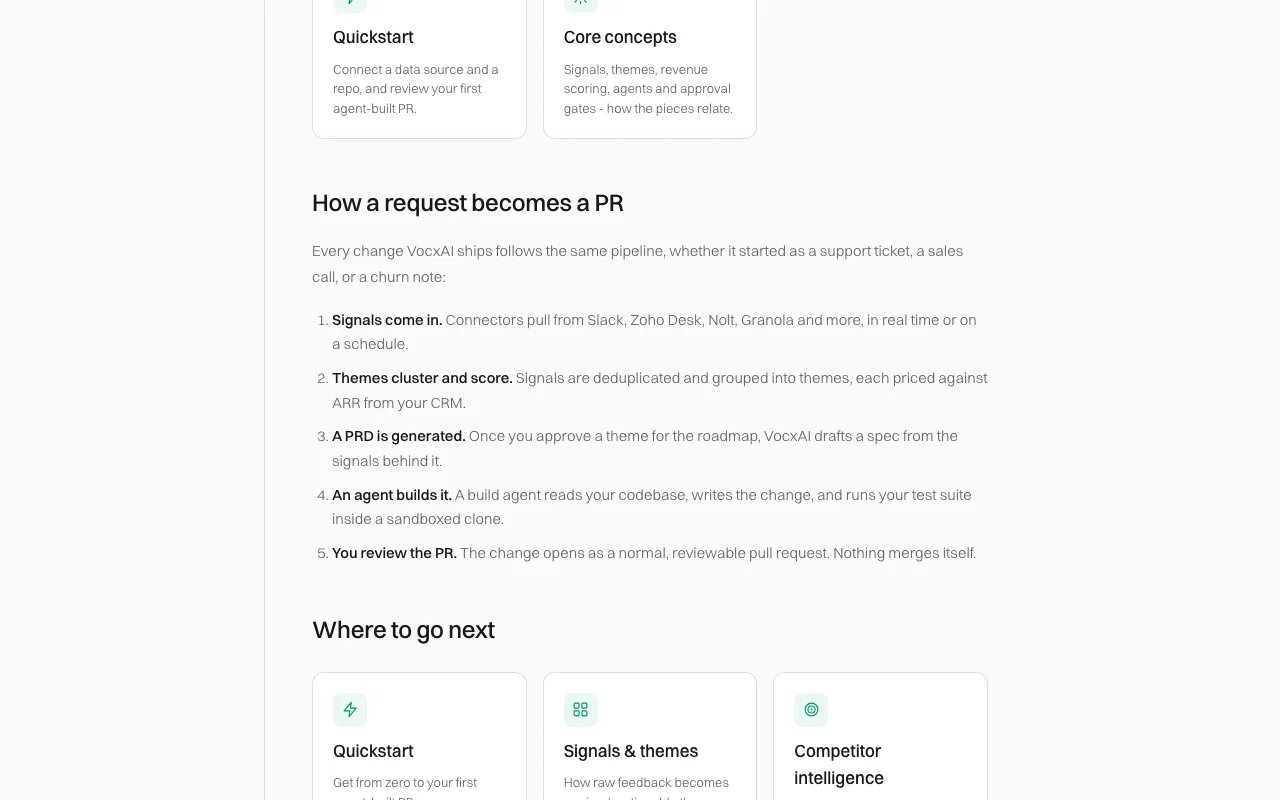
VocxAI documentation: where the steps below come from. vocxai.com, captured Oct 1, 2026
Set up VocxAI
Sign up at vocxai.com and create a workspace
Connect at least one signal source (Gong, Zendesk, Slack, Salesforce, G2, GitHub)
Add your GitHub repository to authorize PR creation
Optionally connect CRM for ARR-based scoring
Example: shipping a feature from customer feedback via AI agents
Let VocxAI ingest and cluster 2-3 weeks of customer feedback signals
Review themes ranked by ARR impact in the Themes view
Select a high-impact theme and click 'Approve for roadmap'
VocxAI generates a PRD and agents analyze your codebase, then open a GitHub PR
Review the PR for correctness, run your test suite, and merge if approved
Review and export the result
Verify the opened PR includes relevant tests and passes CI
Confirm the implementation addresses the original customer signals linked in the PR description
Example prompt suggested by our editors (not a recorded output of the product)
Integrate customer churn signals from Salesforce and generate a feature to address the top 3 themes ranked by ARR impact.
VocxAI integrations and API
VocxAI documentation (continued). vocxai.com, captured Oct 1, 2026
VocxAI has no public API in its official documentation. API not mentioned; workflows are web-based
Privacy, data use and commercial rights
Summarized from the vendor's current policies; this is not legal advice and a vendor's badge is not an independent audit.
How your inputs and outputs are handled
Customer signals (tickets, calls, reviews, CRM) are processed for clustering and scoring. PII is scrubbed by default. Source code is never stored; only metadata indexed.
Not documented; assumes data is used for service improvement
Retained for service delivery and legitimate business purposes; platform customers may have agreements governing retention
Commercial use and plan restrictions
Not explicitly stated
Individual plan has 30-day run history; Team plan not specified
Controls for business users
Data controller is user; VocxAI acts as processor for customer signals
Credits meter the AI work done on your behalf: analyzing feedback, clustering, drafting PRDs, and running build agents. Your Usage page shows exactly which features used how many credits. source (opens in a new tab)
What happens when I run out of credits?
On Free, AI features pause until you upgrade. On Pro and Team, you get a small buffer, then we charge your card for another 1,000-credit pack ($10) so your build never stops halfway. source (opens in a new tab)
Do unused credits roll over?
No. Monthly plan credits reset each billing period and don't roll over. Free credits are a one-time grant and don't expire. source (opens in a new tab)
Can I change plans?
Yes, from the Billing page in your workspace. Upgrades take effect immediately with prorated credit additions. Downgrades and cancellations take effect at the end of your current billing period. source (opens in a new tab)
Do I need a credit card to start?
Not for the Free plan. Pro and Team require a card at signup, and your workspace opens as soon as the first payment goes through. source (opens in a new tab)
Not verified: API availability and pricing; Whether training data uses customer inputs for model improvement; Mobile app availability; General availability date (currently private beta).
How we documented and maintain this page
Every fact about VocxAI above comes from the 4 official pages listed here, last compared on Oct 1, 2026; we have not run VocxAI ourselves, so it has no editorial score. How we check and re-check pages.
Article updated Oct 10, 2026; prices checked Oct 1, 2026. Outbound links to vendors are plain links; we do not earn commissions. How we review · Report an error