Productivity & writingDocumented overviewLast checked Sep 29, 2026

Note67: Pricing, Features & Best Use Cases

Local-first desktop app that transcribes meetings with Whisper and summarizes them with Ollama, entirely on-device.
Who Note67 fits

Note67 suits people who want private meeting notes that never leave their computer, at the cost of setting up Ollama and having a capable machine. Based on the vendor's documentation, not on a hands-on test.

Best for: Privacy-conscious professionals

Also a good fit for

  • Users who run local LLMs

Consider another tool if desktop only; no mobile or web app listed

Or if

  • Summaries require setting up Ollama and a local LLM
  • Local processing depends on the user's hardware

Note67 pricing and usage limits

Prices checked Sep 29, 2026 on the official US pricing page. Prices and limits change often.

Free access and trial conditions

Free and open source

None

Paid plans: what changes as you upgrade

Usage caps, credits and extra costs

Hardware and local model

Not applicable

What is Note67, and how does it work?

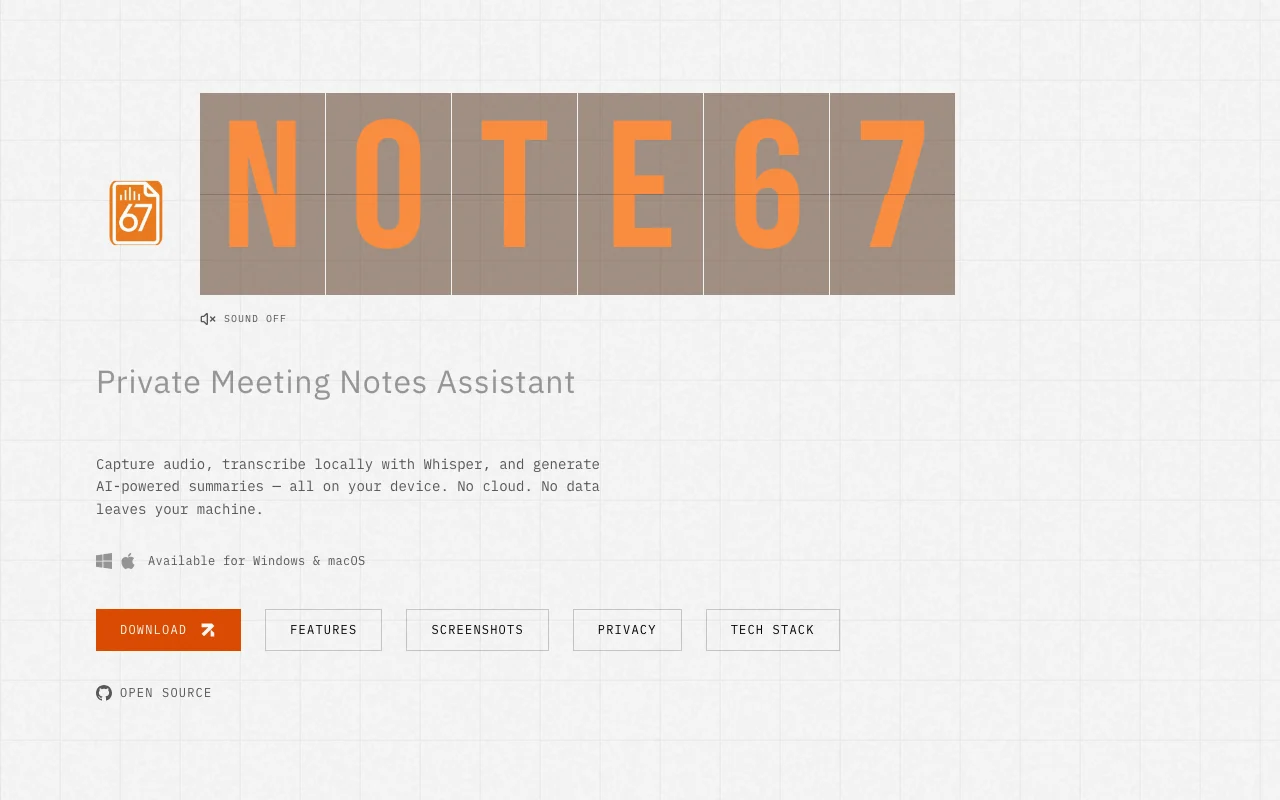
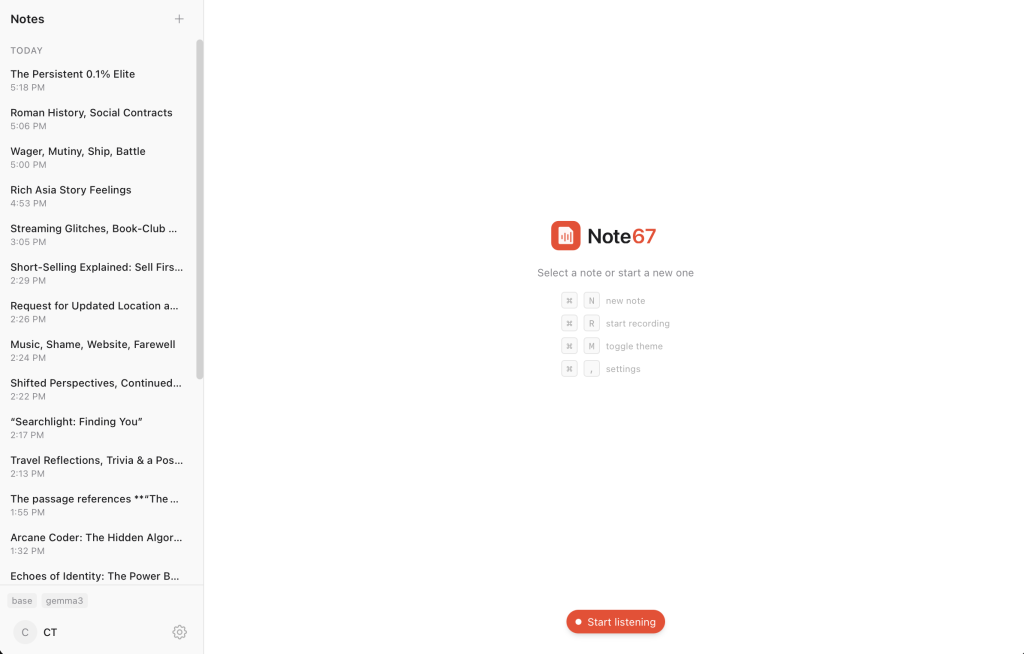
Note67 is a private meeting notes assistant for Windows and macOS. It records audio, transcribes it locally with Whisper and can generate summaries with local LLMs through Ollama. The site states it needs no accounts or subscriptions, and is free and open source, with its code on GitHub.

Note67 homepage — screenshot of the productivity & writing AI tool, Oct 2, 2026
Note67's official site: how the product presents itself. note67.com, captured Oct 2, 2026

What you provide and what you get back

You provide

  • Meeting audio from microphone and system audio

You get back

  • Transcripts
  • Summaries

Where you can use it

Platforms
Desktop
Account
Required
Transcription
Whisper local
Summaries
Ollama
OS
Windows 10+, macOS 13+

Where Note67 is most useful

Scenarios are worked out by our editors from the documentation; the actual result depends on your input and plan.

Private meeting transcription

Who
Privacy-minded professionals
You provide
Meeting audio
Expected result
You get a transcript of your meeting that stays on your own computer.
Plan needed
Free
Limitation
Transcription speed and quality depend on the hardware of your computer. source (opens in a new tab)

Local AI meeting summaries

Who
Remote workers
You provide
A call recording
Expected result
You get a summary written by a local model from your call recording.
Plan needed
Free
Limitation
You must install Ollama and a local model before summaries will work. source (opens in a new tab)

Live transcripts during calls

Who
Note takers
You provide
Live calls
Expected result
You get a live transcript that you can pause and resume during a call.
Plan needed
Free
Limitation
The app is an early release, so live transcription may be less stable than a mature product. source (opens in a new tab)

What Note67 does, and where it stops

Note67 homepage — screenshot of the productivity & writing AI tool, Oct 2, 2026
Feature overview on the official site. note67.com, captured Oct 2, 2026

Local Whisper transcription

Transcribes with Whisper on-device. People who want private notes can turn recordings into text without sending the audio to a cloud service.

Access: FreeLimit: Speed depends on the hardware of your computer. source (opens in a new tab)

Speaker separation using mic and system audio

Separates speakers using mic and system audio. Meeting notes show who said what by telling your voice apart from the other participants.

Access: FreeLimit: It uses two sources only, your microphone and the system audio. source (opens in a new tab)

Summaries via Ollama

Summarizes through Ollama. Users can get a written summary of a meeting without sending the transcript to an online service.

Access: FreeLimit: It needs Ollama and a local language model to be installed first. source (opens in a new tab)

Live transcription with pause and resume

Transcribes live and lets you pause. Note takers can follow the transcript during a call and stop it when they need a break.

Access: FreeLimit: It is an early release, so behavior may change between versions. source (opens in a new tab)

Pros, cons and deal-breakers

Where Note67 is strong

  • Audio is processed on-device per the site The site says audio is processed on your device, which matters if your meetings contain private information. documented source (opens in a new tab)
  • Free and open source per the download page The download page says it is free and open source, so you can use it without paying and inspect the code. documented source (opens in a new tab)
  • No account required per the site The site says no account is required, so you can start using it without handing over an email address. documented source (opens in a new tab)
  • Windows 10+ and macOS 13+ builds Builds are listed for Windows 10 and later and macOS 13 and later, which covers the main desktop systems. documented source (opens in a new tab)

Limitations to check before paying

  • Desktop only; no mobile or web app listed Only desktop builds are listed, so you cannot use it on a phone or in a web browser. documented source (opens in a new tab)
  • Summaries require setting up Ollama and a local LLM Summaries require you to set up Ollama and a local language model first, which takes extra effort from non-technical users. documented source (opens in a new tab)
  • Local processing depends on the user's hardware Local processing depends on your own hardware, so an older computer may transcribe and summarize slowly. documented source (opens in a new tab)
  • Version numbering (v0.1.x) indicates an early release The v0.1.x version number points to an early release, so you may run into bugs or missing features. documented source (opens in a new tab)

How to use Note67 for transcribing a meeting locally

Set up Note67

  1. Download Note67 for Windows or macOS.
  2. Install Ollama and a model.
  3. Open Note67.

Example: transcribing a meeting locally

  1. Start a recording.
  2. Stop it after the meeting.
  3. Generate a summary.

Review and export the result

  1. Check the transcript.
  2. Confirm no network upload.

Privacy, data use and commercial rights

Summarized from the vendor's current policies; this is not legal advice and a vendor's badge is not an independent audit.

How your inputs and outputs are handled

Audio is processed on-device per the site

Not applicable; local

Stored locally

Commercial use and plan restrictions

Open source per the download page

Not stated on the pages read

Policies: note67.com/

Note67 alternatives by need

"Better suited" is based on documented features and pricing, not on a head-to-head test.

Otter.ai: better suited to

Alternatives
AlternativeWhen to choose itPricingLimitation
Otter.ai——

Explore Note67 further

If you are looking at Note67

Note67 user reviews

No user reviews yet.

Used Note67? Be the first to share your experience.

Write a review

Reviews are checked by a moderator before they appear. Your email is never published. Plain text only.

Your rating (required)

Show what you made or what went wrong. Images are published only if the review is approved; location data is removed.

    Note67 FAQ

    Is Note67 free?

    Yes, free and open source per the download page. source (opens in a new tab)

    Where is audio processed?

    On your device with Whisper. source (opens in a new tab)

    What do I need for summaries?

    Ollama and a local model. source (opens in a new tab)

    Which systems?

    Windows 10+ and macOS 13+. source (opens in a new tab)

    Sources and review methodology

    Official sources and verification dates

    Not verified: License; Privacy page; Supported languages.

    How we documented and maintain this page

    Every fact about Note67 above comes from the 2 official pages listed here, last compared on Sep 29, 2026; we have not run Note67 ourselves, so it has no editorial score. How we check and re-check pages.

    Article updated Oct 2, 2026; prices checked Sep 29, 2026. Outbound links to vendors are plain links; we do not earn commissions. How we review · Report an error