
CodingDocumented overviewLast checked Oct 2, 2026

Alloy: Pricing, Features & Best Use Cases

AI prototyping tool that captures your real product and lets you prompt changes, share, and push code to a pull request.
Who Alloy fits

Choose Alloy if product managers or designers want to prototype changes on a captured or connected real product, share them and push code to a pull request, starting free. Based on the vendor's documentation, not on a hands-on test.

Best for: Product managers and designers

Also a good fit for

  • Product teams prototyping on an existing codebase

Consider another tool if free plan includes only $5 credits per user per month

Or if

  • Code export is listed under Pro
  • Browser extension works only with Chromium-based browsers

Alloy in the news

Headlines from US outlets, selected automatically — not endorsements. Updated Oct 2, 2026

Alloy pricing and usage limits

Prices checked Oct 2, 2026 on the official US pricing page. Official pricing ↗ Prices and limits change often.

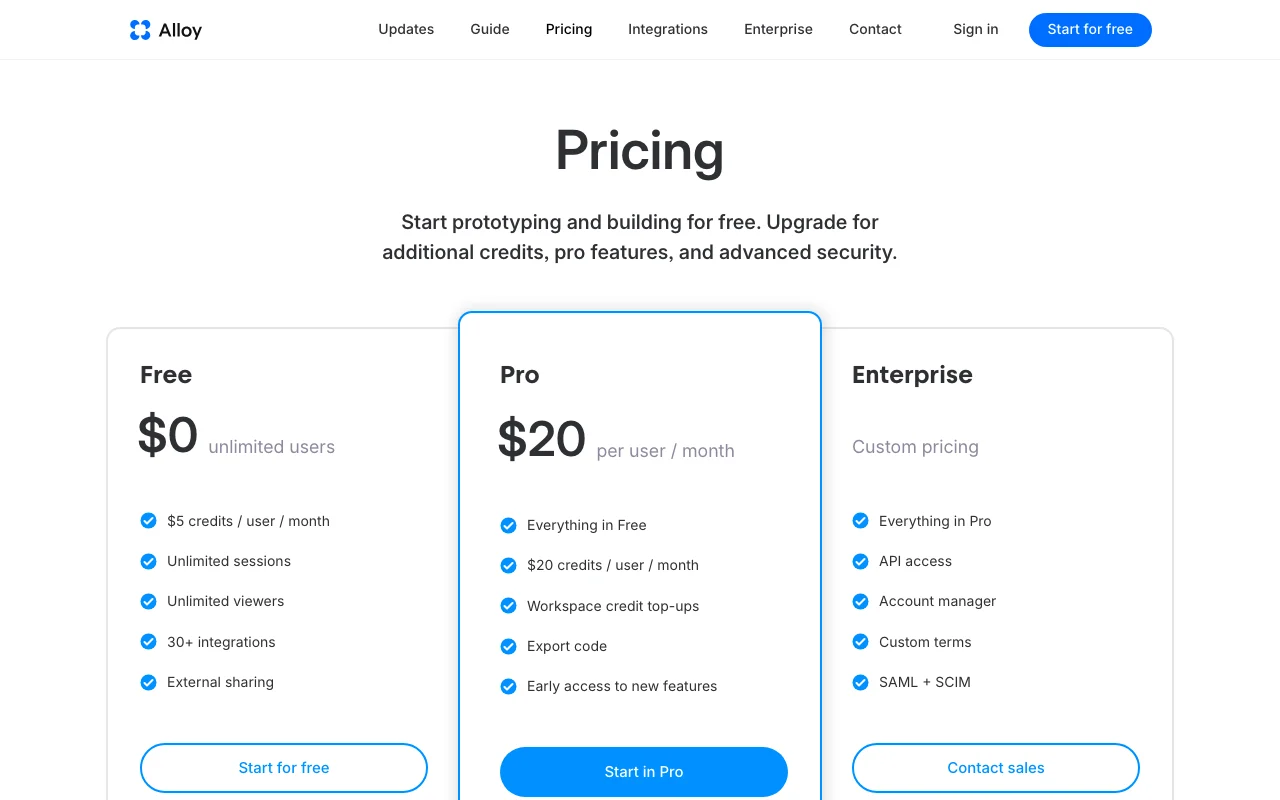
Alloy pricing page with plans and prices — screenshot of the coding AI tool, Oct 2, 2026
The official Alloy pricing page as we saw it. alloy.app, captured Oct 2, 2026

Free access and trial conditions

Free plan with $5 credits per user per month.

No trial; free plan.

Paid plans: what changes as you upgrade

Free web

Free source (opens in a new tab)

Month

For: Trying Alloy

Limits

  • $5 credits per user per month
  • Unlimited sessions and viewers

Includes

  • 30+ integrations
  • External sharing
2 more
  • Visual edits
  • Export to Figma

Pro web

$20/mo per user per month source (opens in a new tab)

Month

For: Product teams

Limits

  • $20 credits per user per month

Includes

  • Workspace credit top-ups
  • Export code
2 more
  • Priority support
  • Early access to new features

Enterprise web

Custom pricing source (opens in a new tab)

Unknown

For: Large organizations

Limits

  • Custom credits

Includes

  • API access
  • SAML + SCIM
2 more
  • Account manager
  • 24/7 support and custom terms

API included

Usage caps, credits and extra costs

Workspace credit top-ups on Pro.

Not stated.

What is Alloy, and how does it work?

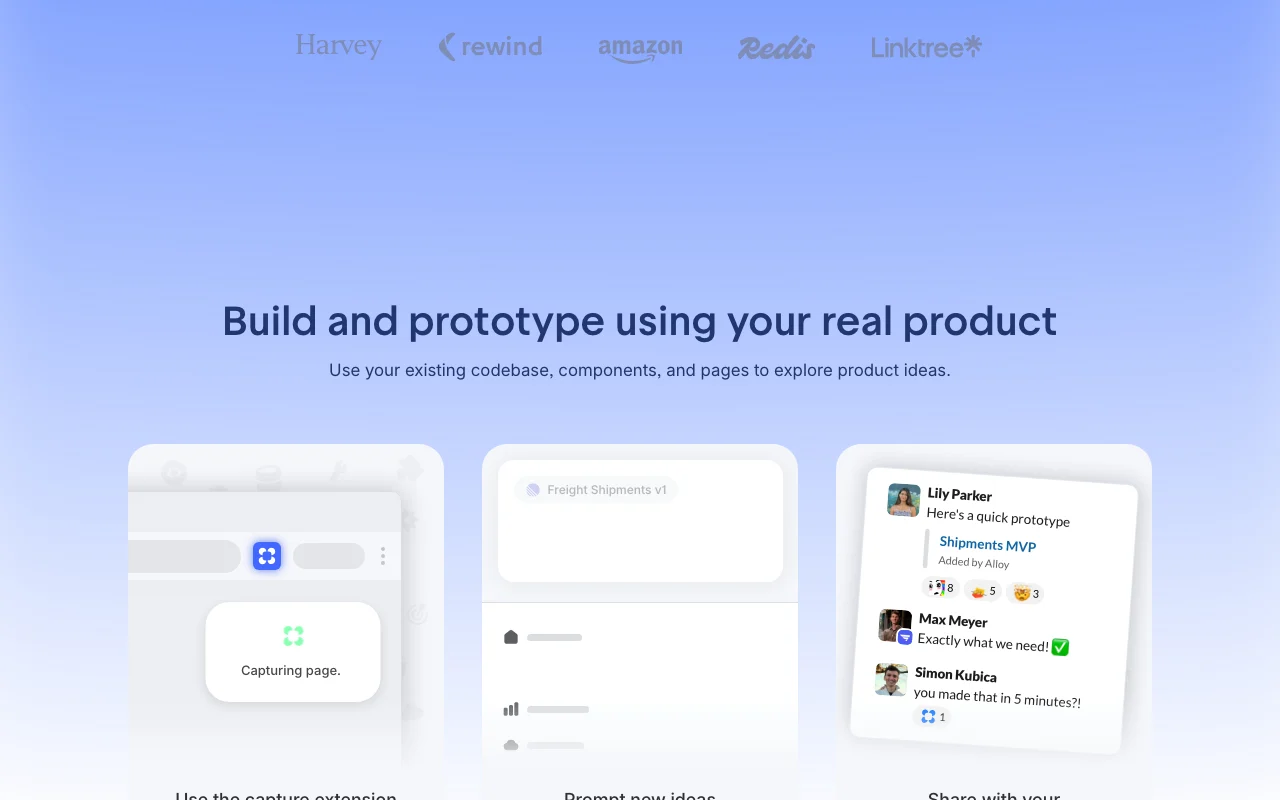
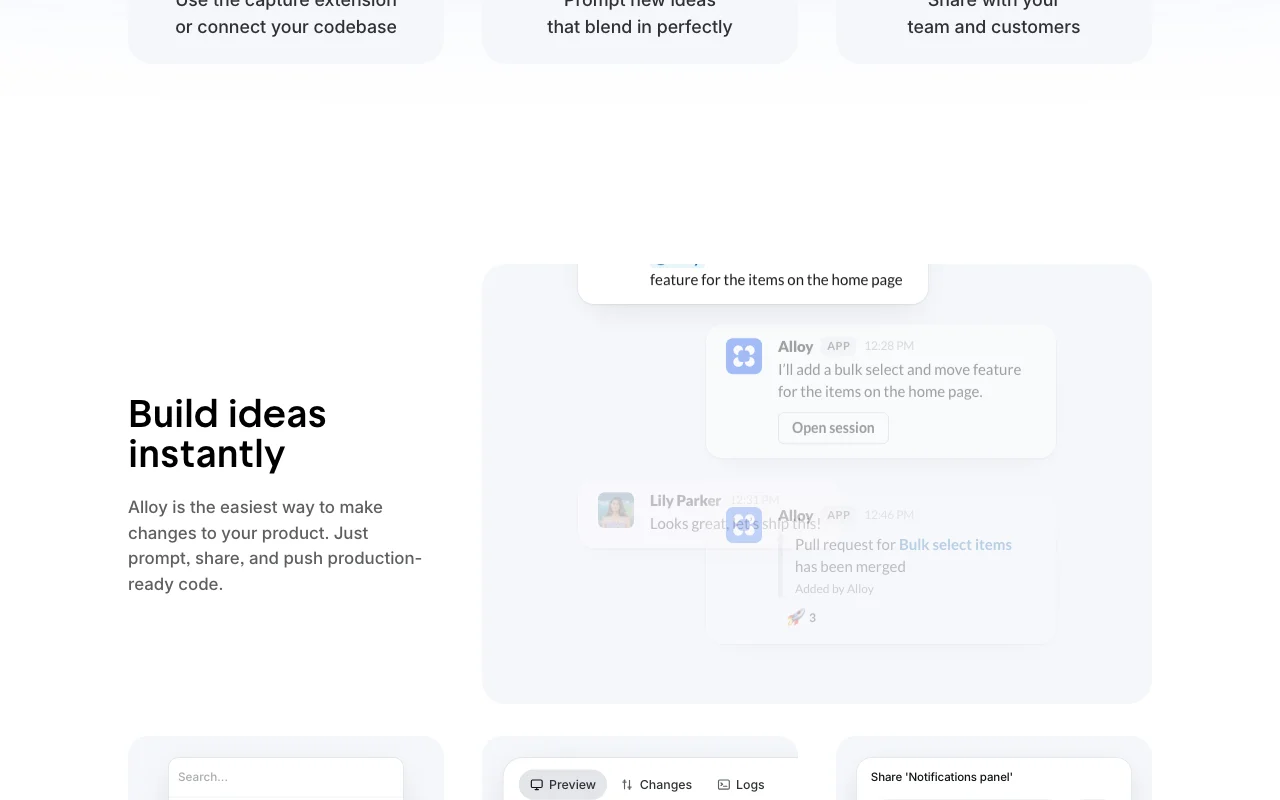
Alloy is an AI prototyping tool for product teams. You connect a codebase or capture pages with a browser extension, then prompt changes that run in a cloud sandbox using your real components and design system. Sessions can be shared by link with comments, and changes can be pushed to a pull request. Integrations include Linear, Jira, Slack and others, plus MCP connectors.

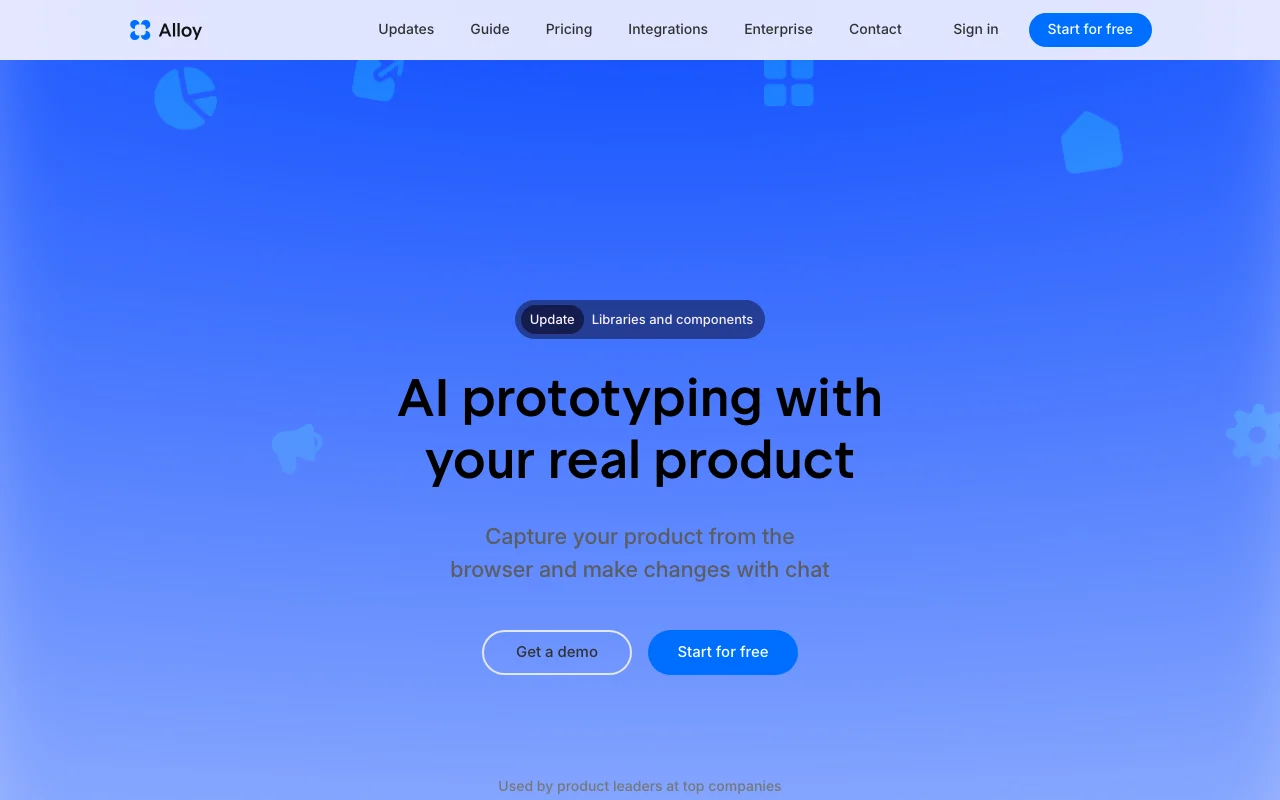
Alloy homepage — screenshot of the coding AI tool, Oct 2, 2026
Alloy's official site: how the product presents itself. alloy.app, captured Oct 2, 2026

What you provide and what you get back

How Alloy works: what you provide, where it runs and what you get backYOU PROVIDEYour inputCaptured product pages (browser e…Connected GitHub codebaseChat promptsDesign system librariesCODINGAlloyWeb, Desktop, Mobilefrom $20/mo (Pro)free tier availableaccount requiredchecked Oct 2, 2026YOU GET BACKThe resultInteractive prototypeShareable linkPull request with codeFigma exportinput → Alloy → output · from the vendor's own pages, no hands-on test unless stated
What you give Alloy and what comes back, from its documentation

You provide

  • Captured product pages (browser extension)
  • Connected GitHub codebase
  • Chat prompts
  • Design system libraries

You get back

  • Interactive prototype
  • Shareable link
  • Pull request with code
  • Figma export

Where you can use it

Platforms
Web, Desktop, Mobile
Account
Required

What people use Alloy for

Scenarios are worked out by our editors from the documentation; the actual result depends on your input and plan.

Prototyping new features on an existing product

Who
Product managers
You provide
Captured page and prompt
Expected result
Prototype of the new feature
Plan needed
Free or Pro
Limitation
Credit limited source (opens in a new tab)

Gathering stakeholder feedback via shared links

Who
Designers and PMs
You provide
Shared session link
Expected result
Comments from stakeholders
Plan needed
Free
Limitation
Needs shared access source (opens in a new tab)

Turning prototypes into pull requests

Who
PMs with dev support
You provide
Prototype on codebase
Expected result
GitHub pull request
Plan needed
Pro
Limitation
Code export on Pro source (opens in a new tab)

What Alloy does, and where it stops

Alloy homepage — screenshot of the coding AI tool, Oct 2, 2026
Feature overview on the official site. alloy.app, captured Oct 2, 2026

Browser-extension page capture

Chromium extension captures pages Start without setup

Access: All plansLimit: Chromium browsers only source (opens in a new tab)

Codebase connection (GitHub)

Connects to GitHub codebase Edits on real code

Access: All plansLimit: Needs admin setup (~15 min) source (opens in a new tab)

Alloy pros and cons

Reasons to choose Alloy

Check before paying for Alloy

How to use Alloy for prototyping a feature on your real product

Set up Alloy

  1. Open alloy.app and click Start for free
  2. Install the browser extension
  3. Capture a page of your product (or connect your codebase)
  4. Open a session and describe the change

Example: prototyping a feature on your real product

  1. Capture your home page
  2. Prompt a bulk select feature
  3. Review the live preview
  4. Share the link for feedback

Review and export the result

  1. Check the preview matches your design system
  2. Review code diff before the pull request
Example prompt suggested by our editors (not a recorded output of the product)
Add a bulk select and move feature for the items on the home page.

Alloy integrations and API

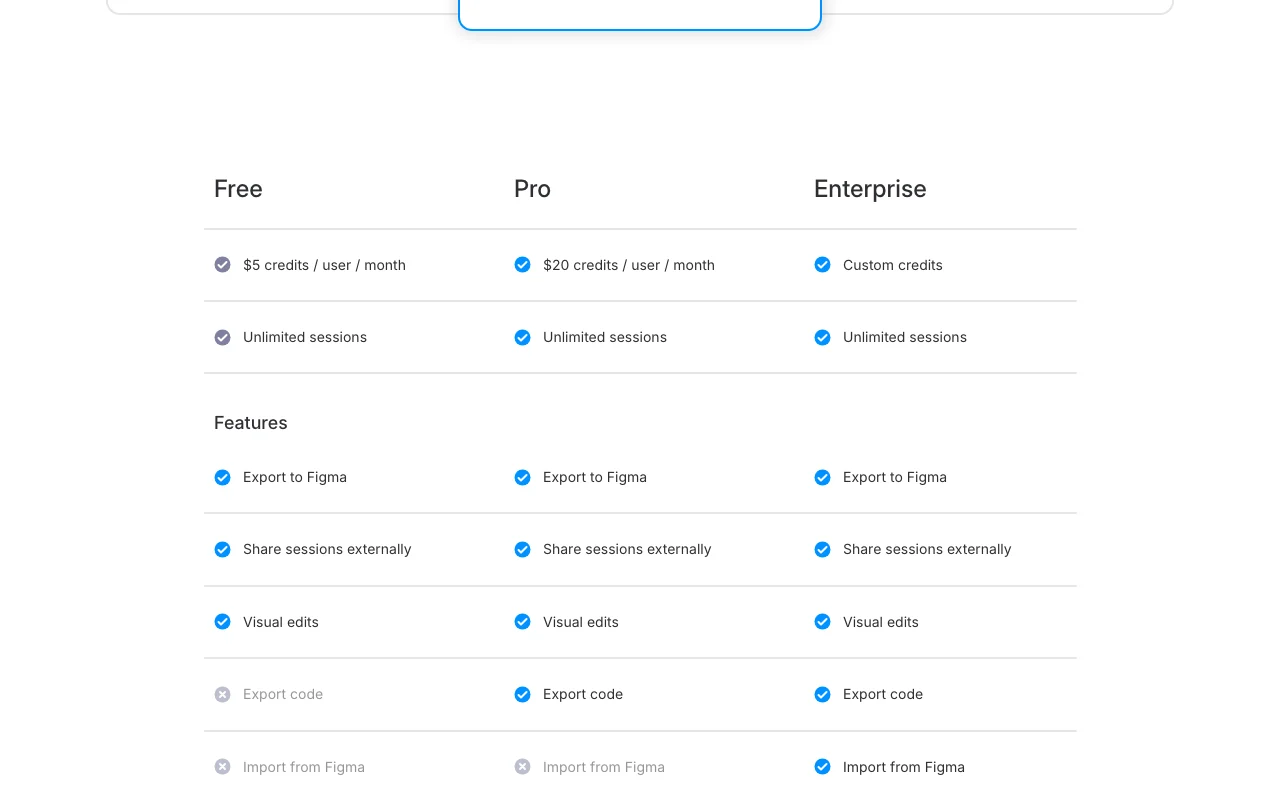
Alloy pricing page with plans and prices — screenshot of the coding AI tool, Oct 2, 2026
Plan comparison on the official pricing page. alloy.app, captured Oct 2, 2026

Native integrations and export formats

Export: Code, Figma, Pull request

API access and separate billing

An API is available, billing not documented. API access listed for Enterprise.

Other tools to consider instead of Alloy

"Better suited" is based on documented features and pricing, not on a head-to-head test.

Lovable: better suited to

Cursor: better suited to

Replit: better suited to

Alternatives
AlternativeWhen to choose itPricingLimitation
Lovable——Compare
Cursor——Compare
Replit——Compare

Explore Alloy further

Related to Alloy

Alloy user reviews

No user reviews yet.

Used Alloy? Be the first to share your experience.

Write a review

Reviews are checked by a moderator before they appear. Your email is never published. Plain text only.

Your rating (required)

Show what you made or what went wrong. Images are published only if the review is approved; location data is removed.

    Alloy FAQ

    How much does Alloy cost?

    Free $0, Pro $20 per user per month, Enterprise custom. source (opens in a new tab)

    How do I start from my product?

    Connect your codebase or use the browser extension to capture pages. source (opens in a new tab)

    Can I import from Figma?

    Not yet; you can export prototypes to Figma. source (opens in a new tab)

    Does it produce usable code?

    Yes, sessions can be exported, accessed via MCP or converted to a GitHub pull request. source (opens in a new tab)

    Can I use my own AI subscription?

    Yes, Claude or ChatGPT subscriptions can power sessions on supported models. source (opens in a new tab)

    Sources and review methodology

    Official sources and verification dates

    Not verified: Privacy and training terms (page empty); Docs (page empty); Credit cost per prompt; Supported frameworks.

    How we documented and maintain this page

    Every fact about Alloy above comes from the 3 official pages listed here, last compared on Oct 2, 2026; we have not run Alloy ourselves, so it has no editorial score. How we check and re-check pages.

    Article updated Oct 2, 2026; prices checked Oct 2, 2026. Outbound links to vendors are plain links; we do not earn commissions. How we review · Report an error