Unsere Einschätzung: Vunote is for students and researchers who turn YouTube lectures into timestamped notes, with a free 500-credit start and Pro at $9 per month.
Wichtigste Einschränkung: Free credits are a one-time 500 and AI features lock when credits run out until you upgrade or buy a pack.
Von den Redakteuren des AI Tool Atlas.
Auf Basis der offiziellen Dokumentation des Anbieters; wir haben dieses Produkt nicht selbst getestet. Was „dokumentierte Übersicht“ bedeutet
Ist Vunote das Richtige für Sie?
Vunote is for students and researchers who turn YouTube lectures into timestamped notes, with a free 500-credit start and Pro at $9 per month. Auf Basis der Dokumentation des Anbieters, nicht in einem praktischen Test.
Am besten für: Students
Auch gut geeignet für
Researchers
Self-learners
Ein anderes Tool in Betracht ziehen, wenn free plan gives only a one-time 500 AI credits that do not refill
Oder wenn
AI features lock when credits run out until upgrade or a credit pack
Paid credits reset monthly and do not roll over
Vunote Preise und Nutzungslimits
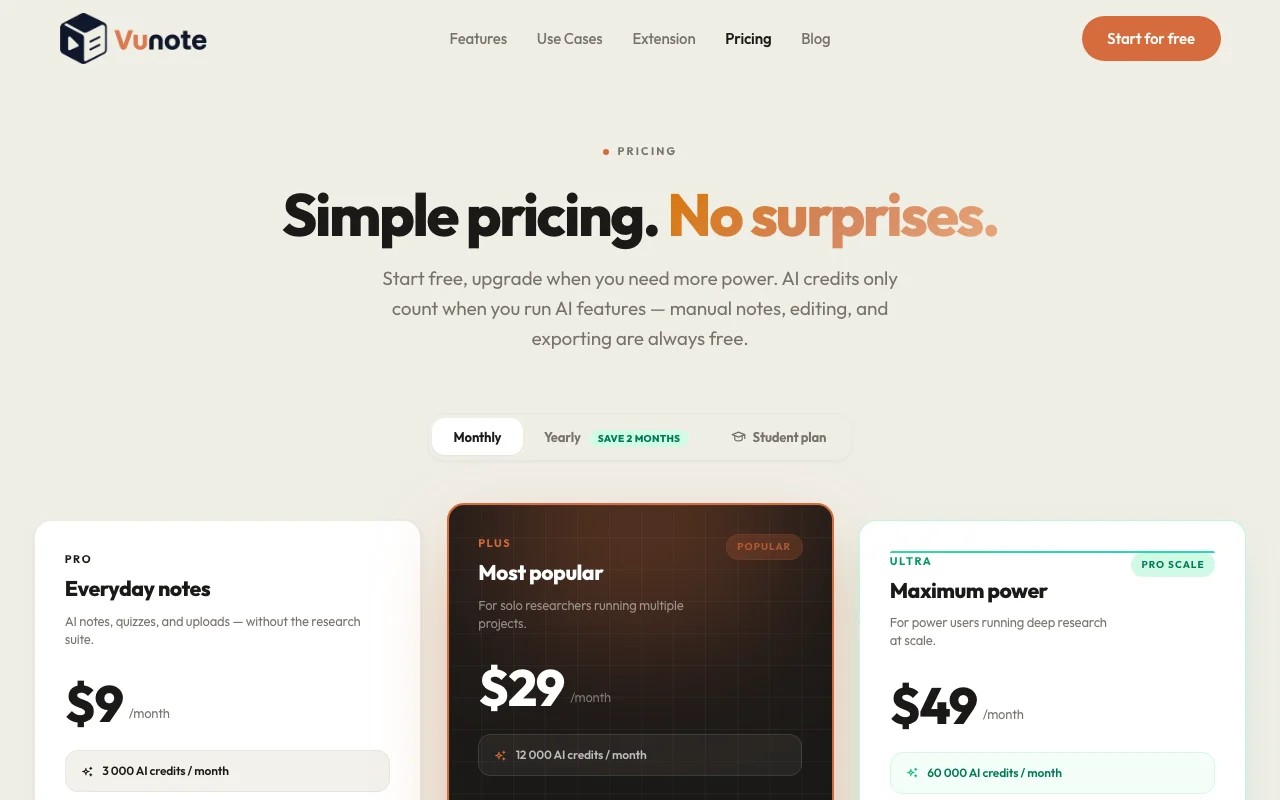
Preise am Sep 29, 2026 auf der offiziellen US-Preisseite geprüft. Offizielle Preise ↗ Preise und Limits ändern sich häufig.
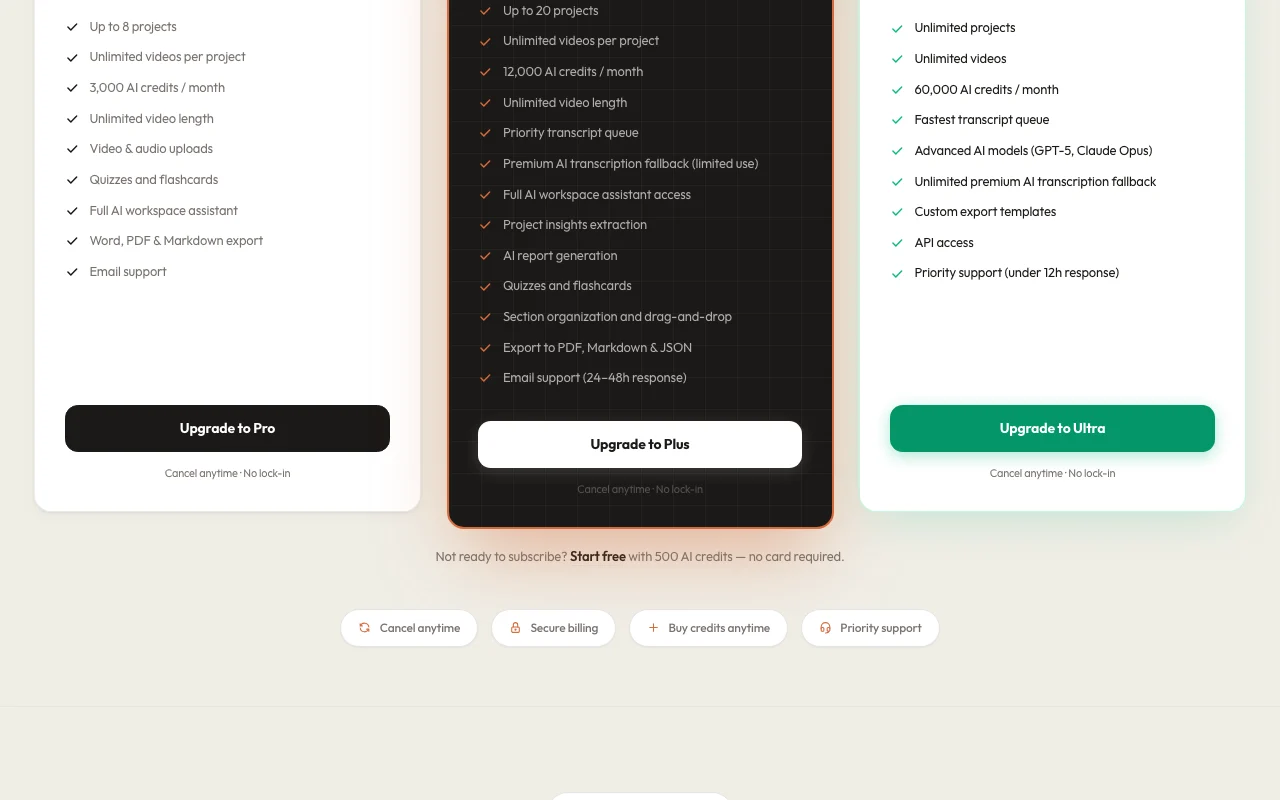
Die offizielle Vunote-Preisseite, wie wir sie gesehen haben. vunote.so, erfasst Oct 1, 2026
Kostenloser Zugang und Testbedingungen
Free 500 credits once
Not stated
Kostenpflichtige Tarife: was sich beim Upgrade ändert
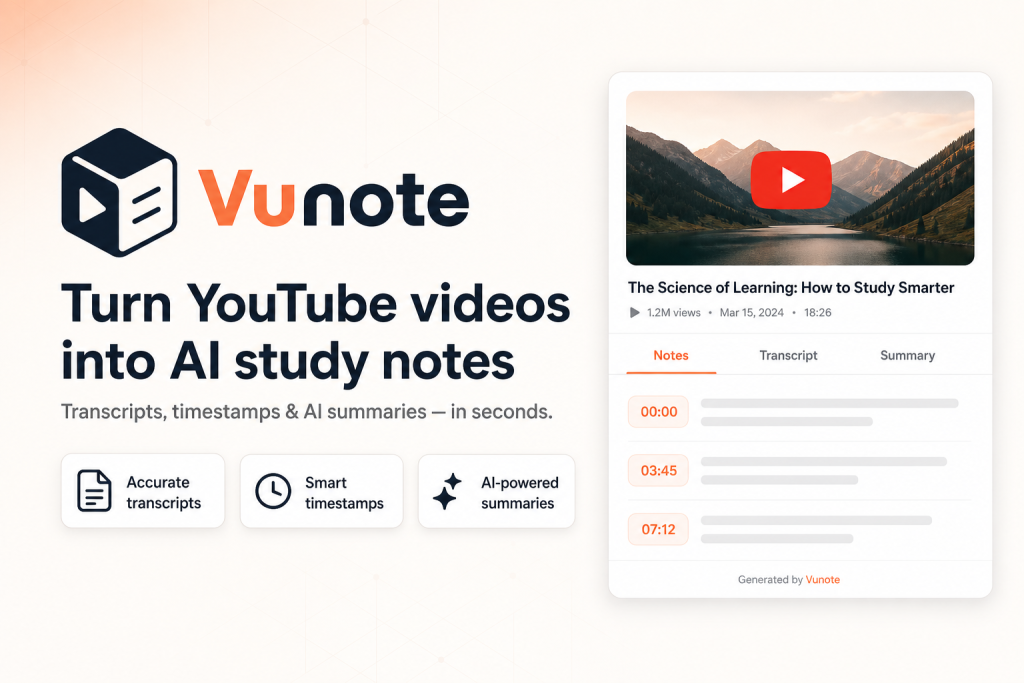
Vunote is a web workspace where users add YouTube links or playlists, uploaded video or audio, and get timestamped notes and searchable transcripts. Notes can be turned into mindmaps, recall cards, summaries and AI-generated research reports.
It also offers AI chat grounded in the user's notes and transcripts, and multi-video analysis across lectures. Paid plans are credit-based; manual notes, bookmarks and exports do not use credits.
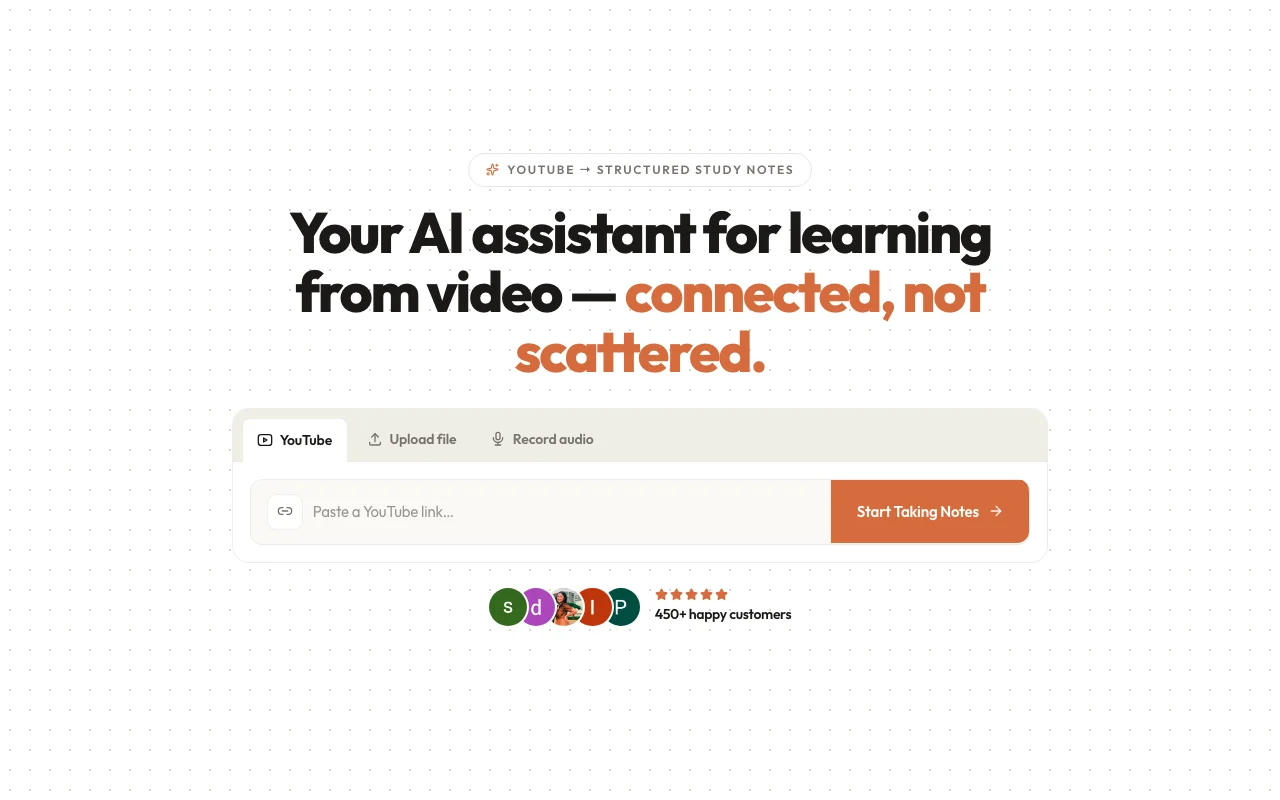
Offizielle Website von Vunote: So stellt sich das Produkt selbst dar. vunote.so, erfasst Oct 1, 2026
Was Sie liefern und was Sie erhalten
Was Sie Vunote geben und was zurückkommt, laut Dokumentation
Sie liefern
YouTube videos and playlists
Uploaded audio
Sie erhalten zurück
Timestamped notes
Mindmaps, summaries and reports
Wo Sie es nutzen können
Plattformen
Web, API
Konto
Erforderlich
Input
YouTube videos, playlists, audio
Exports
PDF, Markdown, JSON (paid)
Credits
500 one-time / 3,000 / 12,000 / 60,000
Wofür Vunote genutzt wird
Die Szenarien erarbeiten unsere Redakteure anhand der Dokumentation; das tatsächliche Ergebnis hängt von Ihrer Eingabe und Ihrem Tarif ab.
Studying from recorded lectures
Wer
Students
Sie liefern
A lecture video
Erwartetes Ergebnis
You get timestamped notes linked to the moments in the recorded lecture.
Benötigter Tarif
Free
Einschränkung
Free credits are one-time and do not refill, so you can only process a limited number of lectures. Quelle (öffnet in neuem Tab)
Taking timestamped notes on YouTube videos
Wer
Learners
Sie liefern
A video
Erwartetes Ergebnis
You get a transcript and a summary with timestamps for the video.
Free plan needs no credit card The free plan needs no credit card, so you can try it without giving payment details.dokumentiertQuelle (öffnet in neuem Tab)
Manual notes, bookmarks and exports never use credits Manual notes, bookmarks and exports never use credits, so you can keep working on your notes after AI credits run out.dokumentiertQuelle (öffnet in neuem Tab)
Exports to PDF, Markdown and JSON on paid plans Paid plans export to PDF, Markdown and JSON, so your notes can move to other tools.dokumentiertQuelle (öffnet in neuem Tab)
Student plan at $48/year for verified .edu emails A Student plan costs $48 per year for verified .edu emails, which is less than monthly Pro billing over a year.dokumentiertQuelle (öffnet in neuem Tab)
Einschränkungen, die Sie vor dem Bezahlen prüfen sollten
Free plan gives only a one-time 500 AI credits that do not refill The free plan gives a one-time 500 AI credits that do not refill, so heavy use ends the free trial quickly.dokumentiertQuelle (öffnet in neuem Tab)
AI features lock when credits run out until upgrade or a credit pack AI features lock when credits run out until you upgrade or buy a credit pack, so a long study session can be interrupted.dokumentiertQuelle (öffnet in neuem Tab)
Paid credits reset monthly and do not roll over Paid credits reset monthly and do not roll over, so unused credits in a quiet month are lost.dokumentiertQuelle (öffnet in neuem Tab)
Insights and reports are limited to Plus and Ultra plans Insights and reports are limited to Plus and Ultra plans, so Pro and Free users cannot create them.dokumentiertQuelle (öffnet in neuem Tab)
So nutzen Sie Vunote für taking notes from a YouTube lecture
Vunote einrichten
Create a Vunote account.
Paste a YouTube link.
Wait for the transcript.
Beispiel: taking notes from a YouTube lecture
Open the timestamped notes.
Generate a mindmap.
Export to PDF or Markdown.
Ergebnis prüfen und exportieren
Click a timestamp to check it matches.
Check your credit balance.
Vunote Integrationen und API
Tarifvergleich auf der offiziellen Preisseite. vunote.so, erfasst Oct 1, 2026
Native Integrationen und Exportformate
Export: PDF, Markdown, JSON
API-Zugang und separate Abrechnung
Eine API ist verfügbar, Abrechnung nicht dokumentiert. API access on Ultra.
Datenschutz, Datennutzung und kommerzielle Rechte
Zusammengefasst aus den aktuellen Richtlinien des Anbieters; dies ist keine Rechtsberatung, und das Badge eines Anbieters ersetzt kein unabhängiges Audit.
Nicht verifiziert: Privacy; Mobile apps; US availability.
Wie wir diese Seite dokumentiert haben und pflegen
Jede Angabe zu Vunote oben stammt aus den 2 hier aufgeführten offiziellen Seiten, zuletzt verglichen am Sep 29, 2026; wir haben Vunote nicht selbst getestet, daher gibt es keine redaktionelle Bewertung. Wie wir Seiten prüfen und erneut prüfen.
Artikel aktualisiert Oct 10, 2026; Preise geprüft Sep 29, 2026. Ausgehende Links zu Anbietern sind einfache Links; wir erhalten keine Provisionen. So testen wir · Fehler melden

 (in voller Größe in neuem Tab öffnen)
 (in voller Größe in neuem Tab öffnen)
 (in voller Größe in neuem Tab öffnen)
 (in voller Größe in neuem Tab öffnen)
 (in voller Größe in neuem Tab öffnen)