Audio & SpracheDokumentierter ÜberblickZuletzt geprüft Sep 29, 2026

Saydi: Preise, Funktionen & beste Einsatzzwecke

Real-time AI voice translation and transcription for meetings, events and travel, with a Chrome extension for Meet, Zoom and Teams.
Für wen Saydi passt

Saydi suits teams and event organizers who want live two-way voice translation, one-way interpretation or transcription in 60+ languages inside Google Meet, Zoom or Teams via a Chrome extension, billed by credits per hour. Auf Basis der Dokumentation des Anbieters, nicht in einem praktischen Test.

Am besten für: Global sales teams

Auch gut geeignet für

  • Event organizers
  • International students
  • Remote distributed teams

Ein anderes Tool in Betracht ziehen, wenn credit-based usage (voice-to-voice premium 600 credits/hour)

Oder wenn

  • Unused monthly minutes do not roll over
  • Top-ups require a paid membership

Saydi Preise und Nutzungslimits

Preise am Sep 29, 2026 auf der offiziellen US-Preisseite geprüft. Offizielle Preise ↗ Preise und Limits ändern sich häufig.

Preisseite des Anbieters vor 11 Tagen automatisch neu geprüft: keine Änderungen festgestellt.

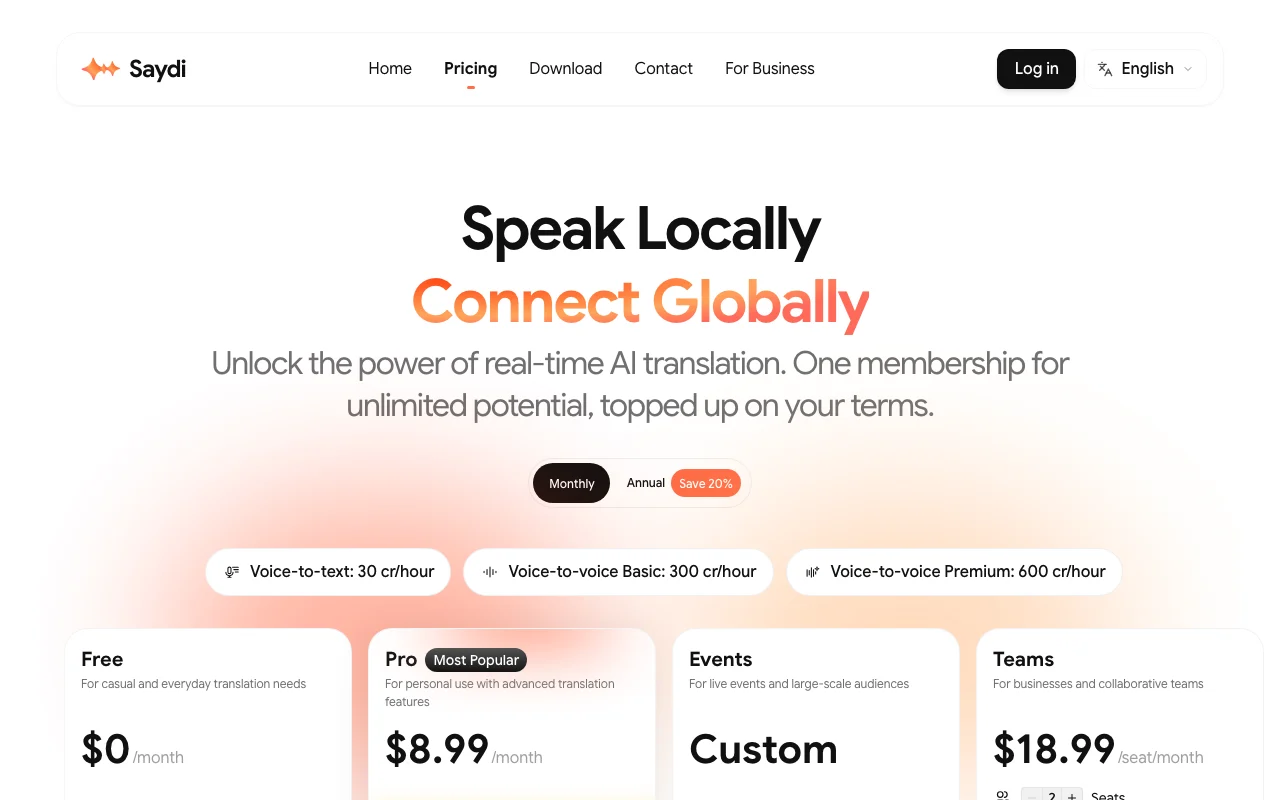
Saydi Preisseite mit Tarifen und Preisen – Screenshot des KI-Tools audio & sprache, Oct 1, 2026
Die offizielle Saydi-Preisseite, wie wir sie gesehen haben. saydi.ai, erfasst Oct 1, 2026

Kostenloser Zugang und Testbedingungen

Free plan exists; demo without account is rate-limited by IP and time.

Demo sessions with limited duration.

Kostenpflichtige Tarife: was sich beim Upgrade ändert

Free web

Kostenlos Quelle (öffnet in neuem Tab)

None

Für: Trying the service

Limits

  • Cannot buy credit top-ups
  • Allowance not visible on the page

Enthält

  • Try Saydi translation modes

Pro web

$9 Quelle (öffnet in neuem Tab)

Monthly, Jahresbindung

Annual toggle shown; amount not visible

Für: Individuals and small teams

Limits

  • Unused monthly minutes do not roll over
  • Voice-to-text 30 cr/hour; voice-to-voice Basic 300; Premium 600

Enthält

  • Credit top-ups allowed
  • Monthly credit allocation

Credit Top-up (from $5) web

$5 one-time Quelle (öffnet in neuem Tab)

Einmalig

Für: Covering busy months

Limits

  • Requires active Pro or Team membership
  • Credits never expire

Enthält

  • One-time add-on when monthly credits run low

Keine API

Business Plan web

Individuelle Preise Quelle (öffnet in neuem Tab)

Custom

Für: Enterprises

Limits

  • Contact sales

Enthält

  • Unlimited members
  • Centralized credit pool
2 mehr
  • Advanced admin dashboard
  • Custom concurrent sessions

Nutzungsobergrenzen, Guthaben und Zusatzkosten

Top-ups: $5=600, $10=1,300, $25=3,500, $50=7,500 credits.

Was ist Saydi und wie funktioniert es?

Saydi is an AI voice translation platform offering two-way, one-way and transcription modes for meetings and events, supporting 60+ languages with auto language detection and speaker diarization. Users can add meeting context and a custom dictionary of up to 50 terms. It is available on web, macOS, iOS/iPadOS, Android and as a Chrome extension, with credit-based memberships and a business plan.

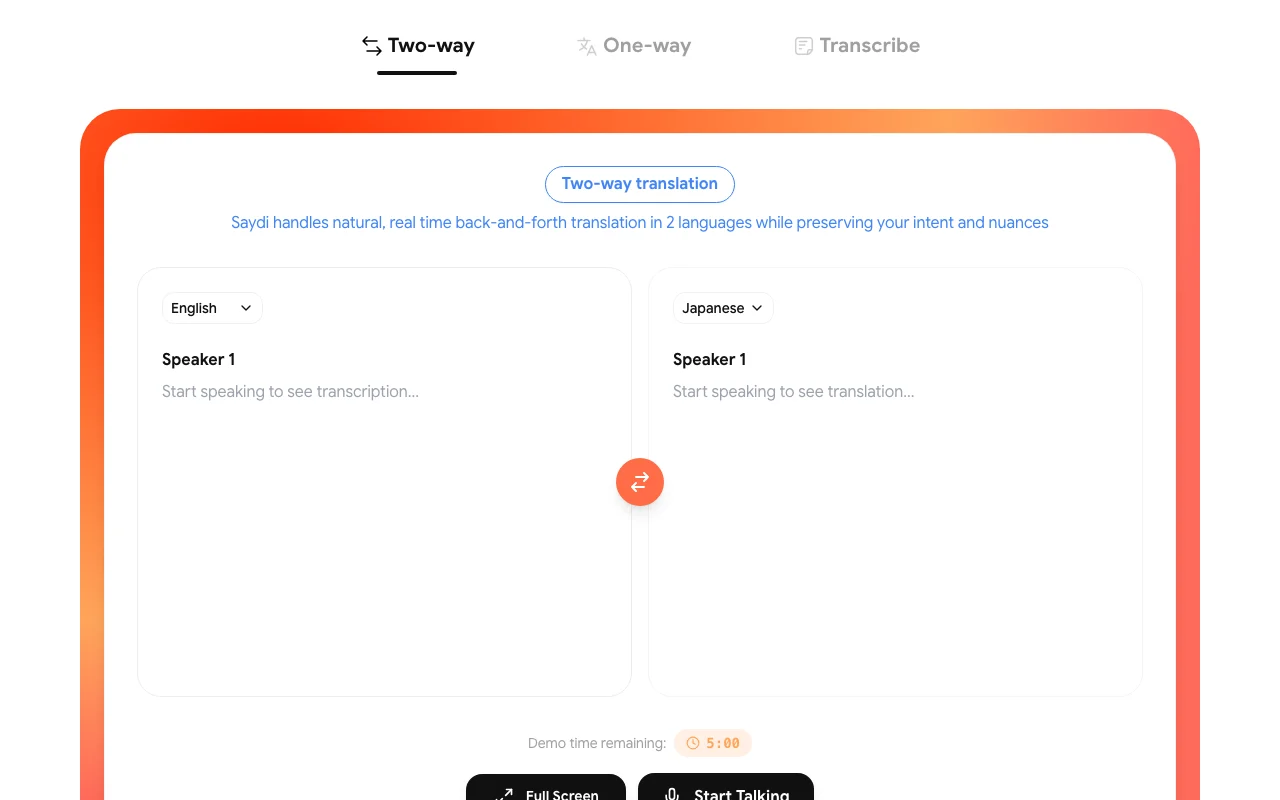
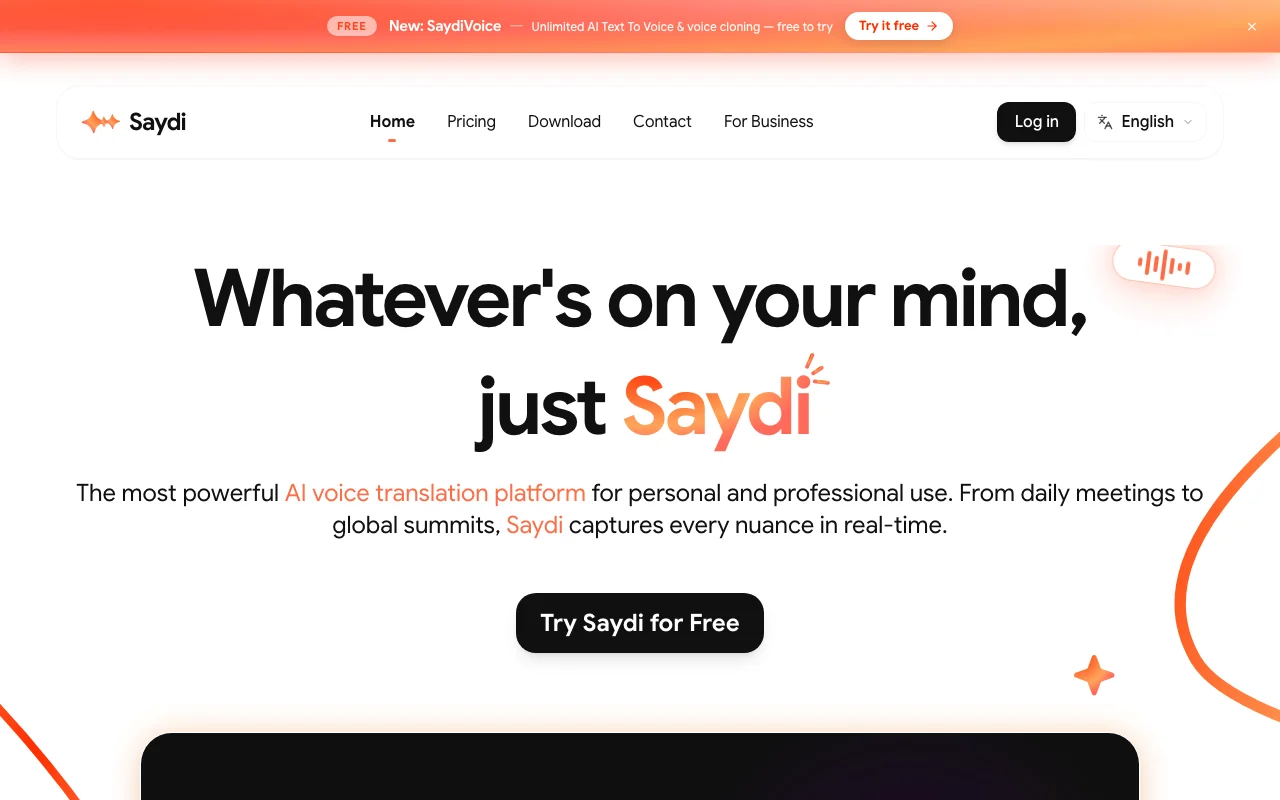
Saydi Startseite – Screenshot des KI-Tools audio & sprache, Oct 1, 2026
Offizielle Website von Saydi: So stellt sich das Produkt selbst dar. saydi.ai, erfasst Oct 1, 2026

Was Sie liefern und was Sie erhalten

Wie Saydi funktioniert: was Sie liefern, wo es läuft und was Sie zurückbekommenSIE LIEFERNIhre EingabeLive microphone speechMeeting audio via Chrome extensio…Event documents (DocTranslate)Meeting keywords and a custom dic…AUDIO & SPRACHESaydiWeb, Desktop, Mobileab $5 (Credit Top-up (from $5))kostenloser Tarif verfügbarKonto erforderlichgeprüft Sep 29, 2026SIE ERHALTEN ZURÜCKDas ErgebnisReal-time translated textTranslated voice outputTranscripts with speaker labelsSaved session historyinput → Saydi → output · von den eigenen Seiten des Anbieters, kein praktischer Test, sofern nicht angegeben
Was Sie Saydi geben und was zurückkommt, laut Dokumentation

Sie liefern

  • Live microphone speech
  • Meeting audio via Chrome extension (Google Meet, Zoom, Teams)
  • Event documents (DocTranslate)
  • Meeting keywords and a custom dictionary

Sie erhalten zurück

  • Real-time translated text
  • Translated voice output
  • Transcripts with speaker labels
  • Saved session history

Wo Sie es nutzen können

Plattformen
Web, Desktop, Mobile
Konto
Erforderlich
Languages
60+
Modes
Two-way, One-way, Transcribe
Credit rates
30 / 300 / 600 credits per hour
Custom dictionary
Up to 50 terms
Meeting platforms
Google Meet, Zoom, Teams via Chrome extension
Voice-cloning
Not documented

Wofür Saydi genutzt wird

Die Szenarien erarbeiten unsere Redakteure anhand der Dokumentation; das tatsächliche Ergebnis hängt von Ihrer Eingabe und Ihrem Tarif ab.

Translating international video meetings

Wer
Global sales teams and remote IT outsourcing hubs
Sie liefern
Live meeting audio through the Chrome extension
Erwartetes Ergebnis
Real-time translated text or voice with speaker labels
Benötigter Tarif
Pro
Einschränkung
Voice-to-voice uses far more credits than text Quelle (öffnet in neuem Tab)

Live interpretation at conferences

Wer
Event and conference organizers
Sie liefern
Speaker audio; attendees join via QR code
Erwartetes Ergebnis
Hundreds of attendees follow translation on their own devices
Benötigter Tarif
Business
Einschränkung
Concurrent sessions are custom-quoted Quelle (öffnet in neuem Tab)

Transcribing multilingual calls

Wer
Students and entrepreneurs
Sie liefern
Spoken audio in Transcribe mode
Erwartetes Ergebnis
Transcript with auto language detection and diarization
Benötigter Tarif
Any
Einschränkung
Cost is 30 credits per hour of audio Quelle (öffnet in neuem Tab)

Funktionen von Saydi und ihre Grenzen

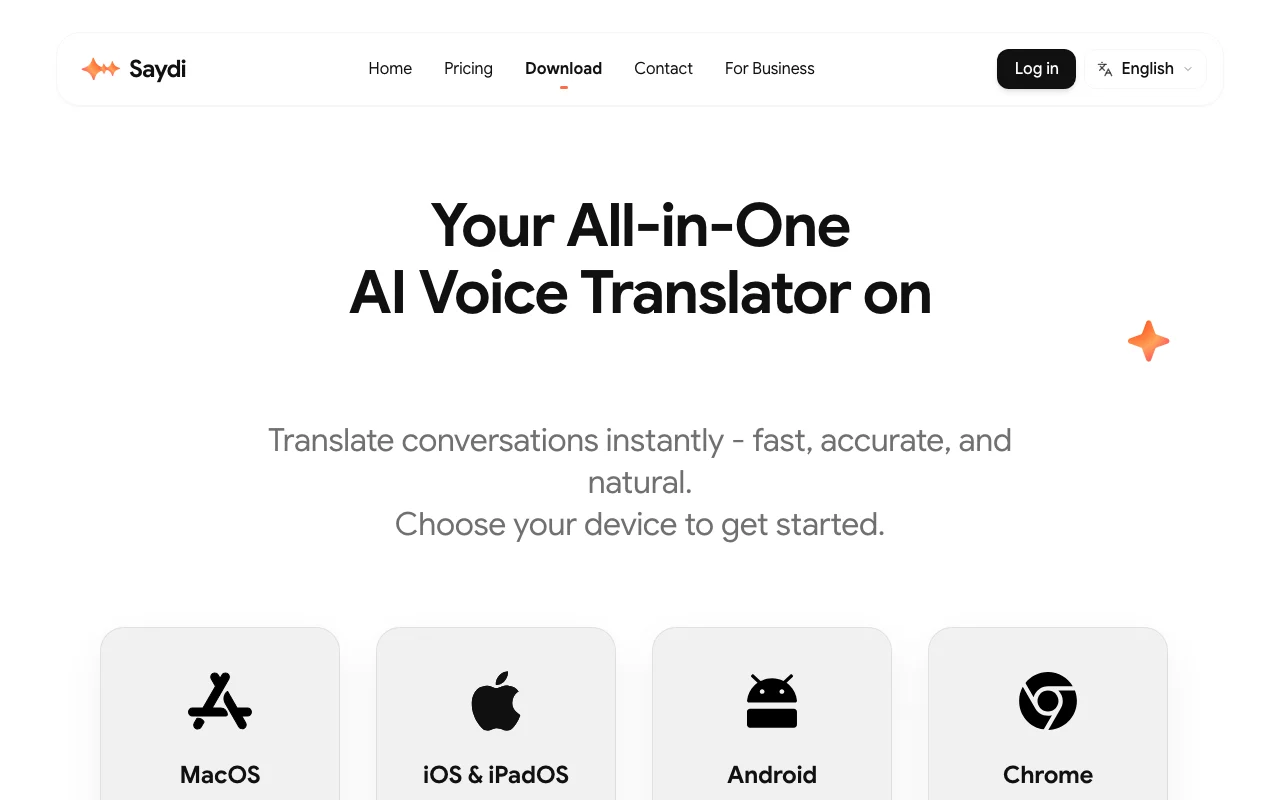
Saydi Startseite – Screenshot des KI-Tools audio & sprache, Oct 1, 2026
Funktionsüberblick auf der offiziellen Website. saydi.ai, erfasst Oct 1, 2026

Two-way and one-way voice translation

Two-way auto-detects who is speaking and translates both directions; one-way translates a single speaker, using Deepgram for speech-to-text and Google for translation. Back-and-forth conversation without pressing buttons.

Zugriff: Voice-to-voice Basic 300 or Premium 600 credits/hourLimit: Premium is credit-heavy Quelle (öffnet in neuem Tab)

Transcription mode

Streams audio to speech-to-text and returns a transcript at 30 credits per hour. Cheap notes for meetings and lectures.

Zugriff: All plansLimit: Text only Quelle (öffnet in neuem Tab)

Auto language detection and speaker diarization

Detects the spoken language and labels who said what in the notes automatically. No manual language switching.

Zugriff: Not stated per planLimit: Accuracy not quantified Quelle (öffnet in neuem Tab)

Custom dictionary of up to 50 terms

Saved industry terms plus meeting details and keywords are given to the AI as context to guide translation. Correct jargon and names.

Zugriff: Not stated per planLimit: Capped at 50 terms Quelle (öffnet in neuem Tab)

Saydi: Stärken und Grenzen

Gründe für die Wahl von Saydi

Vor dem Bezahlen bei Saydi prüfen

So nutzen Sie Saydi für translating a live video meeting

Saydi Hilfecenter – Screenshot des KI-Tools audio & sprache, Oct 1, 2026
Saydi Hilfe-Center. saydi.ai, erfasst Oct 1, 2026

Saydi einrichten

  1. Sign in at saydi.ai with Google Sign-In or email.
  2. Install the Chrome extension for Google Meet, Zoom or Teams.
  3. Pick a mode (Two-way, One-way or Transcribe) and a Scenario Gallery preset such as Sales.

Beispiel: translating a live video meeting

  1. Enter meeting details and keywords, and add up to 50 terms to the Custom Dictionary.
  2. Select source and target languages or leave auto language detection on.
  3. Start the session and read or hear the translation during the call.

Ergebnis prüfen und exportieren

  1. Check that speaker labels in the notes match who spoke.
  2. Compare credits used with the 30/300/600 credits-per-hour rates.

Saydi Integrationen

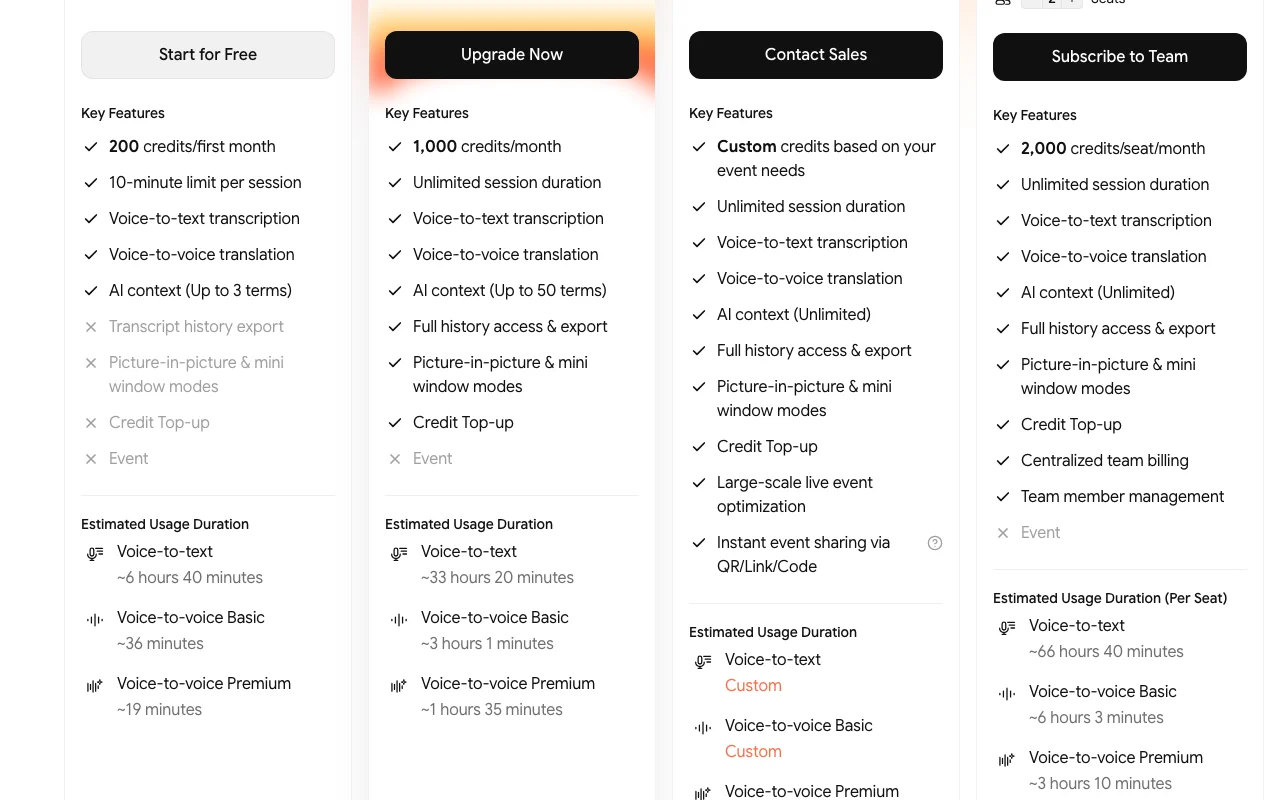
Saydi Preisseite mit Tarifen und Preisen – Screenshot des KI-Tools audio & sprache, Oct 1, 2026
Tarifvergleich auf der offiziellen Preisseite. saydi.ai, erfasst Oct 1, 2026

Native Integrationen und Exportformate

Export: Transcription data export mentioned in privacy rights

Datenschutz, Datennutzung und kommerzielle Rechte

Zusammengefasst aus den aktuellen Richtlinien des Anbieters; dies ist keine Rechtsberatung, und das Badge eines Anbieters ersetzt kein unabhängiges Audit.

Wie Ihre Eingaben und Ausgaben verarbeitet werden

Voice is streamed to Deepgram (speech-to-text) and Google (translation) in real time.

Policy says Saydi, Deepgram and Google do not train AI models on your data.

Raw audio not stored; text transcripts saved only if you choose to save a session.

Steuerungsmöglichkeiten für Geschäftskunden

  • Admin dashboard (Business)

Richtlinien: saydi.ai/privacy

Die besten Saydi-Alternativen für unterschiedliche Anforderungen

„Besser geeignet“ beruht auf dokumentierten Funktionen und Preisen, nicht auf einem direkten Test.

Otter.ai: besser geeignet für

ElevenLabs: besser geeignet für

Descript: besser geeignet für

Microsoft Copilot: besser geeignet für

Alternativen
AlternativeWann Sie es wählen solltenPreiseEinschränkung
Otter.ai——Vergleichen
ElevenLabs——Vergleichen
Descript——
Microsoft Copilot——

Saydi weiter erkunden

Wenn Sie Saydi in Betracht ziehen

Saydi Nutzerbewertungen

Noch keine Nutzerbewertungen.

Verwendet Saydi? Teilen Sie als Erste oder Erster Ihre Erfahrung.

Bewertung schreiben

Bewertungen werden von einem Moderator geprüft, bevor sie erscheinen. Ihre E-Mail-Adresse wird nie veröffentlicht. Nur Klartext.

Ihre Bewertung (erforderlich)

Zeigen Sie, was Sie erstellt haben oder was schiefgelaufen ist. Bilder werden nur veröffentlicht, wenn die Bewertung freigegeben wird; Standortdaten werden entfernt.

    Saydi FAQ

    How many credits does each mode use?

    Voice-to-text uses 30 credits per hour, voice-to-voice Basic 300 and voice-to-voice Premium 600 per hour. Quelle (öffnet in neuem Tab)

    Do top-up credits expire?

    No, but you can only buy them with an active Pro or Team membership; they stay if you cancel. Quelle (öffnet in neuem Tab)

    What do the top-up packs cost?

    $5 for 600 credits, $10 for 1,300, $25 for 3,500 and $50 for 7,500. Quelle (öffnet in neuem Tab)

    Does Saydi store my audio?

    No raw audio is permanently stored; audio goes to Deepgram and Google for processing, and transcripts are saved only if you choose. Quelle (öffnet in neuem Tab)

    How do many attendees join an event session?

    Organizers share a QR code so hundreds can join in seconds. Quelle (öffnet in neuem Tab)

    Quellen und Bewertungsmethodik

    Offizielle Quellen und Prüfdaten

    Nicht verifiziert: Monthly credits included per plan; Annual plan prices; API availability; Free plan allowance.

    Wie wir diese Seite dokumentiert haben und pflegen

    Jede Angabe zu Saydi oben stammt aus den 4 hier aufgeführten offiziellen Seiten, zuletzt verglichen am Sep 29, 2026; wir haben Saydi nicht selbst getestet, daher gibt es keine redaktionelle Bewertung. Wie wir Seiten prüfen und erneut prüfen.

    Artikel aktualisiert Oct 10, 2026; Preise geprüft Sep 29, 2026. Ausgehende Links zu Anbietern sind einfache Links; wir erhalten keine Provisionen. So testen wir · Fehler melden