VideoDokumentierter ÜberblickZuletzt geprüft Sep 29, 2026

Vibeknow: Preise, Funktionen & beste Einsatzzwecke

Web tool that turns documents, PDFs and links into narrated explainer videos with voice, visuals and music.

Für wen Vibeknow passt

Vibeknow suits creators, educators and marketing teams who already have written material and want it turned into a narrated explainer video in about three minutes, starting free. Auf Basis der Dokumentation des Anbieters, nicht in einem praktischen Test.

Am besten für: Creators repurposing written content

Auch gut geeignet für

  • Educators and course builders
  • Marketing and training teams

Ein anderes Tool in Betracht ziehen, wenn free plan adds a watermark and has limited downloads

Oder wenn

  • Free plan has no monthly fast-generation credits
  • Plus allows only one active generation at a time

Vibeknow Preise und Nutzungslimits

Preise am Sep 29, 2026 auf der offiziellen US-Preisseite geprüft. Offizielle Preise ↗ Preise und Limits ändern sich häufig.

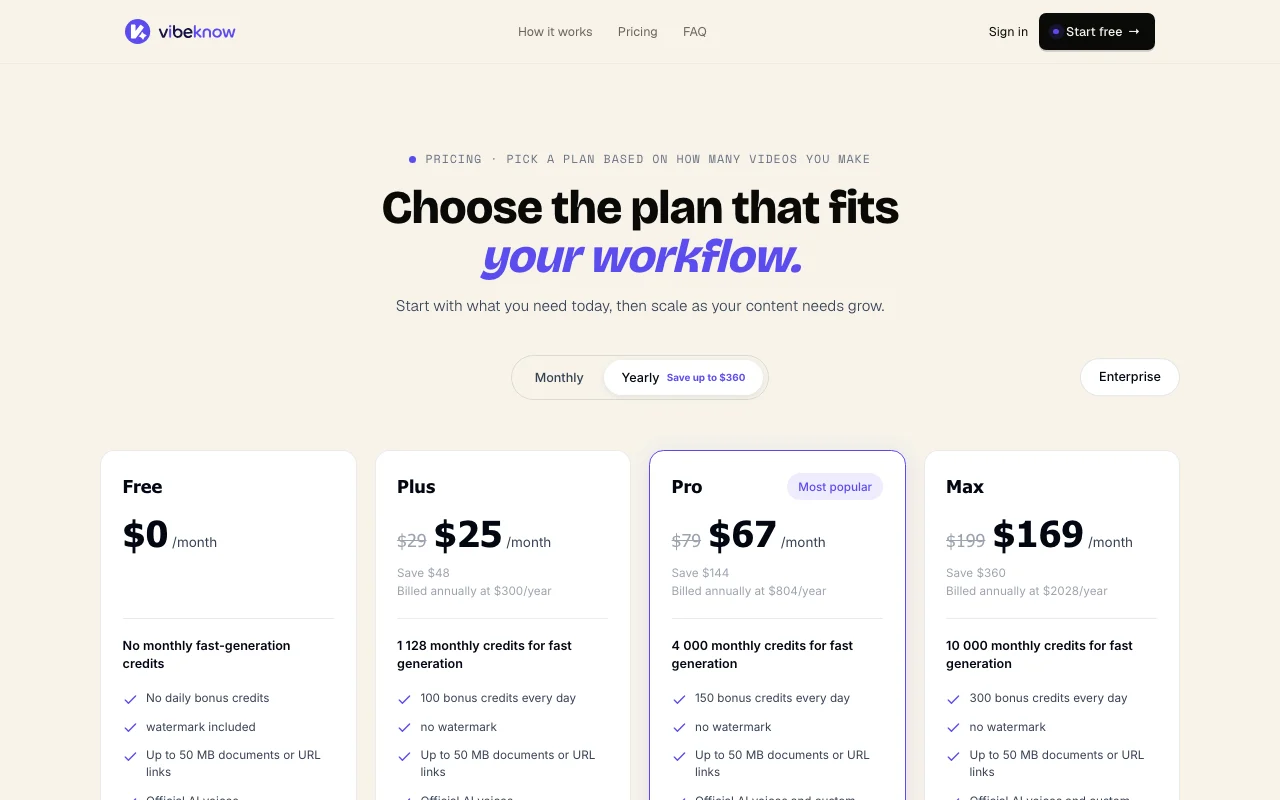
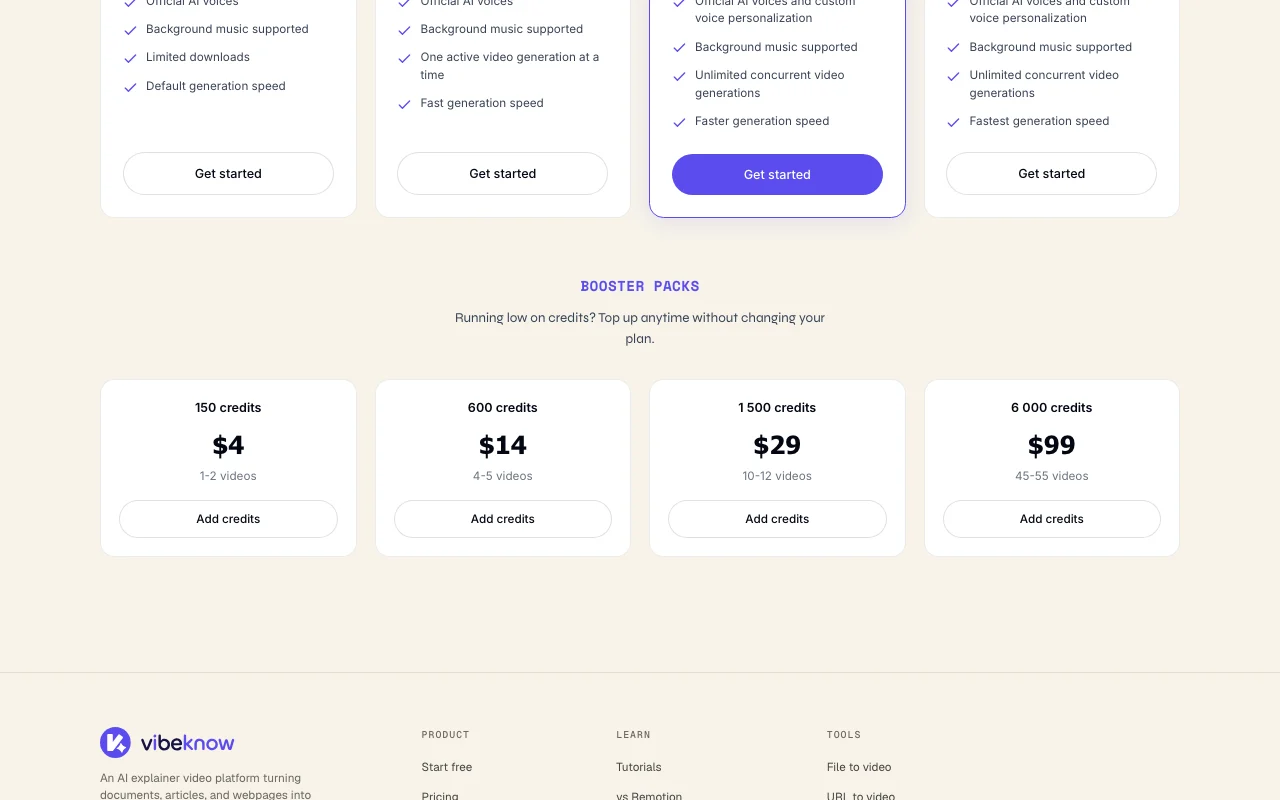
Vibeknow Preisseite mit Tarifen und Preisen – Screenshot des KI-Tools video, Oct 1, 2026
Die offizielle Vibeknow-Preisseite, wie wir sie gesehen haben. vibeknow.ai, erfasst Oct 1, 2026

Kostenloser Zugang und Testbedingungen

Free plan, no credit card.

Kostenpflichtige Tarife: was sich beim Upgrade ändert

Free web

Kostenlos Quelle (öffnet in neuem Tab)

Monat

Für: Trying one video

Limits

  • No monthly fast-generation credits, no daily bonus credits
  • Watermark, limited downloads
1 mehr
  • Documents or links up to 50 MB

Enthält

  • Official AI voices
  • Background music

Plus web

Offizielle Preise ansehen Quelle (öffnet in neuem Tab)

Monat

Monthly and yearly toggle shown; dollar amounts not visible

Für: Occasional video makers

Limits

  • 100 bonus credits per day
  • One active generation at a time

Enthält

  • No watermark
  • Fast generation speed
1 mehr
  • Official AI voices

Pro web

Offizielle Preise ansehen Quelle (öffnet in neuem Tab)

Monat

Monthly and yearly toggle shown; dollar amounts not visible

Für: Regular publishers (most popular)

Limits

  • 200 bonus credits per day
  • Faster generation speed

Enthält

  • No watermark
  • Custom voice personalization
1 mehr
  • Unlimited concurrent generations

Max web

Offizielle Preise ansehen Quelle (öffnet in neuem Tab)

Monat

Monthly and yearly toggle shown; dollar amounts not visible

Für: High-volume producers

Limits

  • 500 bonus credits per day
  • Fastest generation speed

Enthält

  • No watermark
  • Custom voice personalization
1 mehr
  • Unlimited concurrent generations

Nutzungsobergrenzen, Guthaben und Zusatzkosten

Booster Packs available to top up credits; prices did not render.

Not stated.

Was ist Vibeknow und wie funktioniert es?

Vibeknow converts existing content such as documents, PDFs, PPT files or web links into explainer videos. It writes a script, adds a voice, designs scenes, adds music and captions, and renders the result. The pricing page lists a Free plan plus Plus, Pro and Max subscriptions, and an Enterprise option. Plans differ by watermark, daily bonus credits, generation speed and concurrency.

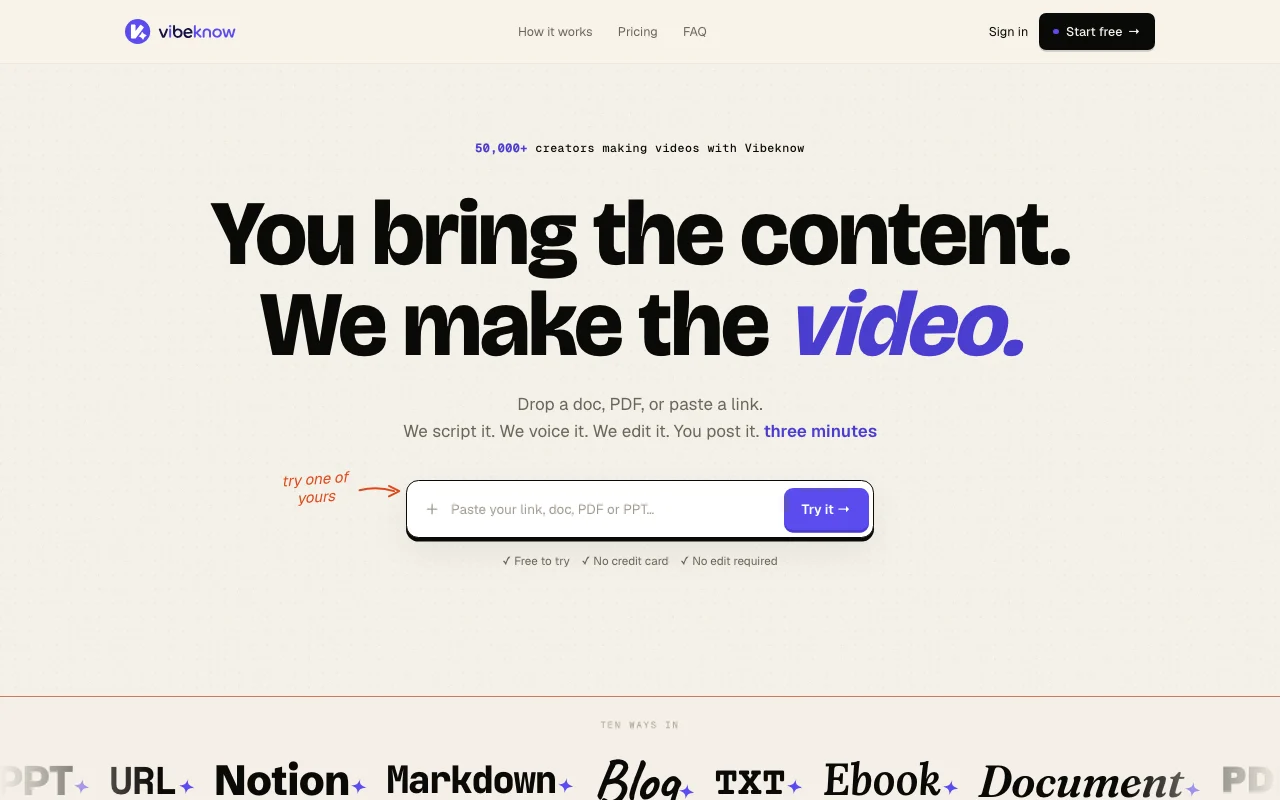
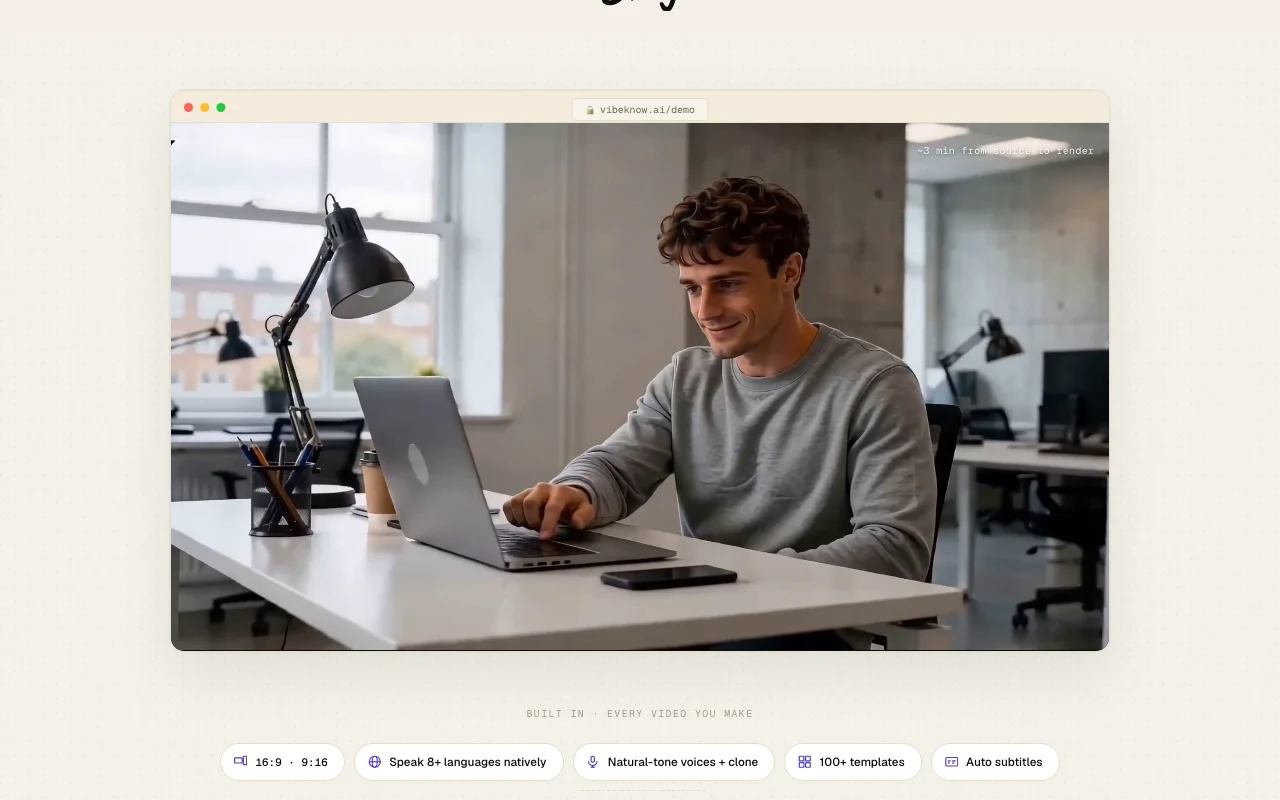
Vibeknow Startseite – Screenshot des KI-Tools video, Oct 1, 2026
Offizielle Website von Vibeknow: So stellt sich das Produkt selbst dar. vibeknow.ai, erfasst Oct 1, 2026

Was Sie liefern und was Sie erhalten

Wie Vibeknow funktioniert: was Sie liefern, wo es läuft und was Sie zurückbekommenSIE LIEFERNIhre EingabeDocuments, PDFs, Word, PPT, Notio…Brand colors and voice choiceTarget format 16:9 or 9:16VIDEOVibeknowWebkostenloser Tarif, Preis des beza…kostenloser Tarif verfügbarKonto erforderlichgeprüft Sep 29, 2026SIE ERHALTEN ZURÜCKDas ErgebnisNarrated explainer video with sce…Auto subtitlesLandscape or vertical exportsinput → Vibeknow → output · von den eigenen Seiten des Anbieters, kein praktischer Test, sofern nicht angegeben
Was Sie Vibeknow geben und was zurückkommt, laut Dokumentation

Sie liefern

  • Documents, PDFs, Word, PPT, Notion, Markdown, blog URLs up to 50 MB
  • Brand colors and voice choice
  • Target format 16:9 or 9:16

Sie erhalten zurück

  • Narrated explainer video with scenes and music
  • Auto subtitles
  • Landscape or vertical exports

Wo Sie es nutzen können

Plattformen
Web
Konto
Erforderlich
Inputs
Docs, PDF, Word, PPT, URL, Notion, Markdown
Formats
16:9 and 9:16
Languages
8+ natively per homepage
Max input
50 MB
Daily bonus credits
100 / 200 / 500

Die besten Einsatzzwecke für Vibeknow

Die Szenarien erarbeiten unsere Redakteure anhand der Dokumentation; das tatsächliche Ergebnis hängt von Ihrer Eingabe und Ihrem Tarif ab.

Turn a blog post or newsletter into a short video

Wer
Newsletter writers and bloggers
Sie liefern
A Substack post or blog URL
Erwartetes Ergebnis
Vertical 9:16 video for TikTok or Shorts
Benötigter Tarif
Free for a first try
Einschränkung
Free adds a watermark Quelle (öffnet in neuem Tab)

Make video versions of course lessons

Wer
Course creators
Sie liefern
A PDF lesson
Erwartetes Ergebnis
Video version of each chapter
Benötigter Tarif
Plus or Pro
Einschränkung
Plus runs one generation at a time Quelle (öffnet in neuem Tab)

Create onboarding or training explainers from documents

Wer
Training and ops teams
Sie liefern
A 40-page onboarding document
Erwartetes Ergebnis
A short walkthrough video
Benötigter Tarif
Pro
Einschränkung
Custom voice is Pro and Max only Quelle (öffnet in neuem Tab)

Funktionen von Vibeknow und ihre Grenzen

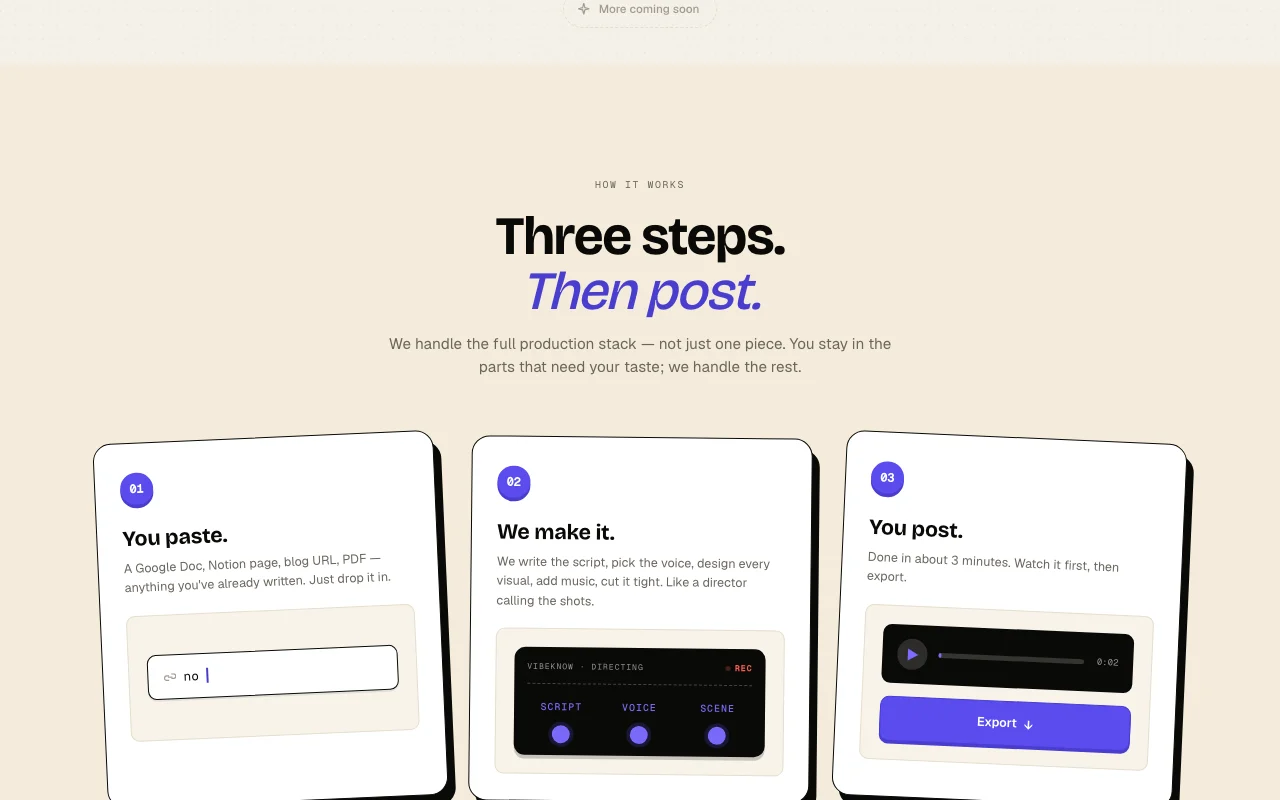
Vibeknow Startseite – Screenshot des KI-Tools video, Oct 1, 2026
Funktionsüberblick auf der offiziellen Website. vibeknow.ai, erfasst Oct 1, 2026

Input from documents, PDFs, PPTs or URLs up to 50 MB

Accepts documents, PDFs, PPTs or URLs up to 50 MB Start from content you already wrote

Zugriff: All plansLimit: 50 MB input cap Quelle (öffnet in neuem Tab)

Automatic script, voice and scene generation

Writes the script, picks the voice and builds scenes automatically Removes manual video editing

Zugriff: All plansLimit: Default speed on Free Quelle (öffnet in neuem Tab)

Official AI voices; custom voice on Pro and Max

Offers official AI voices and custom voice personalization Voice matches your brand

Zugriff: Custom voice on Pro and MaxLimit: Free and Plus use official voices only Quelle (öffnet in neuem Tab)

Background music and auto subtitles

Adds background music and auto subtitles Videos are ready to post

Zugriff: All plansLimit: Subtitle style options not detailed Quelle (öffnet in neuem Tab)

Vibeknow Vor- und Nachteile

Gründe für die Wahl von Vibeknow

Vor dem Bezahlen bei Vibeknow prüfen

So nutzen Sie Vibeknow für turning a blog post into an explainer video

Vibeknow einrichten

  1. Open Vibeknow and choose Try it free
  2. Create an account, no credit card
  3. Paste a blog URL or upload a document up to 50 MB

Beispiel: turning a blog post into an explainer video

  1. Pick vertical 9:16 format
  2. Choose an official AI voice and music
  3. Let Vibeknow generate script and scenes
  4. Watch the draft and export

Ergebnis prüfen und exportieren

  1. Check the script for wrong facts from the source
  2. Confirm the watermark is gone after upgrading

Vibeknow Integrationen und API

Vibeknow Preisseite mit Tarifen und Preisen – Screenshot des KI-Tools video, Oct 1, 2026
Tarifvergleich auf der offiziellen Preisseite. vibeknow.ai, erfasst Oct 1, 2026

Native Integrationen und Exportformate

Export: MP4

API-Zugang und separate Abrechnung

Vibeknow hat laut offizieller Dokumentation keine öffentliche API. No API stated.

Datenschutz, Datennutzung und kommerzielle Rechte

Zusammengefasst aus den aktuellen Richtlinien des Anbieters; dies ist keine Rechtsberatung, und das Badge eines Anbieters ersetzt kein unabhängiges Audit.

Wie Ihre Eingaben und Ausgaben verarbeitet werden

Uploaded documents and links are processed to generate videos.

Vibeknow-Alternativen nach Bedarf

„Besser geeignet“ beruht auf dokumentierten Funktionen und Preisen, nicht auf einem direkten Test.

Synthesia: besser geeignet für

Runway: besser geeignet für

Descript: besser geeignet für

Canva: besser geeignet für

Alternativen
AlternativeWann Sie es wählen solltenPreiseEinschränkung
Synthesia——Vergleichen
Runway——Vergleichen
Descript——Vergleichen
Canva——

Vibeknow weiter erkunden

Wenn Sie Vibeknow in Betracht ziehen

Vibeknow Nutzerbewertungen

Noch keine Nutzerbewertungen.

Verwendet Vibeknow? Teilen Sie als Erste oder Erster Ihre Erfahrung.

Bewertung schreiben

Bewertungen werden von einem Moderator geprüft, bevor sie erscheinen. Ihre E-Mail-Adresse wird nie veröffentlicht. Nur Klartext.

Ihre Bewertung (erforderlich)

Zeigen Sie, was Sie erstellt haben oder was schiefgelaufen ist. Bilder werden nur veröffentlicht, wenn die Bewertung freigegeben wird; Standortdaten werden entfernt.

    Vibeknow FAQ

    Is Vibeknow free?

    Yes, the Free plan needs no card but adds a watermark, limits downloads and gives no fast-generation credits. Quelle (öffnet in neuem Tab)

    How big can my input be?

    Documents or URLs up to 50 MB on every plan. Quelle (öffnet in neuem Tab)

    Which plan has custom voices?

    Pro and Max include custom voice personalization; Plus and Free use official AI voices. Quelle (öffnet in neuem Tab)

    How long does a video take?

    The homepage says about three minutes from source to render. Quelle (öffnet in neuem Tab)

    How much do Plus, Pro and Max cost?

    Prices were not visible on the fetched pricing page, which shows daily bonus credits of 100, 200 and 500 respectively. Quelle (öffnet in neuem Tab)

    Quellen und Bewertungsmethodik

    Offizielle Quellen und Prüfdaten

    Nicht verifiziert: USD prices for paid plans; booster pack prices; privacy and docs content.

    Wie wir diese Seite dokumentiert haben und pflegen

    Jede Angabe zu Vibeknow oben stammt aus den 2 hier aufgeführten offiziellen Seiten, zuletzt verglichen am Sep 29, 2026; wir haben Vibeknow nicht selbst getestet, daher gibt es keine redaktionelle Bewertung. Wie wir Seiten prüfen und erneut prüfen.

    Artikel aktualisiert Oct 10, 2026; Preise geprüft Sep 29, 2026. Ausgehende Links zu Anbietern sind einfache Links; wir erhalten keine Provisionen. So testen wir · Fehler melden