VideoDokumentierter ÜberblickZuletzt geprüft Sep 29, 2026

Selects: Preise, Funktionen & beste Einsatzzwecke

AI video editor that organizes raw footage, syncs multicam and builds draft timelines for handoff to major editors.

Für wen Selects passt

Selects suits video editors and podcast or interview producers who want raw footage synced, chunked by topic and turned into draft timelines before handing off to Premiere, Final Cut Pro or DaVinci Resolve. Auf Basis der Dokumentation des Anbieters, nicht in einem praktischen Test.

Am besten für: Video editors

Auch gut geeignet für

  • Podcast and interview producers

Ein anderes Tool in Betracht ziehen, wenn credit-based plans

Oder wenn

  • Starter limited to 10 hours of video analysis
  • Team plan requires 5+ seats

Selects in den Nachrichten

Schlagzeilen von US-Medien, automatisch ausgewählt – keine Empfehlungen. Aktualisiert Oct 2, 2026

Selects Preise und Nutzungslimits

Preise am Sep 29, 2026 auf der offiziellen US-Preisseite geprüft. Offizielle Preise ↗ Preise und Limits ändern sich häufig.

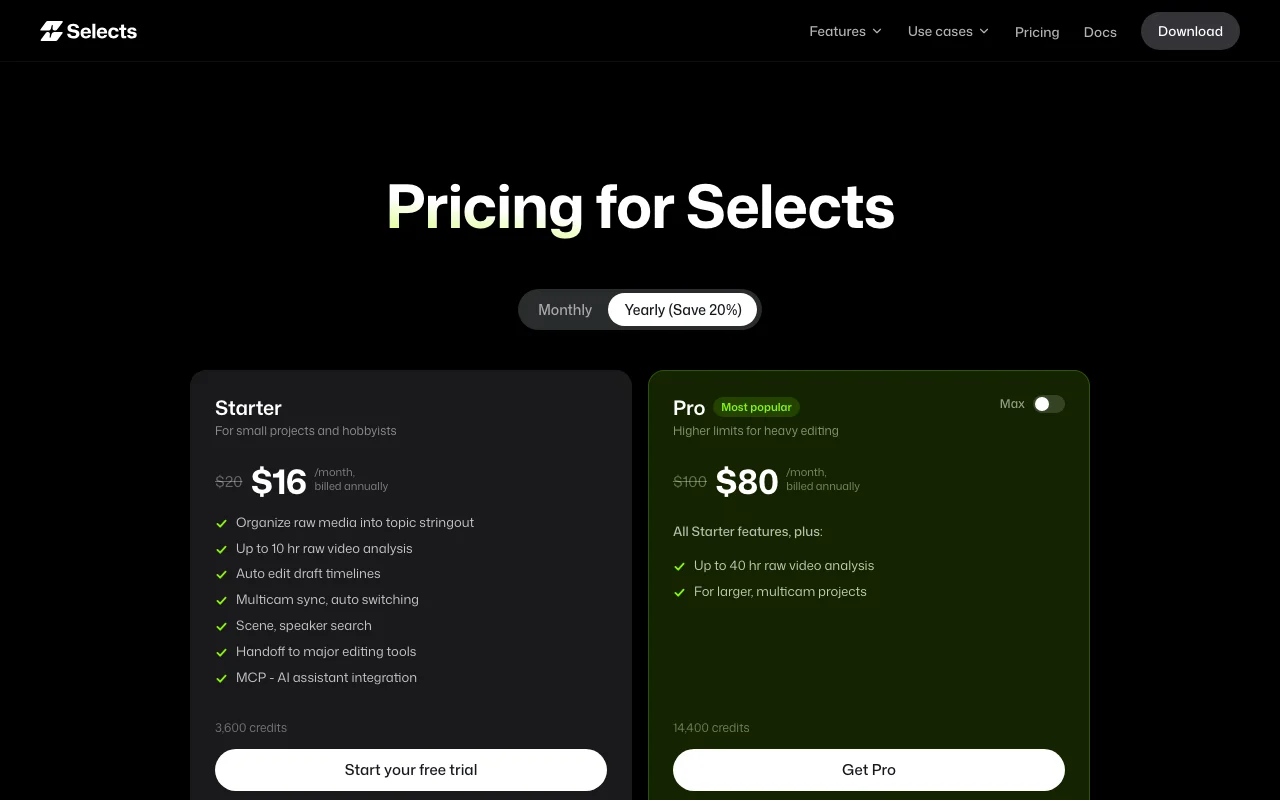
Selects Preisseite mit Tarifen und Preisen – Screenshot des KI-Tools video, Oct 1, 2026
Die offizielle Selects-Preisseite, wie wir sie gesehen haben. tryselects.com, erfasst Oct 1, 2026

Kostenloser Zugang und Testbedingungen

No free tier; Starter offers a free trial

Free trial on Starter

Kostenpflichtige Tarife: was sich beim Upgrade ändert

Starter web

$20/mo Quelle (öffnet in neuem Tab)

Monat

Yearly $16/mo billed annually; free trial offered

Für: Hobbyists and small projects

Limits

  • 3,600 credits
  • Up to 10 hours of raw video analysis

Enthält

  • Organize raw media into a topic stringout
  • Multicam sync and auto switching
1 mehr
  • Handoff to major editors and MCP

API inklusive

Pro web

$100/mo Quelle (öffnet in neuem Tab)

Monat

Yearly $80/mo billed annually; a 36,000-credit Pro Max tier appears in the comparison table without a price

Für: Heavy editing

Limits

  • 14,400 credits
  • Up to 40 hours of raw video analysis

Enthält

  • All Starter features
  • For larger multicam projects

API inklusive

Team web

$1,000/mo Quelle (öffnet in neuem Tab)

Monat

Yearly $800/mo billed annually

Für: Productions and studios

Limits

  • 72,000 credits shared
  • Up to 200 hours of analysis

Enthält

  • Shared credits
  • Central billing and administration
1 mehr
  • Advanced data privacy

API inklusive

Enterprise web

Individuelle Preise Quelle (öffnet in neuem Tab)

Unbekannt

Für: Large organizations

Limits

  • Custom limits

Enthält

  • Unlimited seats
  • 24/7 priority support and SLAs
1 mehr
  • Enterprise-level security

API inklusive

Nutzungsobergrenzen, Guthaben und Zusatzkosten

Credit top-up about $0.0167 per credit (Team $0.0222)

Not stated

Was ist Selects und wie funktioniert es?

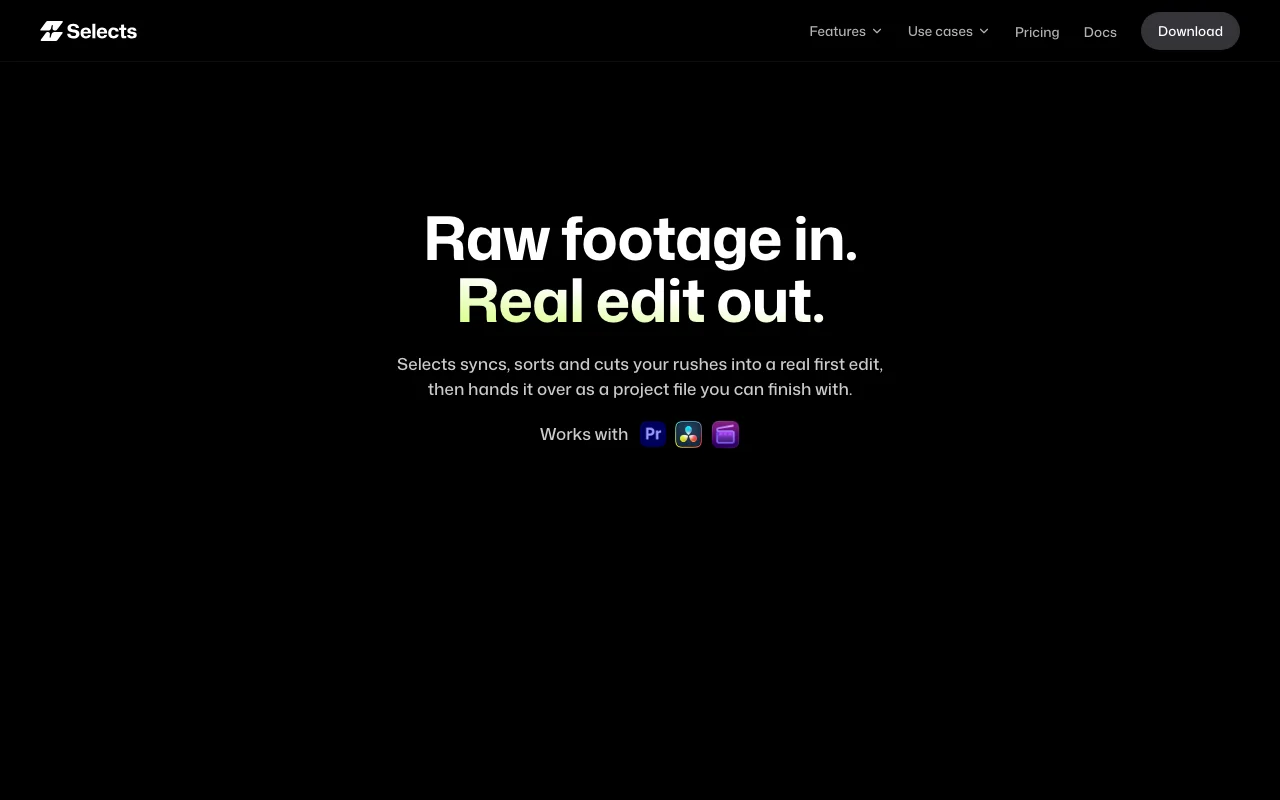
Selects prepares raw footage after a shoot: it syncs multicam video and audio, chunks long clips by topic, transcribes by speaker and builds draft timelines. Results can be handed off to editing software such as Premiere, Final Cut Pro or DaVinci Resolve, and an MCP integration lets AI assistants work with projects.

Selects Startseite – Screenshot des KI-Tools video, Oct 1, 2026
Offizielle Website von Selects: So stellt sich das Produkt selbst dar. tryselects.com, erfasst Oct 1, 2026

Was Sie liefern und was Sie erhalten

Wie Selects funktioniert: was Sie liefern, wo es läuft und was Sie zurückbekommenSIE LIEFERNIhre EingabeRaw video and audio footageMulticam camera anglesSpeaker definitionsVIDEOSelectsDesktopab $20/mo (Starter)kein kostenloser TarifKonto erforderlichgeprüft Sep 29, 2026SIE ERHALTEN ZURÜCKDas ErgebnisSynced multicam sequencesTopic-chunked transcripts by spea…Draft timelines and project files…input → Selects → output · von den eigenen Seiten des Anbieters, kein praktischer Test, sofern nicht angegeben
Was Sie Selects geben und was zurückkommt, laut Dokumentation

Sie liefern

  • Raw video and audio footage
  • Multicam camera angles
  • Speaker definitions

Sie erhalten zurück

  • Synced multicam sequences
  • Topic-chunked transcripts by speaker
  • Draft timelines and project files for Premiere, Final Cut Pro or DaVinci Resolve

Wo Sie es nutzen können

Plattformen
Desktop
Konto
Erforderlich
Credits
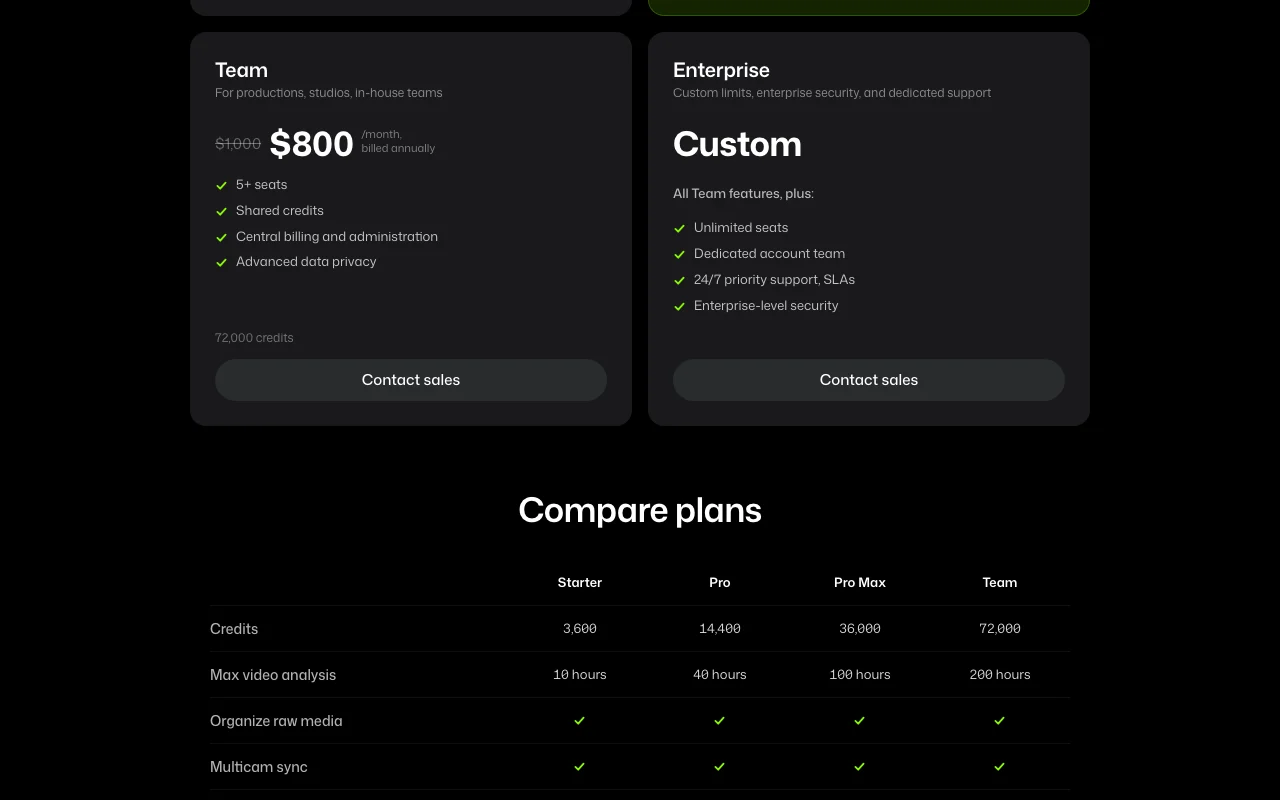
3,600 / 14,400 / 36,000 / 72,000
Analysis cap
10 / 40 / 100 / 200 hours
Handoff
Premiere, Final Cut Pro, DaVinci Resolve
Platforms
macOS, Windows
Top-up
$0.0167 per credit

Wo Selects am nützlichsten ist

Die Szenarien erarbeiten unsere Redakteure anhand der Dokumentation; das tatsächliche Ergebnis hängt von Ihrer Eingabe und Ihrem Tarif ab.

Podcast editing prep

Wer
Podcast producers
Sie liefern
Multicam video and audio of an episode
Erwartetes Ergebnis
Synced, speaker-labelled draft ready for the NLE
Benötigter Tarif
Starter or Pro
Einschränkung
10 hours of analysis on Starter Quelle (öffnet in neuem Tab)

Interview editing

Wer
Documentary and corporate editors
Sie liefern
Hours of interview footage
Erwartetes Ergebnis
Footage chunked by topic with transcripts
Benötigter Tarif
Pro
Einschränkung
Pro caps at 40 hours Quelle (öffnet in neuem Tab)

Multicam sync

Wer
Event and talk-show editors
Sie liefern
Several camera angles
Erwartetes Ergebnis
A synced multicam sequence with automatic switching
Benötigter Tarif
All plans
Einschränkung
Quality depends on audio sync cues Quelle (öffnet in neuem Tab)

Letting an AI assistant work with a project

Wer
Editors using MCP assistants
Sie liefern
MCP connection
Erwartetes Ergebnis
Assistants query and edit project data
Benötigter Tarif
All plans
Einschränkung
MCP setup not detailed Quelle (öffnet in neuem Tab)

Wichtige Funktionen und ihre praktischen Grenzen

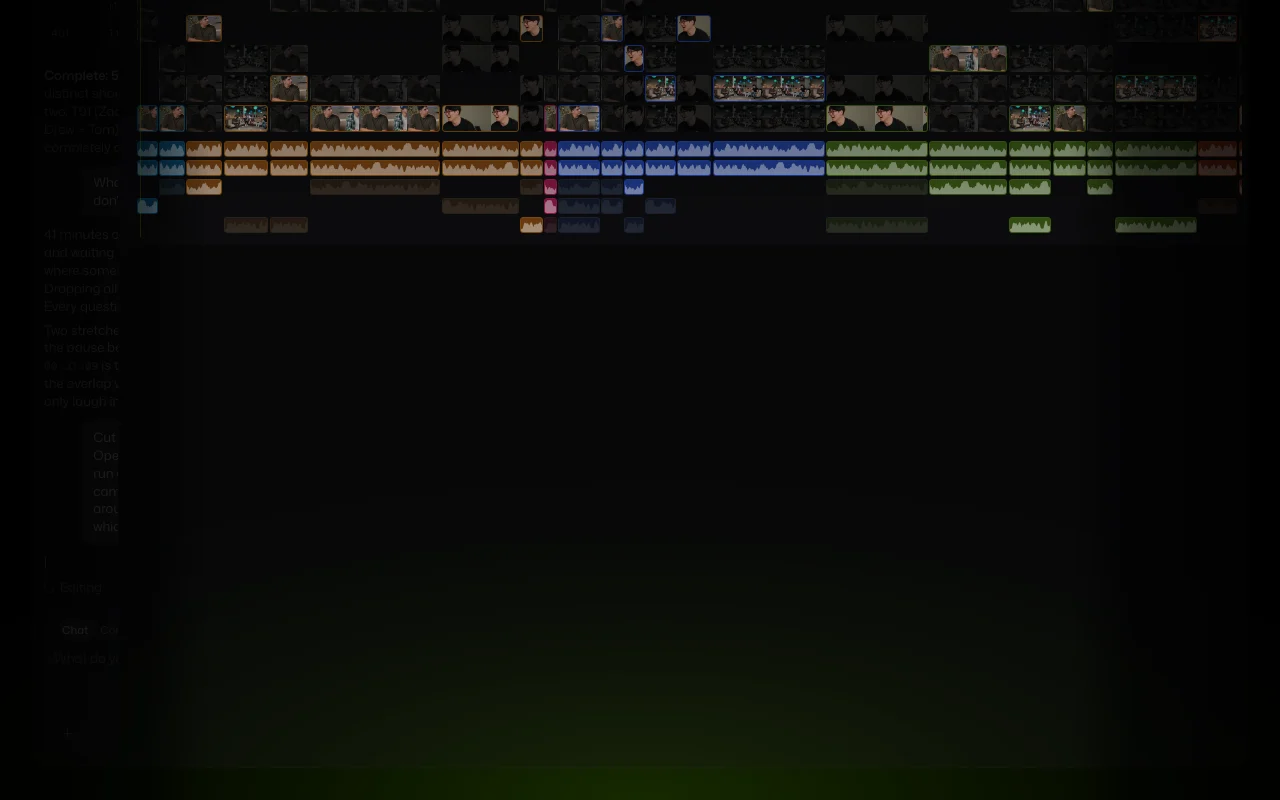
Selects Startseite – Screenshot des KI-Tools video, Oct 1, 2026
Funktionsüberblick auf der offiziellen Website. tryselects.com, erfasst Oct 1, 2026

Raw media organization

Chunks long clips into topics and transcribes by speaker Gives a searchable stringout

Zugriff: All plansLimit: Limited by analysis hours Quelle (öffnet in neuem Tab)

Auto edit draft timelines

Builds a draft timeline from the organized media Starts the edit already assembled

Zugriff: All plansLimit: Draft still needs creative polish Quelle (öffnet in neuem Tab)

Multicam sync and switching

Syncs video and audio and switches angles automatically Saves hours of manual sync

Zugriff: All plansLimit: Auto switching is a draft Quelle (öffnet in neuem Tab)

Scene and speaker search

Searches footage by scene and speaker Finds moments quickly

Zugriff: All plansLimit: Index built per analyzed hour Quelle (öffnet in neuem Tab)

Handoff to major editing tools

Exports a project file for Premiere, Final Cut Pro or DaVinci Resolve Continue the creative edit in your NLE

Zugriff: All plansLimit: Only those three tools are named Quelle (öffnet in neuem Tab)

Vor- und Nachteile sowie Ausschlusskriterien

Gründe für die Wahl von Selects

Vor dem Bezahlen bei Selects prüfen

So nutzen Sie Selects für preparing raw multicam footage for a Premiere or Resolve edit

Selects einrichten

  1. Download Selects for macOS or Windows from tryselects.com/download
  2. Sign in and start the Starter free trial
  3. Create a project and import your raw footage

Beispiel: preparing raw multicam footage for a Premiere or Resolve edit

  1. Let Selects sync multicam video and audio
  2. Define the speaker personas
  3. Review the topic-chunked transcript and stringout
  4. Click Continue in Premiere or the handoff button for your editor

Ergebnis prüfen und exportieren

  1. Scrub the synced timeline to confirm sync across angles
  2. Open the handed-off project in your NLE and check the clips link correctly

Selects Integrationen und API

Selects Preisseite mit Tarifen und Preisen – Screenshot des KI-Tools video, Oct 1, 2026
Tarifvergleich auf der offiziellen Preisseite. tryselects.com, erfasst Oct 1, 2026

Native Integrationen und Exportformate

Export: Premiere project, Final Cut Pro project, DaVinci Resolve project

API-Zugang und separate Abrechnung

Selects hat laut offizieller Dokumentation keine öffentliche API. MCP integration only; no REST API listed API-Dokumentation ↗

Datenschutz, Datennutzung und kommerzielle Rechte

Zusammengefasst aus den aktuellen Richtlinien des Anbieters; dies ist keine Rechtsberatung, und das Badge eines Anbieters ersetzt kein unabhängiges Audit.

Wie Ihre Eingaben und Ausgaben verarbeitet werden

Processes uploaded raw media for analysis

Not stated

Not stated

Kommerzielle Nutzung und Tarifbeschränkungen

Not stated

Advanced data privacy only on Team

Steuerungsmöglichkeiten für Geschäftskunden

  • Advanced data privacy on Team
  • Enterprise-level security

Richtlinien: tryselects.com/privacy

Die besten Selects-Alternativen für unterschiedliche Anforderungen

„Besser geeignet“ beruht auf dokumentierten Funktionen und Preisen, nicht auf einem direkten Test.

Descript: besser geeignet für

Runway: besser geeignet für

Alternativen
AlternativeWann Sie es wählen solltenPreiseEinschränkung
Descript——Vergleichen
Runway——Vergleichen

Selects weiter erkunden

Wenn Sie Selects in Betracht ziehen

Selects Nutzerbewertungen

Noch keine Nutzerbewertungen.

Verwendet Selects? Teilen Sie als Erste oder Erster Ihre Erfahrung.

Bewertung schreiben

Bewertungen werden von einem Moderator geprüft, bevor sie erscheinen. Ihre E-Mail-Adresse wird nie veröffentlicht. Nur Klartext.

Ihre Bewertung (erforderlich)

Zeigen Sie, was Sie erstellt haben oder was schiefgelaufen ist. Bilder werden nur veröffentlicht, wenn die Bewertung freigegeben wird; Standortdaten werden entfernt.

    Selects FAQ

    How much does Selects cost?

    Starter is $20 per month ($16 billed annually), Pro $100 ($80 annually), Team $1,000 ($800 annually) and Enterprise is custom. Quelle (öffnet in neuem Tab)

    Which editors can I hand off to?

    Adobe Premiere Pro, Final Cut Pro and DaVinci Resolve. Quelle (öffnet in neuem Tab)

    Is there a free trial?

    Yes, the Starter plan offers a free trial. Quelle (öffnet in neuem Tab)

    How many hours of footage can I analyze?

    10 on Starter, 40 on Pro, 100 on Pro Max and 200 on Team. Quelle (öffnet in neuem Tab)

    Can I edit inside Selects?

    Yes, it has an editing environment with timeline shortcuts mirroring Premiere, Final Cut and Resolve, but most users hand off for the final edit. Quelle (öffnet in neuem Tab)

    Quellen und Bewertungsmethodik

    Offizielle Quellen und Prüfdaten

    Nicht verifiziert: Pro Max price; Data retention; Training use; US availability.

    Wie wir diese Seite dokumentiert haben und pflegen

    Jede Angabe zu Selects oben stammt aus den 3 hier aufgeführten offiziellen Seiten, zuletzt verglichen am Sep 29, 2026; wir haben Selects nicht selbst getestet, daher gibt es keine redaktionelle Bewertung. Wie wir Seiten prüfen und erneut prüfen.

    Artikel aktualisiert Oct 10, 2026; Preise geprüft Sep 29, 2026. Ausgehende Links zu Anbietern sind einfache Links; wir erhalten keine Provisionen. So testen wir · Fehler melden