Unsere Einschätzung: OpenClaw suits developers and self-hosters who want an open-source assistant on their own machine that they drive from Telegram, WhatsApp, Discord or similar chat apps.
Wichtigste Einschränkung: You install and run the gateway yourself and pay for your own AI model access.
Von den Redakteuren des AI Tool Atlas.
Auf Basis der offiziellen Dokumentation des Anbieters; wir haben dieses Produkt nicht selbst getestet. Was „dokumentierte Übersicht“ bedeutet
Ist OpenClaw das Richtige für Sie?
OpenClaw suits developers and self-hosters who want an open-source assistant on their own machine that they drive from Telegram, WhatsApp, Discord or similar chat apps. Auf Basis der Dokumentation des Anbieters, nicht in einem praktischen Test.
Am besten für: Developers and self-hosters
Auch gut geeignet für
Users wanting a self-run assistant
Ein anderes Tool in Betracht ziehen, wenn requires installing and running it yourself
Oder wenn
You supply your own models, so model costs are separate
Windows installer labeled beta
OpenClaw in den Nachrichten
Schlagzeilen von US-Medien, automatisch ausgewählt – keine Empfehlungen. Aktualisiert Oct 2, 2026
Your own AI provider or subscription (the site notes a ChatGPT sign-in beta); optional services such as ElevenLabs voice.
Not applicable.
Was ist OpenClaw und wie funktioniert es?
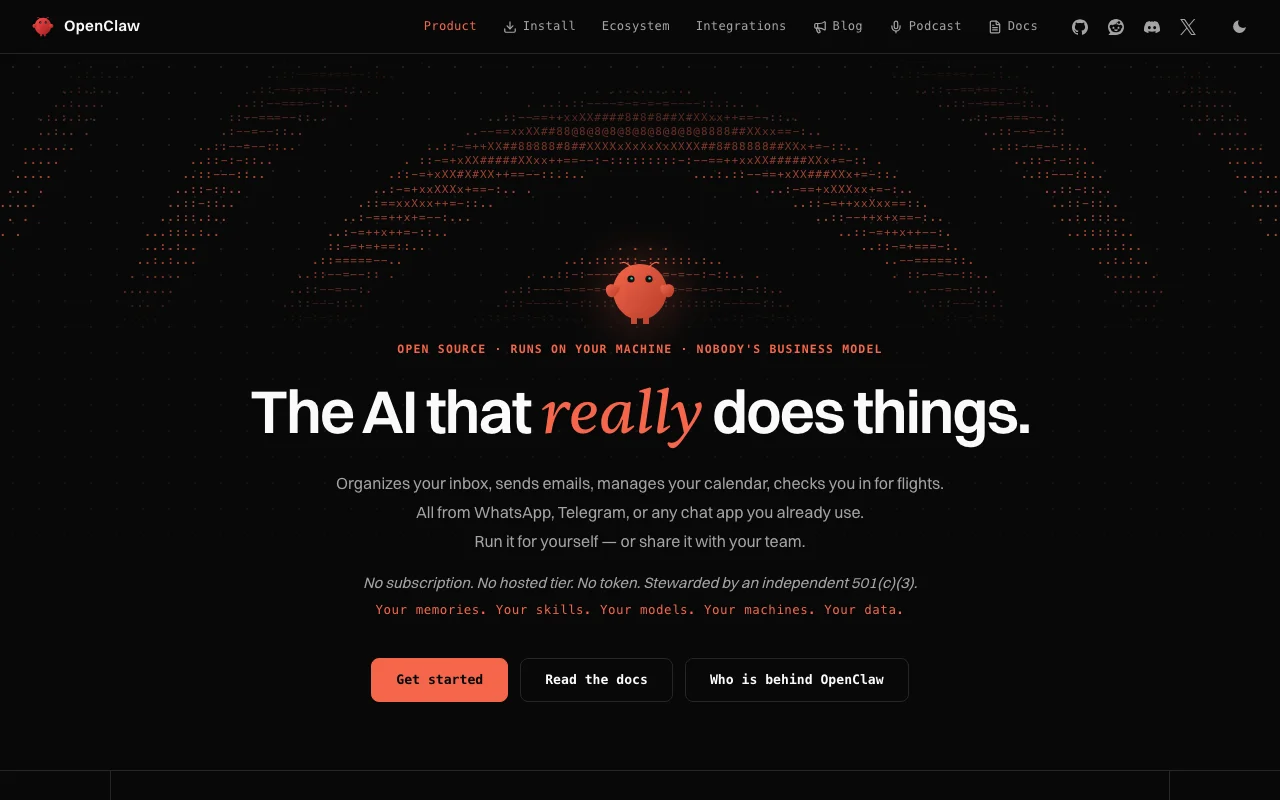
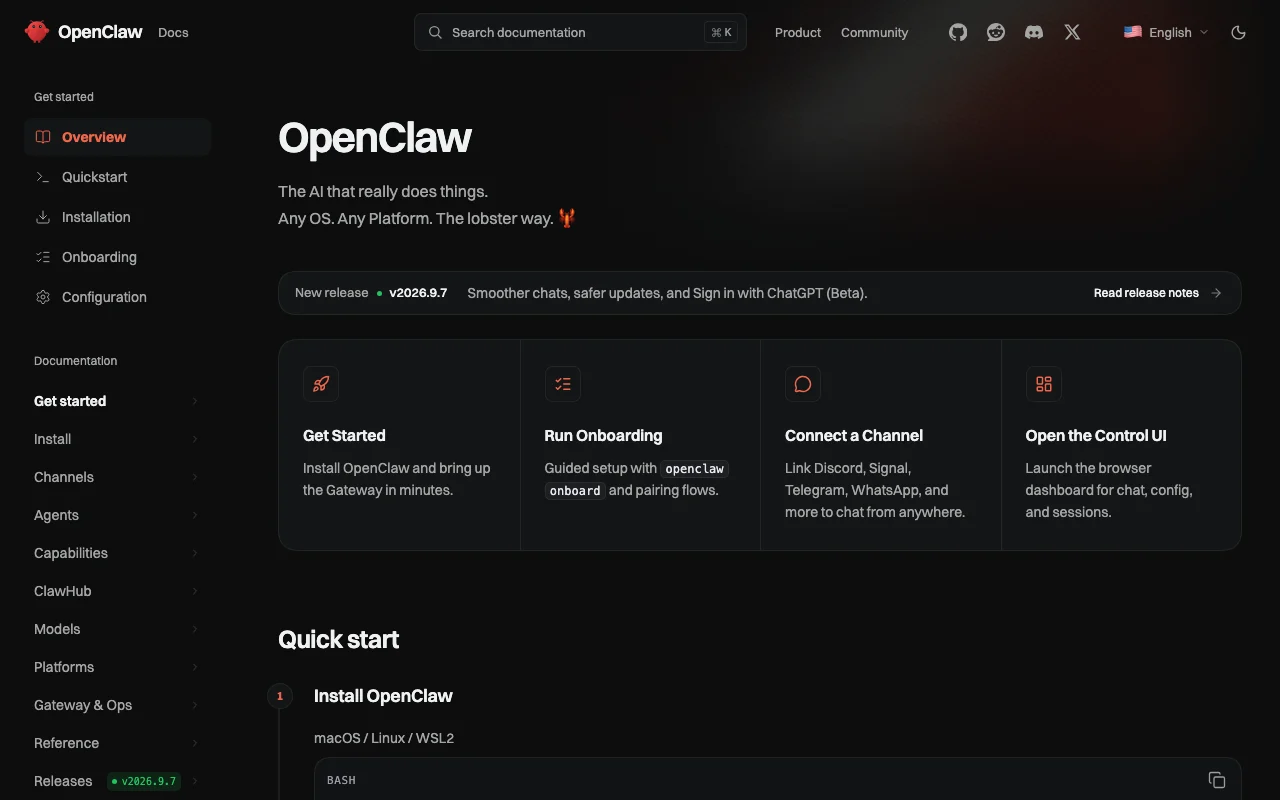
OpenClaw is an open-source AI assistant you run yourself. It is described as handling tasks such as inbox organizing, sending emails, calendar management and flight check-in, controlled from chat apps you already use.
The site states there is no subscription, no hosted tier and no token, and that the project is stewarded by an independent 501(c)(3). Desktop apps and a command-line installer are offered.
Offizielle Website von OpenClaw: So stellt sich das Produkt selbst dar. openclaw.ai, erfasst Oct 2, 2026
Was Sie liefern und was Sie erhalten
Was Sie OpenClaw geben und was zurückkommt, laut Dokumentation
Sie liefern
Chat messages from Telegram, WhatsApp, Discord, Slack, Signal and others
Voice and camera input via mobile apps (optional)
Configured AI model access
Sie erhalten zurück
Assistant replies in your chat app
Actions such as emails and calendar changes
Dashboard sessions in the Control UI
Wo Sie es nutzen können
Plattformen
Desktop
Konto
Nicht erforderlich
Desktop OS
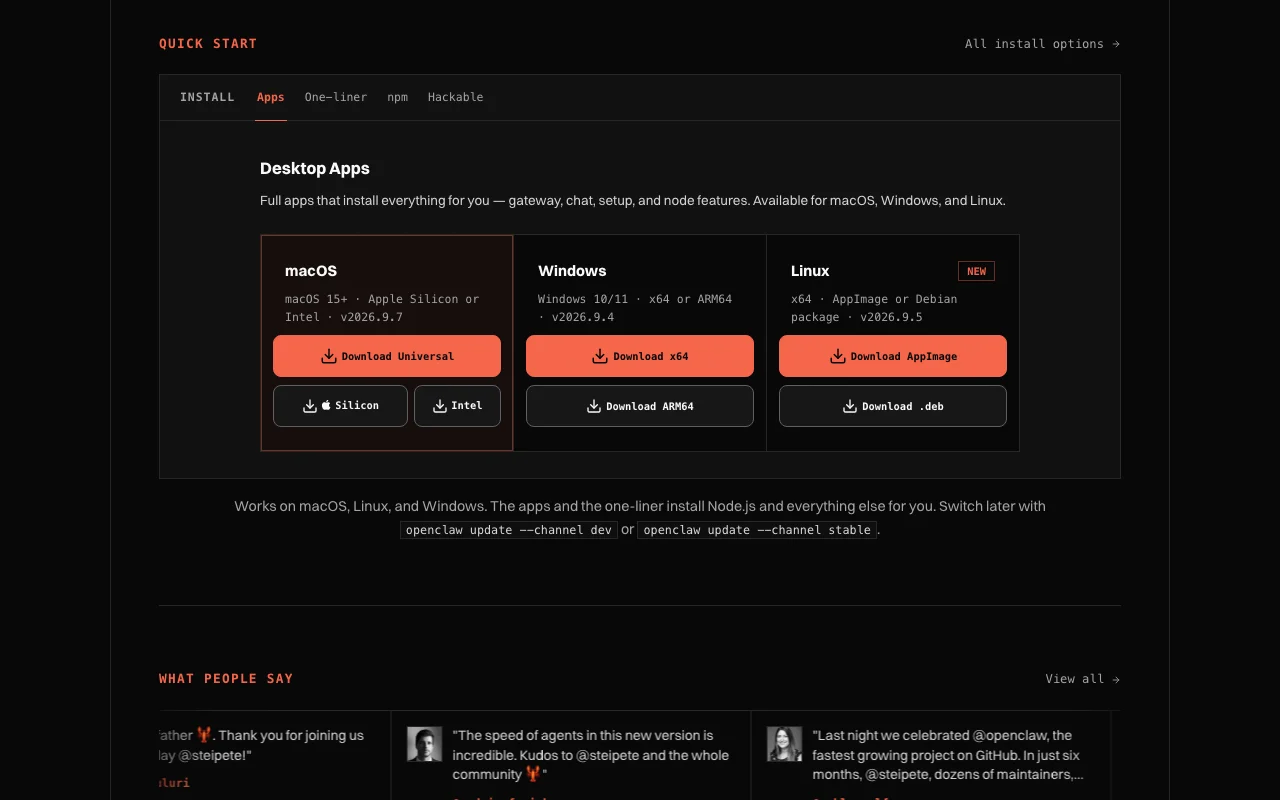
macOS 15+, Windows 10/11, Linux
Install options
curl script, npm, pnpm, Docker, Nix, source
Latest listed version
v2026.9.7 (macOS)
Channels
Discord, Telegram, WhatsApp, Slack, Signal, iMessage and more
Wo OpenClaw am nützlichsten ist
Die Szenarien erarbeiten unsere Redakteure anhand der Dokumentation; das tatsächliche Ergebnis hängt von Ihrer Eingabe und Ihrem Tarif ab.
So nutzen Sie OpenClaw für installing OpenClaw and chatting with it from Telegram
OpenClaw Dokumentation: Quellen der folgenden Schritte. docs.openclaw.ai, erfasst Oct 2, 2026
OpenClaw einrichten
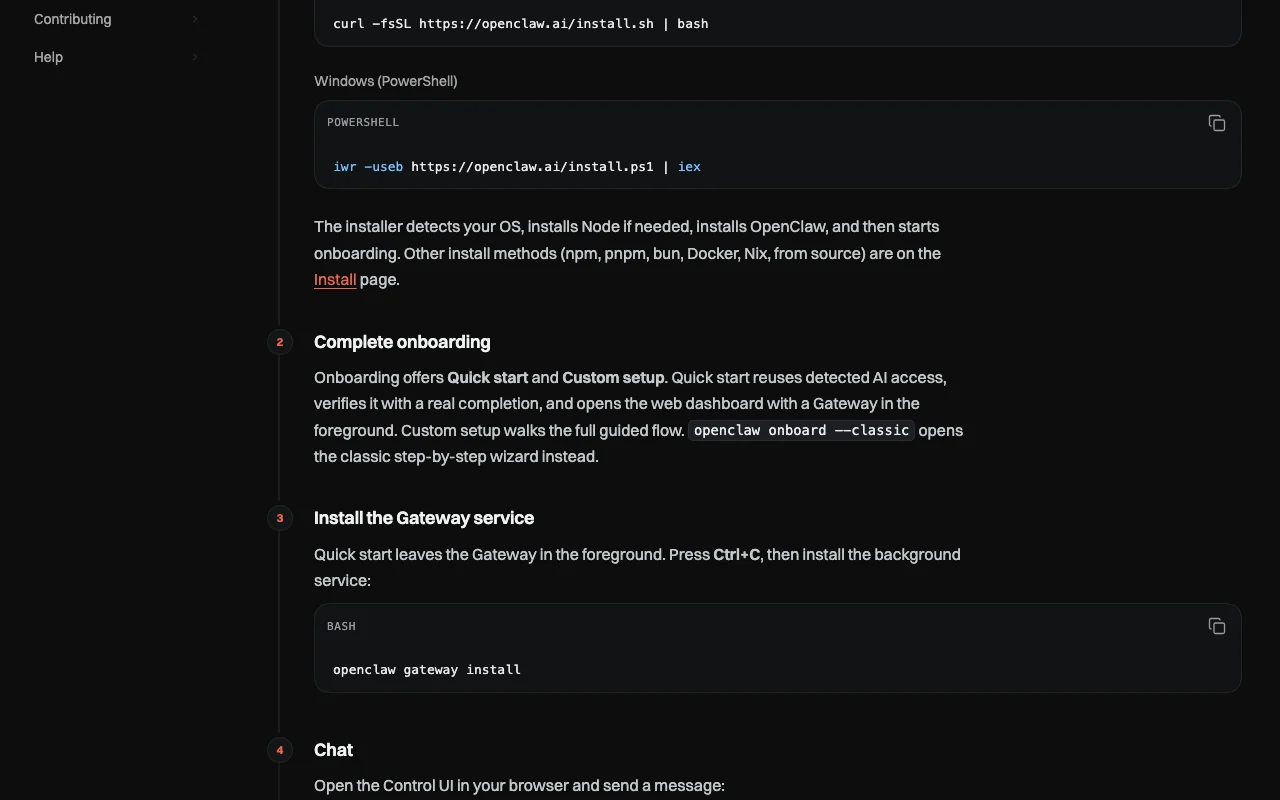
Run the one-line installer from openclaw.ai or download the desktop app for your OS
Run openclaw onboard and choose Quick start so it reuses your detected AI access
Install the background Gateway service with openclaw gateway install
Beispiel: installing OpenClaw and chatting with it from Telegram
Open the Control UI with openclaw dashboard and send a first message
Connect a channel, with Telegram the fastest option
Message the bot from your phone
Ask it to organize your inbox or move a meeting
Ergebnis prüfen und exportieren
Confirm the Gateway service is running after you close the terminal
Check the assistant replies in the channel and that only paired devices can use it
Von unserer Redaktion vorgeschlagener Beispiel-Prompt (keine aufgezeichnete Ausgabe des Produkts)
Sort my unread email into urgent and later, and list the three most urgent.
OpenClaw API
OpenClaw Dokumentation (Fortsetzung). docs.openclaw.ai, erfasst Oct 2, 2026
API-Zugang und separate Abrechnung
OpenClaw hat laut offizieller Dokumentation keine öffentliche API. No hosted API; runs a self-hosted gateway. API-Dokumentation ↗
Datenschutz, Datennutzung und kommerzielle Rechte
Zusammengefasst aus den aktuellen Richtlinien des Anbieters; dies ist keine Rechtsberatung, und das Badge eines Anbieters ersetzt kein unabhängiges Audit.
Wie Ihre Eingaben und Ausgaben verarbeitet werden
Mobile apps and the Chrome extension send commands and content to the gateway you configure; sensors and contacts are opt-in permissions.
Not applicable to the app; depends on your chosen AI provider.
Depends on your gateway; the policy does not cover it.
Kommerzielle Nutzung und Tarifbeschränkungen
Open source; license not captured.
None.
Steuerungsmöglichkeiten für Geschäftskunden
Permission-based access
No ad or analytics SDKs in mobile or extension builds
Use the curl one-liner or npm i -g openclaw, or download the macOS, Windows or Linux desktop app, then run openclaw onboard. Quelle (öffnet in neuem Tab)
Which chat apps does OpenClaw connect to?
Discord, iMessage, Signal, Slack, Telegram, WhatsApp, Google Chat, Teams and more; plugins add others. Quelle (öffnet in neuem Tab)
Does the OpenClaw mobile app include analytics?
No. The privacy policy says the current mobile and extension builds have no ad, analytics or crash-reporting SDKs. Quelle (öffnet in neuem Tab)
Which operating systems does OpenClaw desktop support?
macOS 15+ (Apple Silicon or Intel), Windows 10/11 (x64 or ARM64) and Linux (AppImage or .deb). Quelle (öffnet in neuem Tab)
Nicht verifiziert: Pricing page (404); License terms; Retention (depends on user gateway).
Wie wir diese Seite dokumentiert haben und pflegen
Jede Angabe zu OpenClaw oben stammt aus den 4 hier aufgeführten offiziellen Seiten, zuletzt verglichen am Oct 1, 2026; wir haben OpenClaw nicht selbst getestet, daher gibt es keine redaktionelle Bewertung. Wie wir Seiten prüfen und erneut prüfen.
Artikel aktualisiert Oct 2, 2026; Preise geprüft Oct 1, 2026. Ausgehende Links zu Anbietern sind einfache Links; wir erhalten keine Provisionen. So testen wir · Fehler melden