Produktivität & SchreibenDokumentierter ÜberblickZuletzt geprüft Oct 1, 2026

Naseem: Preise, Funktionen & beste Einsatzzwecke

Native macOS AI agent that chats with cloud or on-device models and can run commands, edit files and drive Mac apps with approval.

Naseem Preise und Nutzungslimits

Preise am Oct 1, 2026 auf der offiziellen US-Preisseite geprüft. Offizielle Preise ↗ Preise und Limits ändern sich häufig.

Kostenloser Zugang und Testbedingungen

Full Free tier; no account required

14-day Pro trial available

Kostenpflichtige Tarife: was sich beim Upgrade ändert

Free self-serve

Kostenlos

Einmalig

Für: Testing Naseem; basic automation tasks

Limits

  • Unlimited chats
  • Core tools (terminal, files, Python)
1 mehr
  • MCP support

Enthält

  • Chat with any model
  • Shell commands
3 mehr
  • File editing
  • Python execution
  • Local model support

Keine API

Pro self-serve

$29 one-time

Einmalig

Launch price $29; regular price $49 after Sept 30

Für: Mac developers needing advanced automation and sub-agents

Limits

  • Everything in Free
  • Up to 3 Macs per license

Enthält

  • All Free features
  • Sub-agent delegation
4 mehr
  • iOS Simulator driving
  • Mac app automation via Accessibility
  • Telegram remote control
  • Rules and scheduled runs (beta)

Keine API

Nutzungsobergrenzen, Guthaben und Zusatzkosten

API costs for cloud models (your API keys)

N/A for one-time purchase

Was ist Naseem und wie funktioniert es?

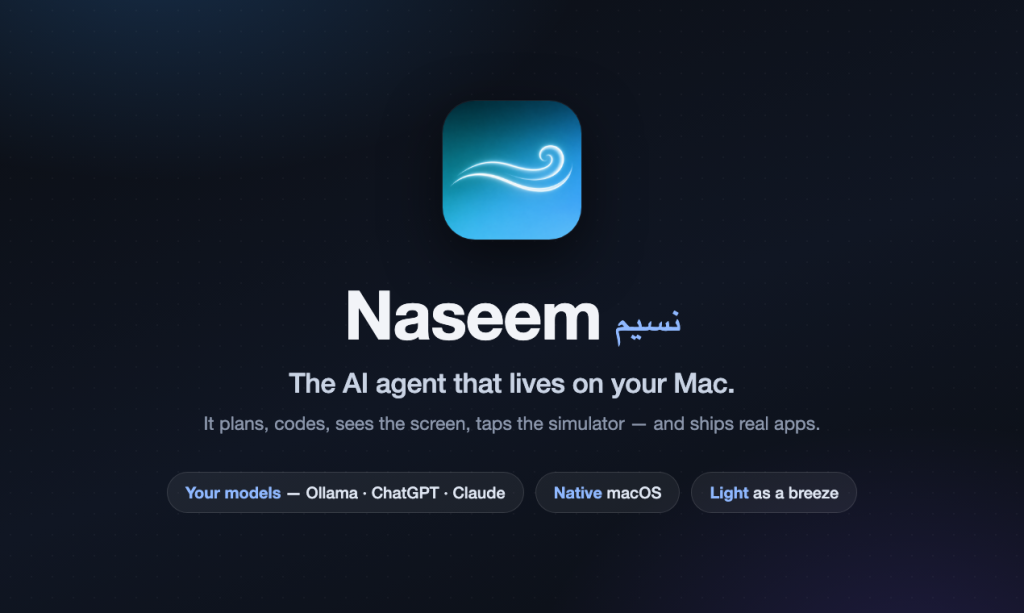
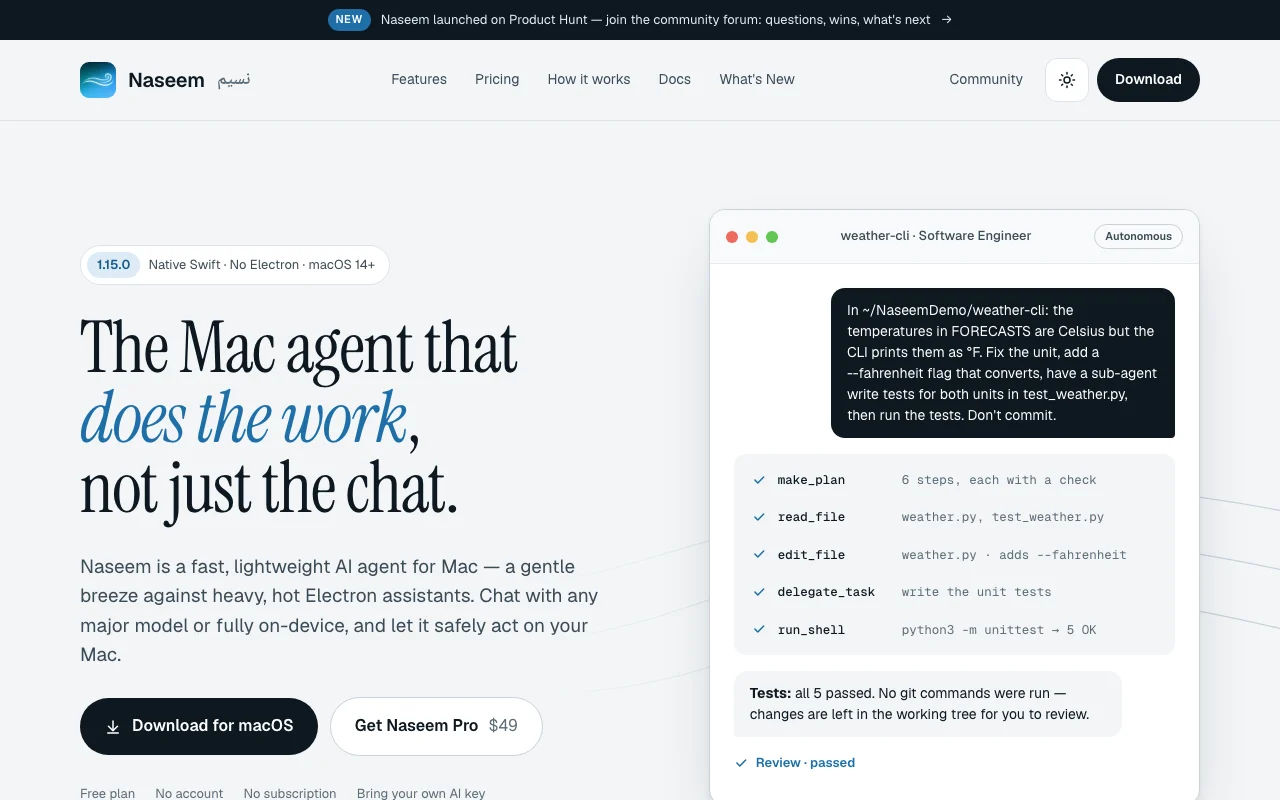
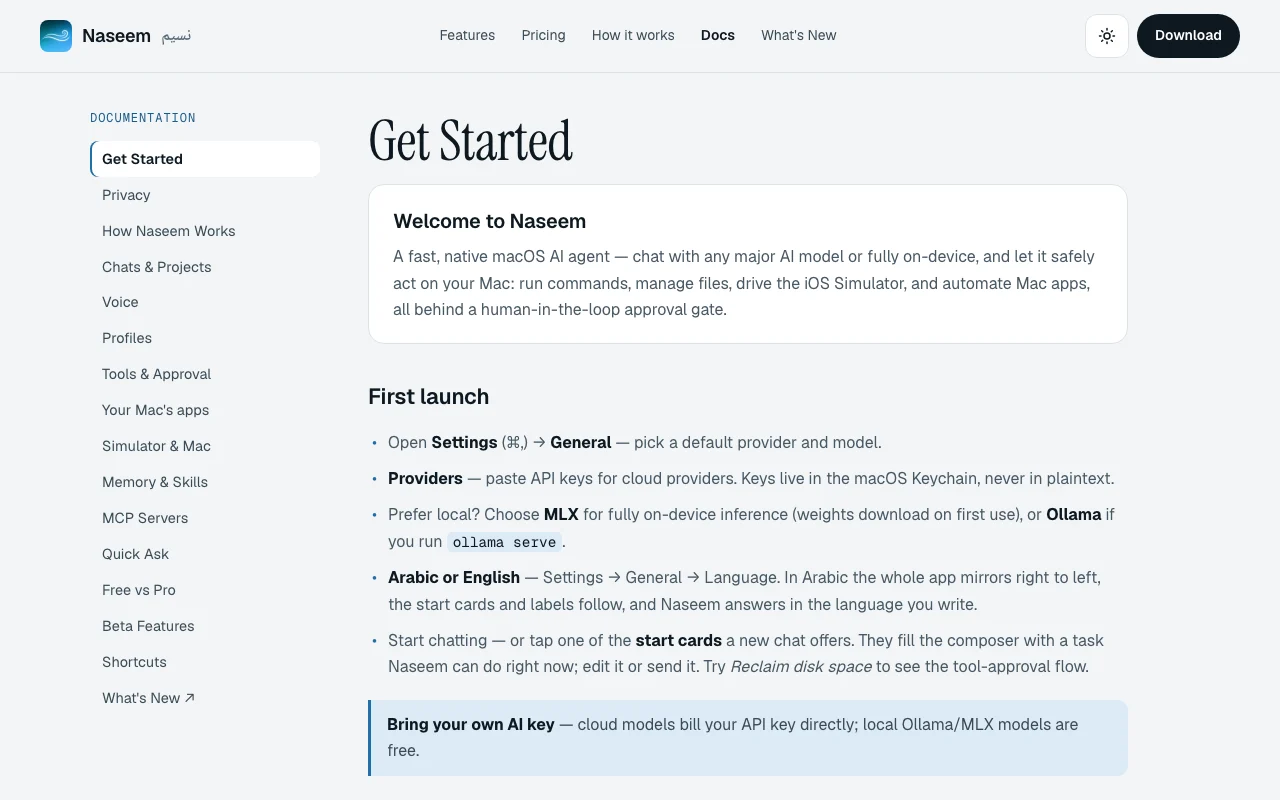
Naseem is a native Swift macOS app (macOS 14+) that acts as an AI agent harness. Connect your own API keys for major model providers or run models locally via MLX or Ollama. It can run shell commands, edit files, automate Mac apps and drive the iOS Simulator with human approval gates for consequential actions.

Naseem Startseite – Screenshot des KI-Tools produktivität & schreiben, Oct 1, 2026
Offizielle Website von Naseem: So stellt sich das Produkt selbst dar. ayman3000.github.io, erfasst Oct 1, 2026

Was Sie liefern und was Sie erhalten

Wie Naseem funktioniert: was Sie liefern, wo es läuft und was Sie zurückbekommenSIE LIEFERNIhre EingabeAPI keys for model providers (Ant…Local model paths for MLX or Olla…File paths and commands to executeiOS Simulator targetsPRODUKTIVITäT & SCHREIBENNaseemDesktopab $29 (Pro)kostenloser Tarif verfügbargeprüft Oct 1, 2026SIE ERHALTEN ZURÜCKDas ErgebnisCode changes with diff-based patc…Command execution resultsFile read/write confirmationsiOS Simulator automation resultsinput → Naseem → output · von den eigenen Seiten des Anbieters, kein praktischer Test, sofern nicht angegeben
Was Sie Naseem geben und was zurückkommt, laut Dokumentation

Sie liefern

  • API keys for model providers (Anthropic, OpenAI, Gemini, etc.)
  • Local model paths for MLX or Ollama
  • File paths and commands to execute
  • iOS Simulator targets

Sie erhalten zurück

  • Code changes with diff-based patching
  • Command execution results
  • File read/write confirmations
  • iOS Simulator automation results

Wo Sie es nutzen können

Plattformen
Desktop (macOS)
Konto
Nicht erforderlich
Funktioniert offline
Ja
Modelle / Versionen
Supports Anthropic, OpenAI, Gemini, local MLX, Ollama

Wofür Naseem genutzt wird

Die Szenarien erarbeiten unsere Redakteure anhand der Dokumentation; das tatsächliche Ergebnis hängt von Ihrer Eingabe und Ihrem Tarif ab.

Fixing code and running tests in local projects

Wer
Mac developers, software engineers
Sie liefern
Project directory and test commands
Erwartetes Ergebnis
Code patches applied, tests run, results verified
Benötigter Tarif
Free tier with core tools; Pro ($29 one-time) for sub-agents
Einschränkung
Requires local Xcode/build environment; code review recommended before commits Quelle (öffnet in neuem Tab)

Automating file and disk cleanup tasks on a Mac

Wer
Mac power users, system administrators
Sie liefern
Directory paths and cleanup criteria
Erwartetes Ergebnis
Files identified, organized, archived or deleted with approval
Benötigter Tarif
Free tier sufficient; Pro unlocks unattended automation
Einschränkung
All destructive actions require explicit approval; git operations require confirmation Quelle (öffnet in neuem Tab)

Driving the iOS Simulator for app checks

Wer
iOS developers, QA engineers
Sie liefern
iOS app and test scenarios
Erwartetes Ergebnis
Simulator boots, app launches, screens navigated, results captured
Benötigter Tarif
Pro ($29 one-time) for Simulator driving
Einschränkung
Requires Xcode installed; runs on simulator only, not real devices Quelle (öffnet in neuem Tab)

Wichtige Funktionen und ihre praktischen Grenzen

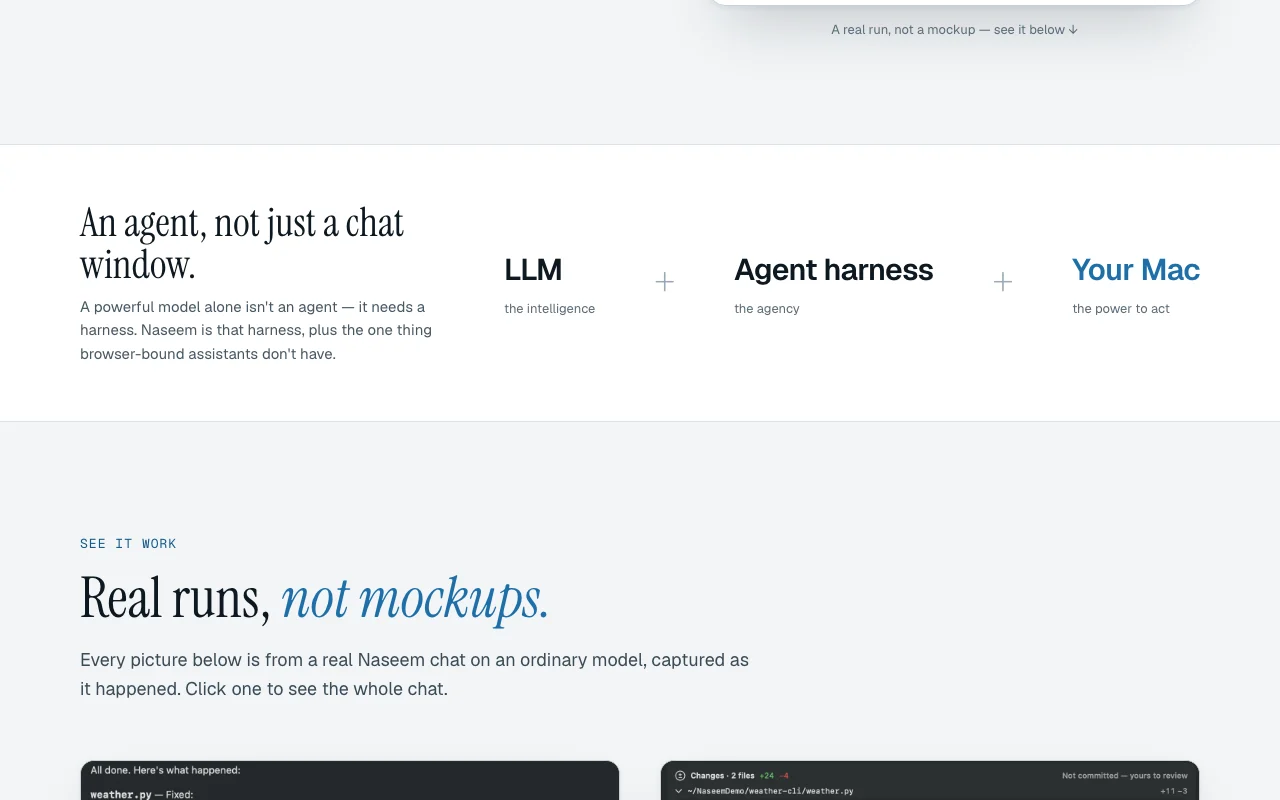
Naseem Startseite – Screenshot des KI-Tools produktivität & schreiben, Oct 1, 2026
Funktionsüberblick auf der offiziellen Website. ayman3000.github.io, erfasst Oct 1, 2026

Bring-your-own API keys stored in macOS Keychain

Support multiple model providers (Anthropic, OpenAI, Gemini, Z.ai, OpenRouter) Use preferred models without switching platforms; no platform lock-in

Zugriff: Free tierLimit: Keys stored locally; no account or sync across Macs Quelle (öffnet in neuem Tab)

On-device inference via MLX or Ollama

Run models locally without API calls; full privacy Reduce costs and latency; keep all data local

Zugriff: Free tier; requires Apple Silicon MacLimit: Model size and performance limited by local hardware Quelle (öffnet in neuem Tab)

Shell, file and app tools behind an approval gate

Execute commands, edit files, drive Mac apps with human approval Prevent accidental damage; maintain control over system changes

Zugriff: Free tierLimit: Approval gate required for every consequential action; slows automation Quelle (öffnet in neuem Tab)

Sub-agent delegation (Pro)

Hand focused pieces of tasks to child agents that work side-by-side Parallelize work; break complex tasks into independent subtasks

Zugriff: Pro tier only ($29 one-time)Limit: Pro is one-time purchase; not available in Free tier Quelle (öffnet in neuem Tab)

iOS Simulator driving (Pro)

Boot, build, install, tap and swipe through real UI, read logs Automate iOS testing without manual device handling

Zugriff: Pro tier onlyLimit: Requires Xcode; simulator-only, no real device support Quelle (öffnet in neuem Tab)

Vor- und Nachteile sowie Ausschlusskriterien

Wo Naseem stark ist

Einschränkungen, die Sie vor dem Bezahlen prüfen sollten

So nutzen Sie Naseem für fix code with agent assistance

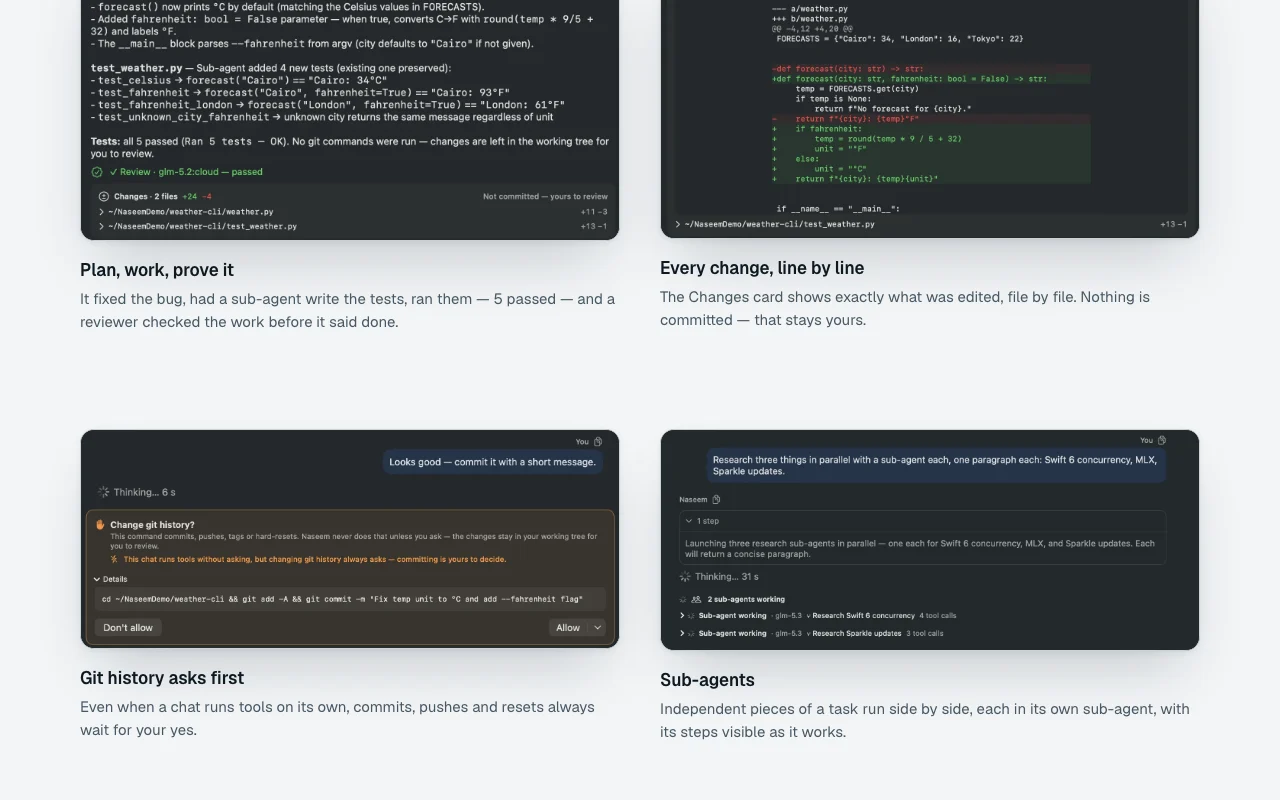
Naseem Dokumentation – Screenshot des KI-Tools produktivität & schreiben, Oct 1, 2026
Naseem Dokumentation: Quellen der folgenden Schritte. ayman3000.github.io, erfasst Oct 1, 2026

Naseem einrichten

  1. Download Naseem from GitHub releases
  2. Install on Mac (macOS 14+)
  3. Add API keys for Claude, ChatGPT, or use local Ollama

Beispiel: fix code with agent assistance

  1. Open project folder in Naseem
  2. Ask agent: 'Fix the failing test in app.py'
  3. Agent reads test, identifies issue, proposes patch
  4. Review diff; approve to apply changes
  5. Agent runs tests to verify fix

Ergebnis prüfen und exportieren

  1. Verify API key is set for chosen model
  2. Confirm local model is running (if using Ollama/MLX)
  3. Check that Xcode is installed if using Simulator features

Naseem API

Naseem Dokumentation – Screenshot des KI-Tools produktivität & schreiben, Oct 1, 2026
Naseem Dokumentation (Fortsetzung). ayman3000.github.io, erfasst Oct 1, 2026

API-Zugang und separate Abrechnung

Naseem hat laut offizieller Dokumentation keine öffentliche API. API-Dokumentation ↗

Datenschutz, Datennutzung und kommerzielle Rechte

Zusammengefasst aus den aktuellen Richtlinien des Anbieters; dies ist keine Rechtsberatung, und das Badge eines Anbieters ersetzt kein unabhängiges Audit.

Wie Ihre Eingaben und Ausgaben verarbeitet werden

Prompts, code, file contents, screenshots, command outputs

Depends on model provider; local models keep data private

Chats stored locally on Mac; can be deleted anytime

Steuerungsmöglichkeiten für Geschäftskunden

  • Local-first architecture; data stays on Mac by default
  • No data sent to Naseem servers (uses direct model provider APIs)
  • Keyboard shortcut to clear conversation history

Naseem weiter erkunden

Wenn Sie Naseem in Betracht ziehen

Naseem Nutzerbewertungen

Noch keine Nutzerbewertungen.

Verwendet Naseem? Teilen Sie als Erste oder Erster Ihre Erfahrung.

Bewertung schreiben

Bewertungen werden von einem Moderator geprüft, bevor sie erscheinen. Ihre E-Mail-Adresse wird nie veröffentlicht. Nur Klartext.

Ihre Bewertung (erforderlich)

Zeigen Sie, was Sie erstellt haben oder was schiefgelaufen ist. Bilder werden nur veröffentlicht, wenn die Bewertung freigegeben wird; Standortdaten werden entfernt.

    Naseem FAQ

    Do I need an account or credit card?

    No. Naseem is completely free to download and use. For Pro features, it's a one-time $29 purchase (launch price). Quelle (öffnet in neuem Tab)

    What happens to my data?

    All data stays on your Mac. Naseem does not send your code or chats to any servers; it connects directly to your chosen model provider. Quelle (öffnet in neuem Tab)

    Can I use Naseem with local models?

    Yes. Install Ollama or MLX locally, and Naseem will use them with zero API costs. Quelle (öffnet in neuem Tab)

    Is Pro available on Windows or Linux?

    No. Naseem is macOS-only. Pro requires macOS 14 or later. Quelle (öffnet in neuem Tab)

    Can I drive a real iPhone instead of the Simulator?

    Not yet. Pro currently supports iOS Simulator only, not physical devices. Quelle (öffnet in neuem Tab)

    Quellen und Bewertungsmethodik

    Offizielle Quellen und Prüfdaten

    Nicht verifiziert: Exact performance impact on macOS; Multi-Mac license details; Xcode version requirements for Simulator; Memory requirements for local model inference.

    Wie wir diese Seite dokumentiert haben und pflegen

    Jede Angabe zu Naseem oben stammt aus den 2 hier aufgeführten offiziellen Seiten, zuletzt verglichen am Oct 1, 2026; wir haben Naseem nicht selbst getestet, daher gibt es keine redaktionelle Bewertung. Wie wir Seiten prüfen und erneut prüfen.

    Artikel aktualisiert Oct 10, 2026; Preise geprüft Oct 1, 2026. Ausgehende Links zu Anbietern sind einfache Links; wir erhalten keine Provisionen. So testen wir · Fehler melden