Nossa opinião: Choose WorkOps if you are a legal professional in the EU or Spain who wants research and drafting in one workspace with a Word add-in, and can ask the vendor for pricing.
Principal limitação: Pricing is not published, and the legal data sources focus on the EU and Spain.
Pela equipe editorial do AI Tool Atlas.
Com base na documentação oficial do fornecedor; não testamos este produto na prática. O que “visão geral documentada” significa
Para quem WorkOps serve
Choose WorkOps if you are a legal professional in the EU or Spain who wants research and drafting in one workspace with a Word add-in, and can ask the vendor for pricing. Com base na documentação do fornecedor, fora de um teste prático.
Ideal para: Legal professionals
Também indicado para
Consultants and administrative teams working with documents
Considere outra ferramenta se pricing is not published on the site
Ou se
Excel, Outlook, Gmail, Drive and SharePoint integrations are not yet available
Legal data sources are focused on EU and Spain
Preços e limites de uso do WorkOps
Preços verificados em Oct 4, 2026 na página oficial de preços dos EUA. Preços oficiais ↗ Preços e limites mudam com frequência.
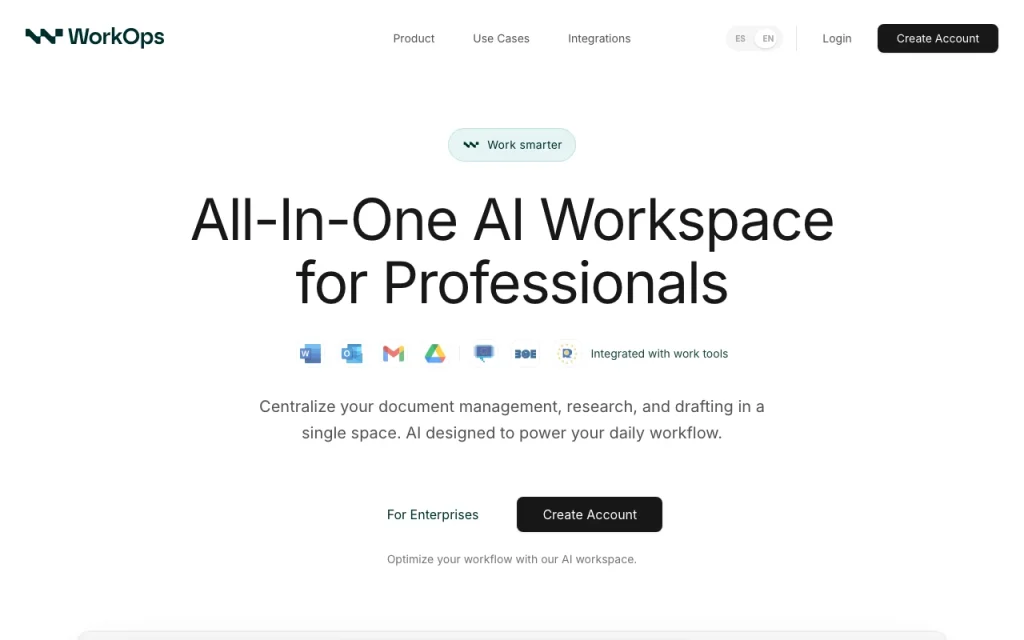
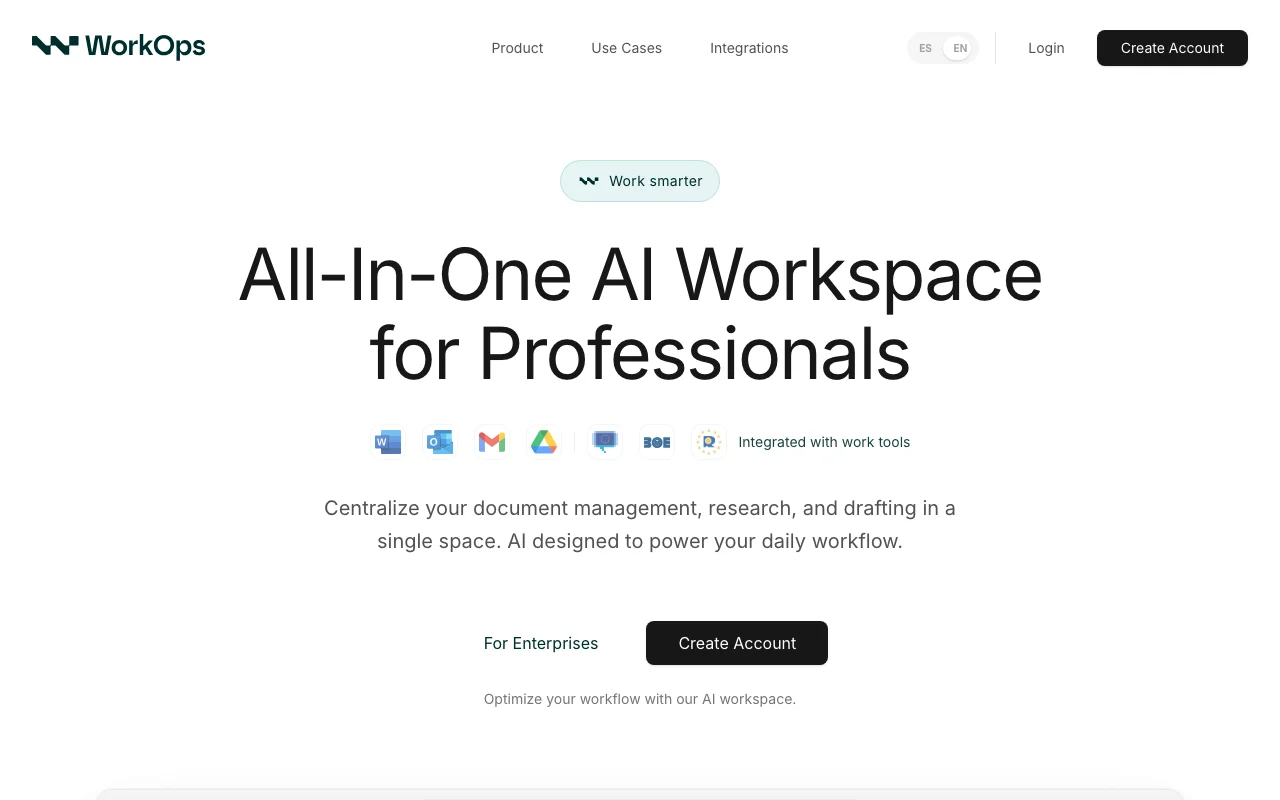
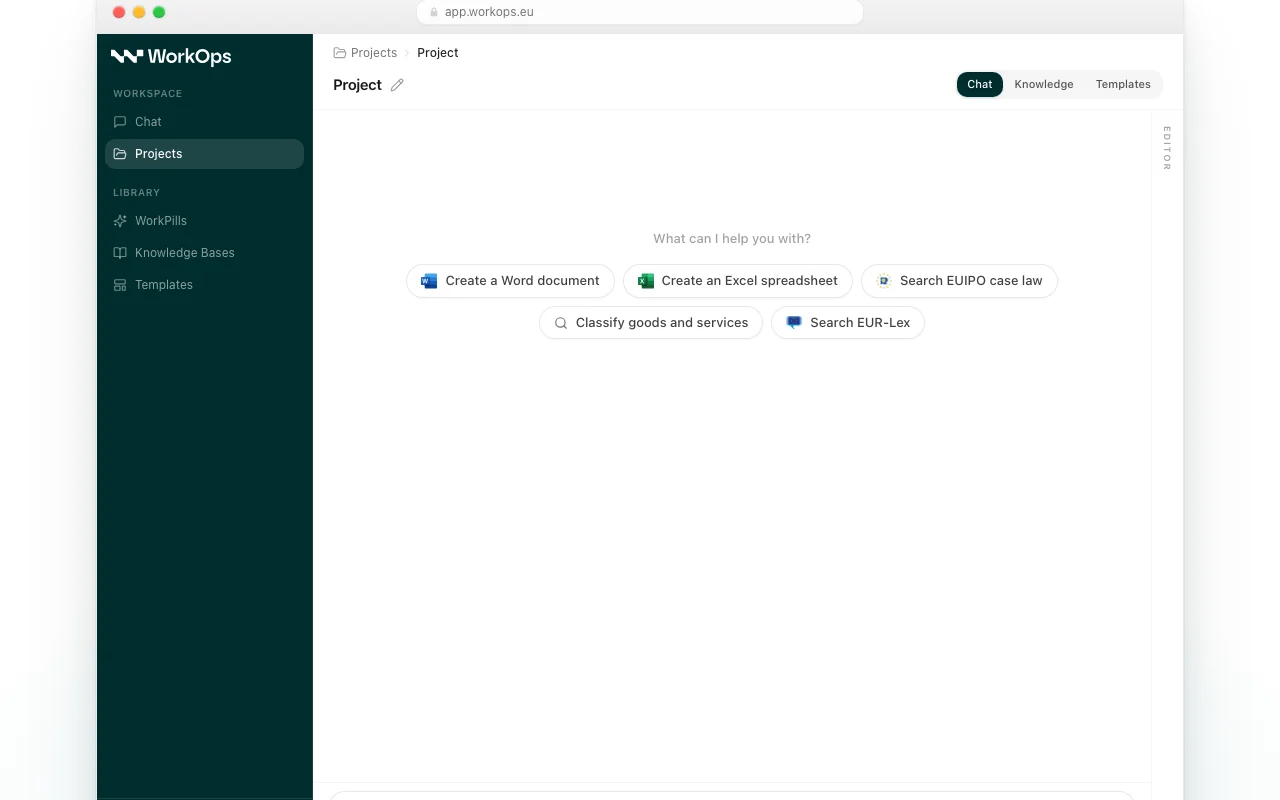
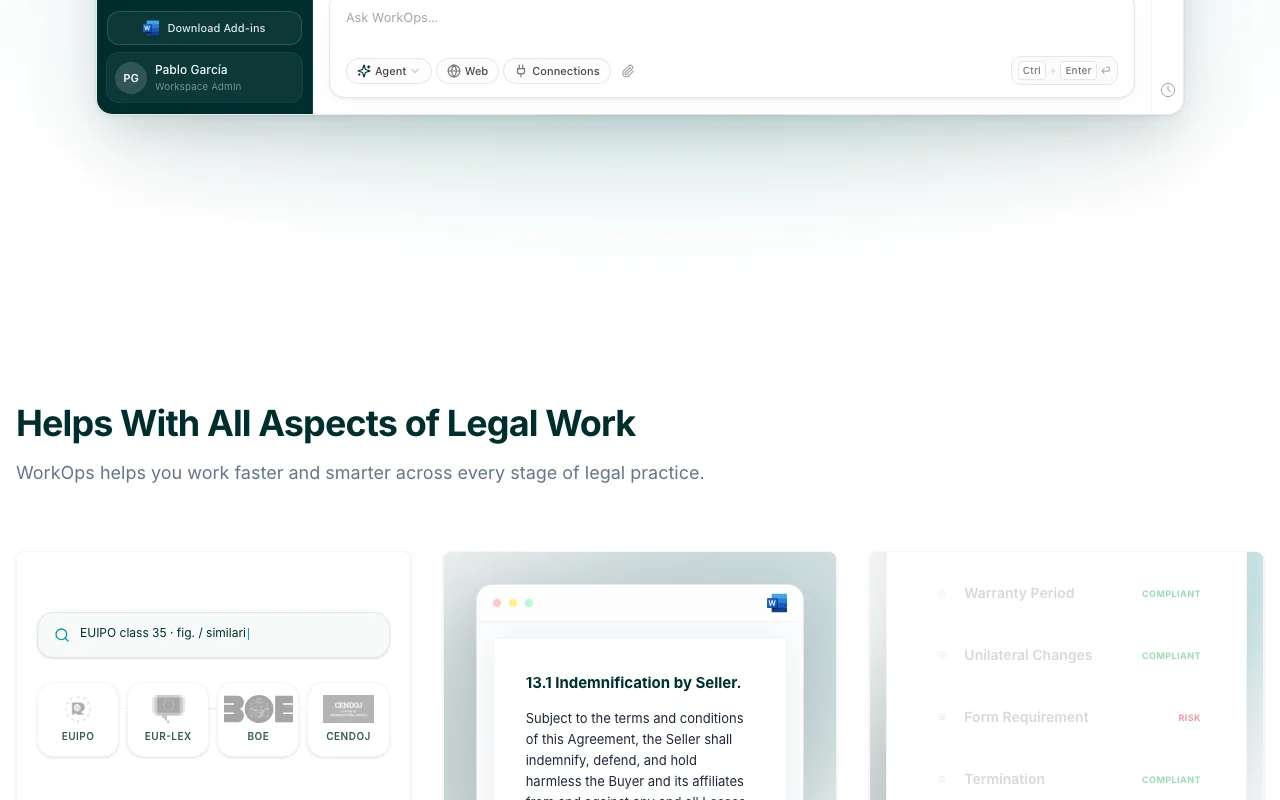
WorkOps is an all-in-one AI workspace for professionals who work with documents daily. It centralizes document management, research and drafting in one place, with a chat, projects, knowledge bases, templates and reusable prompts called WorkPills. The homepage shows connections to legal sources such as EUIPO, EUR-Lex, BOE and CENDOJ.
A Microsoft Word add-in lets users draft, edit and analyze documents from the Word ribbon. Excel, Outlook, Gmail, Drive and SharePoint integrations are listed as coming soon. The privacy policy states customer content is not used to train AI models; the brand is owned by Galileo Studio, Software & AI S.L.
Site oficial do WorkOps: como o produto se apresenta. useworkops.com, capturado Oct 2, 2026
O que você fornece e o que recebe de volta
O que você fornece a WorkOps e o que recebe de volta, segundo a documentação
O que você fornece
Documents and case files
Research questions
O que você recebe de volta
Drafted legal documents
Checklist review of documents
Onde você pode usar
Plataformas
Web
Conta
Obrigatório
Sources
EUIPO, EUR-Lex, BOE, CENDOJ
Add-in
Microsoft Word
Coming soon
Excel, Outlook, Gmail, Drive, SharePoint
Encryption
AES-256 / TLS 1.2+
Para que as pessoas usam WorkOps
Os cenários são elaborados por nossos editores a partir da documentação; o resultado real depende da sua entrada e do seu plano.
Research EU and Spanish case law and legislation
Quem
Lawyers
O que você fornece
A legal question
Resultado esperado
You get an answer with cited case law and legislation for your legal question.
Review documents against own standards with a checklist analysis
Quem
Legal reviewers
O que você fornece
A document and standards
Resultado esperado
You get a checklist analysis showing how the document measures against your standards.
Plano necessário
Not published
Limitação
You must supply your own standards, because the review compares the document only against what you provide. fonte (abre em uma nova guia)
Principais recursos e seus limites práticos
Visão geral dos recursos no site oficial. useworkops.com, capturado Oct 2, 2026
AI chat with projects
Lets you converse with documents and organise work into projects. Lawyers can ask questions about documents and keep related work together in projects instead of scattered chats.
Acesso: Not statedLimite: Details of how projects and chat behave have not been verified in the official pages we could read.fonte (abre em uma nova guia)
Knowledge bases and templates
Stores reference material and reusable document formats. Legal teams can store reference material and reuse document formats instead of rebuilding them each time.
Acesso: Not statedLimite: Limits on knowledge bases and templates are not stated in the official pages we could read.fonte (abre em uma nova guia)
WorkPills reusable prompts
Saves frequently used instructions as one-click prompts. Lawyers can save instructions they use often and run them with one click instead of retyping them.
Acesso: Not statedLimite: WorkPills is the vendor's own term, so there is no standard behavior to compare it against.fonte (abre em uma nova guia)
Microsoft Word add-in for drafting and editing
Adds drafting, editing and analysis tools to the Word ribbon. Lawyers who draft in Word get editing and analysis help inside the document itself.
Acesso: Not statedLimite: The add-in works with Word only, as other Office and email integrations are not yet available.fonte (abre em uma nova guia)
Prós e contras do WorkOps
Motivos para escolher WorkOps
Word add-in works inside the Word ribbon Because the add-in sits in the Word ribbon, lawyers can draft and edit without leaving the program they already use.documentadofonte (abre em uma nova guia)
Site states customer data is not used to train models The site states customer data is not used to train models, which is a vendor claim to confirm in the privacy terms.documentadofonte (abre em uma nova guia)
Grounded in named legal databases Answers are grounded in named legal databases, so you can trace statements back to a source.documentadofonte (abre em uma nova guia)
Encryption AES-256 at rest, TLS 1.2+ in transit stated The site states AES-256 encryption at rest and TLS 1.2+ in transit, which gives a stated baseline for data protection.documentadofonte (abre em uma nova guia)
Confira antes de pagar pelo WorkOps
Pricing is not published on the site Without published pricing you cannot budget or compare the cost to other tools before contacting the vendor.documentadofonte (abre em uma nova guia)
Excel, Outlook, Gmail, Drive and SharePoint integrations are not yet available Integrations with Excel, Outlook, Gmail, Drive and SharePoint are not yet available, so those workflows stay outside the tool.documentadofonte (abre em uma nova guia)
Legal data sources are focused on EU and Spain The legal data sources focus on the EU and Spain, so work under other jurisdictions is poorly covered.documentadofonte (abre em uma nova guia)
Requires creating an account You must create an account before using it, so you cannot try it anonymously.documentadofonte (abre em uma nova guia)
Como usar o WorkOps para legal research and drafting
Configurar WorkOps
Request access on useworkops.com.
Create an account.
Install the Word add-in.
Exemplo: legal research and drafting
Create a project.
Ask a legal question.
Draft in Word.
Revise e exporte o resultado
Verify citations.
Review before filing.
Exemplo de prompt sugerido por nossos editores (não é uma saída registrada do produto)
Summarise relevant Spanish case law on tenant eviction notices.
WorkOps API
Acesso à API e cobrança separada
WorkOps não tem API pública na documentação oficial.
Privacidade, uso de dados e direitos comerciais
Resumido a partir das políticas atuais do fornecedor; não é aconselhamento jurídico, e o selo de um fornecedor não é uma auditoria independente.
Como suas entradas e saídas são tratadas
Documents and queries
Privacy policy states customer content is not used to train AI models
Não verificado: Pricing; US availability; Retention; Official pages could not be read as text (client-rendered or empty fetch); facts come from the verified seed research.
Como documentamos e mantemos esta página
Todos os fatos sobre WorkOps acima vêm de 2 páginas oficiais listados aqui, comparados pela última vez em Oct 4, 2026; não executamos WorkOps por conta própria, por isso ele não tem nota editorial. Como verificamos e reverificamos as páginas.
Artigo atualizado em Oct 10, 2026; preços verificados Oct 4, 2026. Os links para fornecedores são links comuns; não ganhamos comissões. Como avaliamos · Relatar um erro
 (abrir em tamanho real em uma nova guia)
 (abrir em tamanho real em uma nova guia)
 (abrir em tamanho real em uma nova guia)
 (abrir em tamanho real em uma nova guia)
 (abrir em tamanho real em uma nova guia)
 (abrir em tamanho real em uma nova guia)