Windsurf vs GitHub Copilot in 2026: a new editor or an extension in the one you have
Pick GitHub Copilot to add AI to the editor you already use, from $10/mo on Pro. Pick Windsurf, now Devin Desktop, for a standalone agent-first IDE from $20/mo on Pro. Both have a free plan, and Copilot meters chat and agent use in AI credits.
FormStandalone IDE · Extension plus GitHubDevin Desktop (formerly Windsurf) · GitHub Copilot
We wrote this from our own profiles of both tools, verified on October 1, 2026 (Windsurf) and September 30, 2026 (GitHub Copilot); we ran no benchmark, used no third-party tests and took no vendor payments.
Devin Desktop (formerly Windsurf) é melhor que GitHub Copilot? A resposta curta
Pick Windsurf, now branded Devin Desktop, if you want a standalone AI-first IDE with an Agent Command Center and are fine with a desktop install and a $20/mo Pro plan. Pick GitHub Copilot if you want AI inside the editor you already use (VS Code, JetBrains, Visual Studio, Xcode and more), a $10/mo Pro plan, and a cloud agent that opens pull requests on GitHub. The catch on the Copilot side is metering: chat, agents and code review draw from a monthly AI credits allowance. We ran no benchmark on either tool, so we make no speed or quality claim.
Based on our profile of Windsurf (Devin Desktop) verified on October 1, 2026 and our profile of GitHub Copilot verified on September 30, 2026. We ran no benchmark task on either tool.
Devin Desktop (formerly Windsurf) ou GitHub Copilot: qual usar, por tarefa
Se você só quer a resposta, é esta tabela. Tudo abaixo é a evidência dos dois perfis documentados.
Comparação lado a lado
Você quer
Usar
Por quê
Autocomplete while typing
Either
Windsurf gives unlimited tab completions on Free; Copilot gives 2,000 per month on Free and unlimited on paid plans.
Keep using VS Code, JetBrains or Xcode
GitHub Copilot
Copilot runs as an extension in those editors; Windsurf asks you to move to its own IDE, apart from a JetBrains plugin.
Run several agents side by side
Devin Desktop (formerly Windsurf)
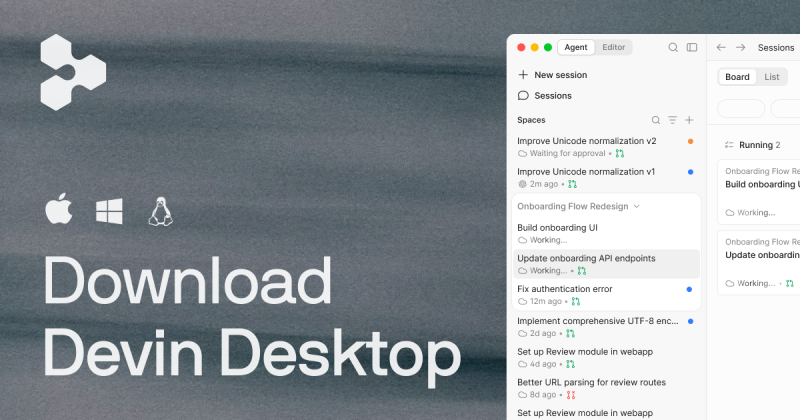
Windsurf lists an Agent Command Center with Spaces, Kanban and multi-agent management.
Hand a GitHub issue to an agent and get a pull request
GitHub Copilot
Copilot's cloud agent takes assigned issues or @copilot mentions and opens pull requests on paid plans.
Large multi-file refactor
Either
Windsurf lists agentic multi-file changes; Copilot lists agent mode in the IDE for multi-step edits across files.
Work from the terminal
Either
Windsurf lists a CLI; Copilot CLI has interactive and programmatic modes with plan mode.
AI review of pull requests
GitHub Copilot
Copilot code review is on Pro and above; Windsurf lists no pull request review feature in our profile.
Choose among many models
Either
Windsurf Pro lists Claude, GPT, Gemini, SpaceXAI and open source models; Copilot paid plans list a multi-vendor catalog.
Work in a browser or on a phone
GitHub Copilot
Copilot is on GitHub.com and GitHub Mobile; Windsurf is desktop-only.
Control team data and IP risk
GitHub Copilot
Copilot Business and Enterprise list content exclusion, a public code filter and IP indemnity; Windsurf lists admin controls and SSO on Enterprise.
Quem deve escolher qual
Which one: Windsurf for an agent-first IDE, GitHub Copilot for AI inside the editor you already use
Escolha Devin Desktop (formerly Windsurf) se
You want a full IDE built around agents, with a Kanban-style Agent Command Center for local and cloud agents.
You want unlimited tab completions and inline edits on a free plan, with only a light agent quota.
You are happy to switch editors and install a desktop app on macOS, Windows or Linux.
You will pay $20/mo on Pro for full model availability and access to Devin Cloud agents.
Escolha GitHub Copilot se
You want AI inside VS Code, JetBrains, Visual Studio, Xcode, Eclipse or Neovim without changing editors.
You want the lowest published price: Pro is $10/mo, and verified students get Copilot at no cost.
Your code and issues live on GitHub and you want a cloud agent to take an issue and open a pull request.
You need seat management, content exclusion and IP indemnity, which Business ($19/seat/mo) and Enterprise list.
O que Devin Desktop (formerly Windsurf) faz melhor e o que GitHub Copilot faz melhor
Devin Desktop (formerly Windsurf)
A full agent-first IDE with an Agent Command Center for local and cloud agents.
Unlimited tab completions and inline edits even on the Free plan.
Fast Context, which finds the files and lines an agent needs automatically.
Existing Windsurf plans and settings migrate automatically.
GitHub Copilot
Works inside VS Code, JetBrains, Visual Studio, Xcode, Eclipse and Neovim, plus GitHub.com and mobile.
Lower entry price: Pro at $10/mo, and free access for verified students.
Cloud agent and code review tied to GitHub issues and pull requests.
Business and Enterprise controls: content exclusion, audit logs, IP indemnity.
Preços de Devin Desktop (formerly Windsurf) vs GitHub Copilot: planos e versões gratuitas
Comparação lado a lado
Plano
Ferramenta
Preço
Limites
Free
Devin Desktop (formerly Windsurf)
$0/mo
Light agent quota, limited models, up to 10 concurrent sessions
Pro
Devin Desktop (formerly Windsurf)
$20/mo
Increased quotas, full model availability, Devin Cloud agents
Max
Devin Desktop (formerly Windsurf)
$200/mo
Significantly higher quotas than Pro, unlimited concurrent sessions
Teams
Devin Desktop (formerly Windsurf)
$80/mo base plus $40/mo per full seat
Up to 200 users, billed monthly, no annual discount stated
Quota-based: allowance refreshes daily and weekly; exact numbers not stated
Metered in AI credits (1 credit = $0.01); Pro includes 1,500 credits a month, resetting on the 1st
Context / file size
Not stated
Not stated
Seats / team
Teams plan up to 200 users; Enterprise has unlimited users on custom terms
Business and Enterprise are per seat with pooled credits; seat count limits not stated
Going over
Paid plans can buy extra usage at API pricing
Set a USD budget for extra usage, upgrade, or wait for the monthly reset
Comparação de recursos
Comparação lado a lado
Recurso
Devin Desktop (formerly Windsurf)
GitHub Copilot
Image generation
Not stated
Not stated
Voice
Not stated
Not stated
File upload
Not stated; works on your repositories and codebase files
Works on open files and repository context; no upload feature stated
Web search
Not stated
Not stated
Agents / tools
Yes: local and cloud agents, Agent Command Center, Git, Slack, Teams, Linear and Jira integrations
Yes: IDE agent mode, cloud agent, CLI, MCP servers, custom agents; Slack and Teams mentions
API
Extra usage billed at API pricing; no standalone API stated
Copilot SDK; no standalone pay-per-token model API on the pages we checked
Mobile apps
No: desktop only
Yes: GitHub Mobile
IDE integration
Is its own IDE; JetBrains plugin
VS Code, Visual Studio, JetBrains, Eclipse, Xcode, Neovim
Privacidade e treinamento com dados
Comparação lado a lado
Devin Desktop (formerly Windsurf)
GitHub Copilot
Training on your data
Not stated in available pages
Free, Pro and Pro+: may be used unless you opt out; Business and Enterprise: not used
Retention
Not stated
Business and Enterprise engagement data kept two years; github.com, mobile and CLI chat retains prompts for thread history; exact periods not confirmed
Business controls
Centralized admin controls on Teams and Enterprise; SAML/OIDC SSO and dedicated or VPC deployment on Enterprise
Content exclusion, public code filter, audit logs, budgets, MCP allow lists, IP indemnity, Data Protection Agreement
Extraído das páginas de política publicadas por cada fornecedor no momento da nossa verificação. As políticas mudam; os links das fontes estão no final.
Trocar entre Devin Desktop (formerly Windsurf) e GitHub Copilot: o que é mantido
Devin Desktop (formerly Windsurf) ou GitHub Copilot: como escolher
Want the lowest paid price? Copilot Pro is $10/mo; Windsurf Pro is $20/mo.
Want to keep VS Code, JetBrains or Xcode? Copilot is an extension there; Windsurf means switching to its IDE.
Want several agents managed on a board? Windsurf's Agent Command Center is built for that.
Work around GitHub issues and pull requests? Copilot's cloud agent and code review sit inside GitHub.
Need to predict your bill? Windsurf quotas and Copilot credits both vary with model and task size, so test on the free plans first.
Our pick: Copilot if you want AI in your current editor and GitHub workflow; Windsurf if you want to move to an agent-first IDE.
Perguntas frequentes
Is Windsurf or GitHub Copilot cheaper?
GitHub Copilot is cheaper at the entry paid tier: Pro is $10/mo against $20/mo for Windsurf Pro. Both have a $0 plan. The gap widens at the top: Windsurf Max is $200/mo, while Copilot Max is $100/mo.
Is Windsurf still called Windsurf?
The product now presents itself as Devin Desktop, made by Cognition AI, and windsurf.com redirects there. The pricing page says plans and settings migrate from Windsurf automatically.
Do Windsurf and GitHub Copilot have a free plan?
Yes, both. Windsurf Free gives unlimited tab completions and inline edits with a light agent quota and limited models. Copilot Free gives 2,000 completions per month and limited chat and agent credits, and it is not available to users with an org-assigned seat.
Can I keep my current editor?
With GitHub Copilot, yes: it runs in VS Code, JetBrains IDEs, Visual Studio, Xcode, Eclipse and Neovim, though feature support varies by IDE. Windsurf is its own desktop IDE, plus a JetBrains plugin and a CLI.
Which one trains on my code?
Our Windsurf profile does not state a training policy, and its privacy page returned 404, so treat it as not confirmed. For Copilot, Free, Pro and Pro+ interactions may be used for training unless you opt out in settings; Business and Enterprise data is not used.
Which one is better for team use?
Both list team plans. Copilot Business at $19/seat/mo adds content exclusion, audit controls and IP indemnity. Windsurf Teams costs $80/mo base plus $40/mo per full seat and adds an admin dashboard; SAML/OIDC SSO is listed for Enterprise.